About Attrasoft TransApplet
TransApplet is a .Net Class Library that enables System Integrators, Solution Developers, and Individuals to quickly add Image Recognition capability to their products and services.
Software Requirements
The software requirements are:
- Microsoft Visual Studio .Net, or
- C#.Net, or
- VB.Net
Installing the Software
Copying the “CD:\transapplet80” to the C-driver will complete the installation.
Information & Support
Attrasoft TransApplet
Attrasoft
P. O. Box 13051
Savannah, GA, 31406
USA
imagefinder@attrasoft.com
(Email Subject: Attrasoft)
Phone: (912) 484-1717
© Attrasoft 1998 - 2011
License Agreement
THIS LICENSE AGREEMENT ("AGREEMENT") IS BETWEEN YOU, THE END USER, AND Attrasoft. IT GOVERNS THE USE OF THE SOFTWARE PROGRAM AND DOCUMENTATION KNOWN AS Attrasoft TransApplet (THE "PRODUCT"). IF YOU USE THE PRODUCT, THEN YOU AGREE TO THE TERMS OF THIS AGREEMENT. IF YOU ARE NOT WILLING TO BE BOUND BY THE TERMS OF THIS AGREEMENT, PROMPTLY RETURN THIS PACKAGE TO THE PLACE OF PURCHASE WITH A COPY OF THE RECEIPT, AND YOUR LICENSE FEE WILL BE REFUNDED.
Attrasoft licenses use of the PRODUCT, which may be manufactured and distributed by Attrasoft or by a third party (either, the "Manufacturer"). You, the end-user, assume responsibility for the selection of the PRODUCT to achieve your intended results, and for its installation and subsequent use.
GRANT OF LICENSE
Attrasoft hereby grants you
a non-exclusive license to use the PRODUCT in object code form only, upon the
terms and conditions contained in this Agreement.
You may:
1. Use the PRODUCT
on the number of workstations for which you have purchased PRODUCT licenses. The
workstations must be owned, leased or otherwise controlled by you, whether in a
network or other configuration.
2. Create a
quantity of backup copies of the PRODUCT, in any machine-readable or printed
form, equal to the number of PRODUCT licenses you have purchased.
3. Transfer the
PRODUCT and your rights under this Agreement to another party if the other
party agrees to accept the terms and conditions of this Agreement. If you
transfer the PRODUCT, you must, at the same time, either transfer all copies of
PRODUCT to the same party, or destroy any copies not transferred. You must
immediately notify Attrasoft of the transfer.
4. Print out one
copy of the Product documentation from the Attrasoft program, TransApplet,
for each license purchased. If you print out any part of the Product
documentation from the Attrasoft program, TransApplet, you must
reproduce and include all the copyright notices that appear in the
documentation on any such copy of the documentation.
You May Not:
1. Use or copy the
PRODUCT, in whole or in part, except as expressly provided in this Agreement.
2. Use the PRODUCT
concurrently on more than the number of workstations for which you have
purchased licenses.
3. Copy, rent,
distribute, sell, license or sub-license, or otherwise transfer the PRODUCT or
this license, in whole or in part, to another party, except as specifically set
forth above.
4. Incorporate the
PRODUCT or any portion of the PRODUCT into, or use the PRODUCT, or any portion
of the PRODUCT to develop, other software without a license from Attrasoft, or
otherwise modify or create a derivative work from the PRODUCT without a license
from Attrasoft.
5. Reverse
engineer, decompile, or disassemble the PRODUCT.
To use the PRODUCT
as described in Sections 2 or 4 above, or for any other use not specifically
set forth above, additional licensing from Attrasoft is required. For further
information, please contact Attrasoft at:
Attrasoft,
Inc.
Phone: (912)
484-1717
gina@attrasoft.com
PROPRIETARY RIGHTS
This Agreement
gives you ownership only of the physical Attrasoft program, TransApplet,
on which the PRODUCT is stored, but not of the PRODUCT itself. You acknowledge
that Attrasoft owns all rights, title, and interest in the PRODUCT, and that
you will acquire no rights in the PRODUCT through your use of it. You agree
that you will take no action that interferes with Attrasoft's rights in the
PRODUCT.
TERMS
This Agreement is
effective until terminated. You may terminate it at any time by destroying the
PRODUCT together with all copies and documentation in any form. This Agreement
will also terminate automatically and without notice from Attrasoft if you fail
to comply with any term or condition of this Agreement. You agree upon such
termination to destroy the PRODUCT and all copies of the PRODUCT.
DISCLAIMER; LIMITED WARRANTY
EXCEPT AS PROVIDED
BELOW, THE PRODUCT IS PROVIDED "AS IS" WITHOUT WARRANTY OF ANY KIND,
EITHER EXPRESSED OR IMPLIED, INCLUDING, BUT NOT LIMITED TO THE IMPLIED
WARRANTIES OF MERCHANTABILITY AND FITNESS FOR A PARTICULAR PURPOSE. THE ENTIRE
RISK AS TO THE QUALITY AND PERFORMANCE OF THE PRODUCT IS WITH YOU. SOME
JURISDICTIONS DO NOT ALLOW THE EXCLUSION OF IMPLIED WARRANTIES, SO THE ABOVE
EXCLUSION MAY NOT APPLY TO YOU. NEITHER ATTRASOFT NOR MANUFACTURER WARRANTS THAT
THE FUNCTIONS CONTAINED IN THE PRODUCT WILL MEET YOUR REQUIREMENTS OR THAT THE
OPERATION OF THE PRODUCT WILL BE UNINTERRUPTED OR ERROR-FREE. However, where
Attrasoft is the Manufacturer, Attrasoft warrants that the Attrasoft program, TransApplet,
on which the software is furnished will be free from defects in materials and
workmanship under normal use for a period of ninety (90) days from the date of
delivery as evidenced by a copy of your receipt.
LIMITATION OF REMEDIES
Where Attrasoft is
the Manufacturer, Manufacturer’s entire liability and your exclusive remedy
shall be:
1. The replacement
of the Attrasoft program, TransApplet, not meeting the Limited Warranty,
which is returned to Manufacturer with a copy of your receipt.
2. If Manufacturer
is unable to deliver replacement Attrasoft program, TransApplet, which
is free of defects in materials or workmanship, you may terminate this
Agreement by returning the PRODUCT and a copy of your receipt to the place of
purchase, and your money will be refunded. Where Attrasoft is not the
Manufacturer, Attrasoft shall have no liability to replace or refund, and you
agree to look to Manufacturer to meet the obligations described above.
LIMITATION OF LIABILITY
IN NO EVENT WILL
ATTRASOFT OR MANUFACTURER BE LIABLE TO YOU FOR ANY DAMAGES, INCLUDING, BUT NOT
LIMITED TO, ANY LOST PROFITS, LOST SAVINGS, OR OTHER INDIRECT, SPECIAL,
EXEMPLARY, INCIDENTAL OR CONSEQUENTIAL DAMAGES, ARISING OUT OF THE USE OR
INABILITY TO USE THIS PRODUCT, EVEN IF ATTRASOFT OR MANUFACTURER HAS BEEN
ADVISED OF THE POSSIBILITY OF SUCH DAMAGES. FURTHER, IN NO EVENT WILL ATTRASOFT
OR MANUFACTURER
BE LIABLE FOR ANY CLAIM BY ANY OTHER PARTY ARISING OUT OF
YOUR USE OF THE PRODUCT. SOME JURISDICTIONS DO NOT ALLOW THE LIMITATION OR
EXCLUSION OF LIABILITY FOR INCIDENTAL OR CONSEQUENTIAL DAMAGES, SO THE ABOVE
LIMITATION OR EXCLUSION MAY NOT APPLY TO
YOU.
TRADEMARKS
Attrasoft is a trademark of Attrasoft, Inc. Microsoft,
C# logo are registered trademarks of Microsoft Corporation. No rights, license,
or interest in such trademarks is granted hereunder.
U.S. GOVERNMENT RESTRICTED RIGHTS IN DATA
This computer
software product and documentation are provided with Restricted Rights. Use,
duplication, or disclosure by the U.S. Government is subject to restrictions as
set forth in the Rights in Technical Data and Computer Software clause at DFARS
252.227-7013, or subparagraphs (c)(1) and (2) of the
Commercial Computer Software - Restricted Rights at 48 CFR 52.227-19, as
applicable. Contractor/Manufacturer is Attrasoft, Inc.
EXPORT CONTROLS
You agree not to
export or re-export the PRODUCT, directly or indirectly, to any countries,
end-users or for any end uses that are restricted by U.S. export laws and
regulations, without first obtaining permission to do so as required by the
U.S. Department of Commerce's Bureau of Industry and Security, or other
appropriate government agency. These restrictions change from time to time. If
you have any questions regarding your obligations under U.S. export
regulations, you should contact the Bureau of Industry and Security, U.S.
Department of Commerce, Exporter
Counseling Division,
Washington D.C. (202) 482-4811, http://www.bis.doc.gov.
TABLE OF CONTENTS
1.3 Installing
the TransApplet
1.4 Attrasoft
TransApplet Class Library
2.1 Attrasoft
Image Recognition Basics
2.2 Image
Recognition Internal Structures
6.3 Set Up the
Chapter Project
7.2
Implementing H, >, and < Buttons
8.4 Codes for
Each of the Steps
9.6 Signature
File Implementation
10.1 Whole
Image Matching Menu
10.3 N:N
Matching Implementation
10.4 1:N Matching Implementation
12.3 Creating
A Master Library
14.1
Sub-Images and Variations
16.3 Set Up
the Chapter Project
20.2 Image
Preprocessing & Processing
20.4 Neural
Filter and Neural Net Filter
21.1 Image
Preprocessing Filter
21.7 Skip the
Empty Border by Content Percent
22.3 Set Image
Processing Filters
24.1 Pushing
Images Through Filters
24.3 Grouping
Parameters Together
25.5
Unsupervised Filterand BioFilter
25.7.8
Internal/External Weight Cut
25.7.11 Use
BioFilter & Use Neural Filter
26. ImageFinder Support Service Packages
26.1 Basic
Annual Maintenance & Support Package
26.3 What is a
Feasibility Study?
1. Introduction
Attrasoft TransApplet for Windows is a .Net Class Library that enables the addition of Image Recognition capability to products & services. It can be used for:
- Image Verification (1:1 Matching);
- Image Identification (1:N Matching);
- Image Search or Retrieval (1:N Matching);
- Multiple Verification or Identification (N:N and N:M Matching); and
- Video Matching
1.1 What is TransApplet?
Attrasoft TransApplet for Windows is a .Net Class Library that enables the addition of Image Recognition capability to products & services.
Before you continue, you should be familiar with the Attrasoft ImageFinder for two reasons:
- Learn the structure of the Attrasoft Image Recognition Approach;
- Learn the ImageFinder software.
The TransApplet will introduce the class library, “Attrasoft.TransApplet80”. This library is used in the ImageFinder. As a teaching tool, the TransApplet will show you how to build an ImageFinder via C# .Net. Therefore, if you have not learned the ImageFinder, you should start with the ImageFinder now.
The entire ImageFinder C# project is in the software. It is located in the ImageFinder subfolder. You can run the ImageFinder from there.
1.2 Software Requirements
The software requirements are:
- Microsoft Visual Studio .Net, or
- C#.Net, or
- VB.Net
In addition, we assume users understand C# or VB programming.
1.3 Installing the TransApplet
Copying the “CD:\transapplet80” to the C-driver will complete the installation. After copying, you should have both the Library Files and the Chapter Example.
1.4 Attrasoft TransApplet Class Library
The TransApplet library has many *.dll files:
C:\transapplet80\xyz80.dll
…
Each Library file has one
main library, which has the same name as the file name:
Attrasoft.TransApplet80.xyz80
Each Library has one main
class, which has the same name as the file name:
Attrasoft.TransApplet80.xyz80.xyz80
The advantage of making
class-name = library-name = file-name
is that you will know what to use. If you go to a file xyz80.dll, you will use Library, “Attrasoft.TransApplet80.xyz80”, and you will use class, xyz80. There is no guessing which class you should choose if the Library has more than one class.
The disadvantage is
that the compiler will not be able to distinguish between the class-name and
the Library-name unless you use the full name.
Xyz80 alone is not
understandable by the C# compiler. To declare an object, you must use the full
path:
Attrasoft.TransApplet80.xyz80.xyz80 myObject80;
Each chapter has a project. Many chapters may share the same project. These projects provide an integration source code so you can cut and paste to produce your own application.
1.5 Linking the TransApplet
To link to these Libraries:
- Start C# project;
- Right click References in Solution Explorer and select Add Reference;
- Click Browse Tab;
- Select “c:\transapplet80\*.dll” files;
- Click the “OK” button.
2. Image Recognition Overview
2.1 Attrasoft Image Recognition Basics
The Attrasoft Image Recognition Approach has two basic phases:
- Whole Images
- Sub-Images
In matching whole images, a
unique image signature is computed for each image. Different images will have
different signatures. The Signature Matching is based on these image
signatures. This matching can easily reach the speed of 100,000 to 1,000,000
whole images per second and is very fast.
In the Image Segment matching, image signatures may or may not be used. If no image signatures are used, the recognition speed is much slower.
Image Matching is further divided into filters. It is these filters that will perform the image matching tasks.
2.2 Image Recognition Internal Structures
An image recognition application is roughly divided into:
Level 5: User Interface;
Level 4: Data Management;
Level 3: Image-Matching Layer;
Level 2: Scanner, Camera, and their Drivers;
Level 1: PC with Windows.
The TransApplet Library will be used to implement the Image-Matching layer. Stand-alone software, like the Attrasoft ImageFinder, is roughly divided into 3 layers:
Level 3: User Interface;
Level 2: Image-Matching Layer;
Level 1: PC with Windows.
3. TransApplet Overview
ImageFinder for Windows is an off-the-shelf Application Software that enables System Integrators, Solution Developers, and Individuals to quickly test their own Image Recognition ideas.
VideoFinder for Windows is an off-the-shelf Application Software that enables System Integrators, Solution Developers, and Individuals to quickly test their own video Recognition ideas.
TransApplet is .Net Class Library that enables System Integrators, Solution Developers, and Individuals to quickly add Image Recognition capability to their products and services.
This User’s Guide will show you how to build software like the ImageFinder using C# .Net. If you have not learned how use to the ImageFinder, you should start with the ImageFinder now. The entire ImageFinder project is located in the ImageFinder sub-folder.
The TransApplet consists of a set of class libraries. Each chapter will introduce one of these libraries as you continue to build the “ImageFinder”. Some minor graphical user interface issues will be ignored here because it is already complicated enough.
3.1 TransApplet API
Chapter 4, API,
describes the API (Application Programming Interface) of the
“Attrasoft.TransApplet80” Class Library.
3.2 User Interface
Chapter 5, User Interface, briefly describes how to set up the forms and the menu bar for the ImageFinder, and also how to link to class libraries.
3.3 Input & Display
Chapter 6, Input, briefly describes how to enter data to the ImageFinder. The input images are further divided into:
- Key image – the sample image the ImageFinder will match against;
- Search Source – a list of previously stored images to be searched.
An image path specifies the training image. A search-folder specifies the Search Source.
Chapter 7 will also briefly describe how to display the images. The Image Display will play the following role:
- Display Key Segment;
- Display the first image in the search source;
- Display the next image and the previous image in the search source.
- Display the first and next image in the matching results.
- Display processed images (how an image is viewed by the software).
3.4 ImageFinderLite
Chapter 8, ImageFinderLite, briefly describes how to build the software, ImageFinderLite.
3.5 Signature Recognition
Chapter 9, Image Signatures, will describe how to generate image signatures.
3.6 Whole Image Matching
Chapter 10, Whole Image Matching, will describe the steps for whole image matching.
Chapter 11, Binary Search, will describe the steps for binary whole image matching.
3.7 Dynamic Library
Chapter 12, Dynamic Library, introduces the dynamic library used in the ImageFinder. Dynamic Library allows the master library to be updated via insertion, deletion, and update.
3.8 Image Segment Matching
Chapter 13, Image
Variation, will describe how to generate image signatures for some simple
variations, such as rotation and flips.
Chapter 14, Sub-Image Matching,
introduces the sub-image matching used in the ImageFinder.
Chapter 15, Fast Sub-Image Matching, gives
a more options for matching sub-images.
3.9 Videos
Chapter 16, Video Input,
briefly describes how to enter video data to the ImageFinder.
Chapter 17, Whole Video Matching, introduces matching with a whole video as a unit.
Chapter 18, Video Frame Matching, introduces matching with a video frame as a unit.
Chapter 19, Video Object Matching, introduces matching with an object inside a video frame as a unit.
3.10 Image Processing
Chapter 20, Image Preprocessing Concept, chapter 21, Image Preprocessing and chapter 22, Image Processing, introduces the image processing process required for the ImageFinder.
Chapter 23, Normalization, introduces image representation required for the ImageFinder.
Chapter 24 and Chapter 25 discuss the internal parameters in the ImageFinder.
3.11 Customized Software
Chapter 26, Development Process, introduces the Image Recognition Implementation Process using the TransApplet.
4. API
This chapter will introduce the interfaces of the important classes and important functions. The interface for other classes will be introduced in the later chapters as they are used.
4.1 Image Signature
Whole Image Matching is done through Image Signature. An image has a set of computed values called features. A collection of features is grouped into a signature.
This section introduces the Image Signature interface. An Image Signature consists of the following attributes:
ID
Name (For example, xyz.jpg)
Path (c:\abc\)
Attribute 1
Attribute 2
…
The interface for Image Signature is:
public interface I_ImageSignature
{
int getStatus ();
string getID();
string getImageName ();
string getImagePath();
string getAbsolutePath ();
int getNumberOfAttributes ();
int [] getSignatureAttributes();
int getSignatureAttributes (int index);
string toString ();
}
The following table lists the functions.
|
Function |
Descriptions |
Comments |
|
int getStatus () |
Returns the status associated with the signature. Output: 1: signature ready. 0: signature not ready. -1: no image -2: image segmentation specification error -3: other error. |
|
|
string getID() |
Returns the ID associated with the signature. Output: image ID. |
|
|
string getImageName () |
Returns the image name associated with the signature. Output: image name. |
|
|
string getImagePath() |
Returns the image path associated with the signature. Output: image path. |
|
|
string getAbsolutePath () |
Returns the absolute path associated with the signature. Output: image absolute path. |
|
|
int getNumberOfAttributes () |
Returns the number of attributes associated with the signature. Output: number of attributes. |
|
|
int [] getSignatureAttributes() |
Returns the attribute array associated with the signature. Output: attribute array. |
|
|
int getSignatureAttributes() (int index) |
Returns the attribute associated with the input index. Input: index. Output: attribute associated with the input index. |
|
|
string toString () |
Returns the entire image signature as a string with fields separated by Tab. |
|
4.2 Signature Filter
Signature filter computes signatures in the TransApplet; the input is an image and the output is a signature.
The filter has two classes: Signature Generator and Signature Filter. The interface for Signature Generator is:
public interface I_SignatureGenerator
{
bool setSignatureFilter (int x);
int getSignatureFilter ();
ImageSignature getSignature (Bitmap b);
int getSignatureFilterSize ();
string [] getSignatureFilterNames();
}//class
The following table lists the functions.
|
Function |
Descriptions |
Comments |
|
ImageSignature getSignature (Bitmap b) |
Gets the signature of the input image. Bitmap b Output: Signature. |
|
|
int getSignatureFilterSize () |
Gets the number of attributes the library of signatures. |
|
|
bool setSignatureFilter (int x) int getSignatureFilter () |
Selects a Signature Generator. |
|
The interface for Signature Filter is:
public interface I_SignatureFilter
{
bool setSignatureFilter (int x);
int getSignatureFilter ();
string [] getSignatureFilterNames();
ImageSignature getSignature (string imagePath, string ID);
ImageSignature getSignature (string imagePath);
ImageSignature getSignature (Bitmap b, string ID);
ImageSignature getSignature (Bitmap b);
ImageSignature getSignature
( string imagePath, string ID,int x, int y, int w, int h);
ImageSignature getSignature
( Bitmap bImg, string path, string name, string ID,
int x, int y, int w, int h);
bool getLibrary ( string [] imageAbsolutePath, string fileName );
bool getLibrary
( string [] imageAbsolutePath, string [] IDs, string fileName );
bool getSegmentLibrary ( string [] imageAbsolutePath,
string [] IDs,
string [] xs,
string [] ys,
string [] ws,
string [] hs,
string fileName );
bool getSegmentLibrary ( string [] imageAbsolutePath,
string [] IDs,
int [] xs,
int [] ys,
int [] ws,
int [] hs,
string fileName );
}//class
The following table lists the functions.
|
Function |
Descriptions |
Comments |
|
bool setSignatureFilter (int x) int getSignatureFilter () |
Selects a Signature filter. |
|
|
string [] getSignatureFilterNames(); |
Gets a list of Signature filter names. |
|
|
ImageSignature getSignature (string imagePath, string ID);
ImageSignature getSignature (string imagePath); ImageSignature getSignature (Bitmap b, string ID); ImageSignature getSignature (Bitmap b); |
Gets the Signature of the input image. |
|
|
ImageSignature getSignature ( string imagePath, string ID,int x, int y, int w, int h); ImageSignature getSignature ( Bitmap bImg, string path, string name, string ID, int x, int y, int w, int h); |
Gets the Signature of the input image segment.
string imagePath, or Bitmap bImg string ID int x, int y, int w, int h. Output: Signature. |
|
|
bool getLibrary ( string [] imageAbsolutePath, string fileName ); bool getLibrary ( string [] imageAbsolutePath, string [] IDs, string fileName );
bool getSegmentLibrary ( string [] imageAbsolutePath, string [] IDs, string [] xs, string [] ys, string [] ws, string [] hs, string fileName );
bool getSegmentLibrary ( string [] imageAbsolutePath, string [] IDs, int [] xs, int [] ys, int [] ws, int [] hs, string fileName ); |
Generates a Signature library from all images in string [] imageAbsolutePath and produces a file that contains all signatures. Input: string [] imageAbsolutePath Output: A text file that contains the library of signatures. |
|
4.3 Matching Results
Attrasoft ImageFinder matches whole images or image segments. The ImageFinder can be used for:
- Image
Verification (1:1
Matching);
- Image
Identification (1:N
Matching);
- Image
Search or Retrieval (1:N
Matching);
- Multiple Matching (N:N and N:M Matching); and
- Video Matching (1:1, 1:N, M:N).
The results for N:N Matching always goes to a file. The results for 1:1 and 1:N Matching go to a data structure called Results_1N. The interface for class, Results_1N, is:
public interface I_Results_1N
{
bool getStatus ();
int getNumberOfMatches();
string getImageID (int i) ;
string [] getImageID () ;
string [] getImageID_N ( int N );
string getScore(int i);
string [] getScore();
string [] getScore_N ( int N );
string getImageName (int i) ;
string [] getImageName () ;
string [] getImageName_N ( int N ) ;
string getImagePath (int i) ;
string []getImagePath () ;
string [] getImagePath_N ( int N ) ;
string getX(int i);
string [] getX();
string [] getX_N ( int N );
string getY(int i);
string [] getY();
string [] getY_N ( int N );
string getW(int i);
string [] getW();
string [] getW_N ( int N );
string getH(int i);
string [] getH();
string [] getH_N ( int N );
Results_1N sort ();
string toString ();
}
The following table lists the functions.
|
Functions |
Descriptions |
Comments |
|
int getStatus () |
Returns the status of the current signature comparison: > 0: OK; < 0: Error. |
|
|
int getNumberOfMatches() |
Returns the number of matches of the current signature comparison. |
|
|
string getImageID (int i) string [] getImageID () string [] getImageID_N ( int N ) |
Returns the matching IDs of the current signature. |
|
|
string getScore(int i) string [] getScore() string [] getScore_N ( int N ) |
Returns the matching scores of the current signature. |
|
|
string getImageName (int i) string [] getImageName () string [] getImageName_N ( int N ) |
Returns the matching names of the current signature. |
|
|
string getImagePath (int i) string []getImagePath () string [] getImagePath_N ( int N ) |
Returns the matching paths of the current signature. |
|
|
string getX(int i) string [] getX() string [] getX_N ( int N ) string getY(int i) string [] getY() string [] getY_N ( int N ) string getW(int i) string [] getW() string [] getW_N ( int N ) string getH(int i) string [] getH() string [] getH_N ( int N ) |
Returns the matching (x, y, w, h) of the current signature. |
|
|
string toString () |
Returns the entire results as a string with fields separated by Tab. |
|
4.4 Whole Image Matching
NeuralFilter also matches two whole images. The interface for NeuralFilter is:
public interface I_NeuralFilter
{
bool training ( string a1_txt, string match_txt);
Attrasoft.TransApplet80.Results_1N .Results_1N findMatch11
( Attrasoft.TransApplet80.ImageSignature80.ImageSignature sig1,
Attrasoft.TransApplet80.ImageSignature80.ImageSignature sig2);
Attrasoft.TransApplet80.Results_1N .Results_1N findMatch11
(string path1, string path2);
Attrasoft.TransApplet80.Results_1N .Results_1N findMatch11
(Bitmap left, Bitmap right);
Attrasoft.TransApplet80.Results_1N.Results_1N findMatch1N
(Attrasoft.TransApplet80.ImageSignature80.ImageSignature sig,
string a1File, string b1File);
Attrasoft.TransApplet80.Results_1N.Results_1N findMatch1N
(string keyuPath, string a1File, string b1File);
Attrasoft.TransApplet80.Results_1N.Results_1N findMatch1N
(Bitmap keyImage, string a1File, string b1File);
bool findMatchNN (string a1File, string b1File);
bool findMatchNM (string a1File, string a2File, string b1File);
}
The following table lists the functions.
|
Functions |
Descriptions |
|
bool training ( string a1_txt, string match_txt) |
Trains the BioFilter. |
|
Attrasoft.TransApplet80.Results_1N .Results_1N findMatch11 ( Attrasoft.TransApplet80.ImageSignature80.ImageSignature sig1, Attrasoft.TransApplet80.ImageSignature80.ImageSignature sig2); Attrasoft.TransApplet80.Results_1N .Results_1N findMatch11 (string path1, string path2); Attrasoft.TransApplet80.Results_1N .Results_1N findMatch11 (Bitmap left, Bitmap right); |
Makes a 1:1 matching |
|
Attrasoft.TransApplet80.Results_1N.Results_1N findMatch1N (Attrasoft.TransApplet80.ImageSignature80.ImageSignature sig, string a1File, string b1File); Attrasoft.TransApplet80.Results_1N.Results_1N findMatch1N (string keyuPath, string a1File, string b1File) Attrasoft.TransApplet80.Results_1N.Results_1N findMatch1N (Bitmap keyImage, string a1File, string b1File) |
Makes a 1:N matching |
|
bool findMatchNN (string a1File, string b1File); bool findMatchNM (string a1File, string a2File, string b1File); |
Matches all image signatures in file a1File against all image signatures in a1File or a2File and saves the results to b1File. |
4.5 ImageLibrary
Dynamic Library allows the library (N images in a 1:N Matching) to be updated via insertion, deletion, and update.
The interface for Image Library filter is:
public interface I_ImageLibrary
{
string getLibraryID ();
bool setLibraryID (string x);
bool load ();
bool load ( string fileName);
bool load ( string fileName1, string fileName2);
bool print ( );
bool clear();
bool backup ();
bool backup (string fileName);
bool addSignature (ImageSignature sig);
bool deleteSignature (ImageSignature sig);
bool deleteSignature (string ID);
bool replaceSignature (ImageSignature sig);
bool mergeLibrary (string libFile1, string libFile2, string outputLib);
}
The following table lists the functions.
|
Functions |
Descriptions |
Comments |
|
int getLibraryID () |
Gets the Library ID (optional). |
|
|
void setLibraryID (string x) |
Sets the Library ID (optional). |
|
|
bool load () |
Loads the default master library, lib1.txt. |
|
|
bool load ( string fileName) |
Loads master library specified by fileName. |
|
|
bool load ( string fileName1, string fileName2) |
Loads two libraries specified by fileName1 and fileName2. |
|
|
bool clear() |
Clears the current library from RAM only. |
|
|
bool backup () |
Saves current library to the default file, lib1_bk.txt. |
|
|
bool backup (string fileName) |
Saves current library to a back file. |
|
|
bool addSignature (ImageSignature sig) |
Adds a signature to a loaded image library in RAM. |
|
|
bool deleteSignature (ImageSignature sig) |
Deletes a signature from a loaded image library in RAM. |
|
|
bool deleteSignature (string ID) |
Deletes a signature from a loaded image library in RAM. |
|
|
bool replaceSignature (ImageSignature sig) |
Replaces a signature from a loaded image library in RAM. |
|
|
bool mergeLibrary (string libFile1, string libFile2, string outputLib) |
Merges two signature libraries into a single library. Input: string libFile1 string libFile2 string outputLib Output: A text file that contains the library of signatures from both input libraries. |
|
4.6 Matching Engine
The interface for the Neural Filter Matching Engine is:
public interface I_MatchingEngine
{
int getLowCut();
void setLowCut(int x);
int getHighCut();
void setHighCut(int x);
void setNeuralOutputType(int x);
int getNeuralOutputType();
void setThreshold(int x);
int getThreshold();
void setSensitivity(int x);
int getSensitivity();
void setBlurring(int x);
int getBlurring();
void setUseRelativeScore(int x);
int getUseRelativeScore();
bool setLibrary
(Attrasoft.TransApplet80.ImageLibrary80.ImageLibrary lib);
bool setSignature
(Attrasoft.TransApplet80.ImageSignature80.ImageSignature sig);
bool setNFTraining
(Attrasoft.TransApplet80.MatchingEngineTraining80.MatchingEngineTraining80 a_1);
bool setBFTraining
(Attrasoft.TransApplet80.MatchingEngineTrainingBF80.MatchingEngineTrainingBF80 bf80_1);
Attrasoft.TransApplet80.Results_1N.Results_1N findMatch11
( Attrasoft.TransApplet80.ImageSignature80.ImageSignature sig1,
Attrasoft.TransApplet80.ImageSignature80.ImageSignature sig2);
Attrasoft.TransApplet80.Results_1N.Results_1N findMatch ();
Attrasoft.TransApplet80.Results_1N.Results_1N findMatch
(Attrasoft.TransApplet80.ImageSignature80.ImageSignature sig);
}
The following table lists the functions.
|
Functions |
Descriptions |
Comments |
|
int getLowCut() void setLowCut(int x)
int getHighCut() void setHighCut(int x)
void setNeuralOutputType (int x) int getNeuralOutputType() void setThreshold(int x) int getThreshold() void setSensitivity (int x) int getSensitivity() void setBlurring (int x) int getBlurring()
void setUseRelativeScore (int x) int getUseRelativeScore() |
Gets and Sets matching engine parameters. |
|
|
bool setLibrary (ImageLibrary lib) |
Sets the library to be used in matching signatures. |
|
|
bool setSignature (ImageSignature sig) |
Sets the signature for matching. |
|
|
bool setNFTraining (MatchingEngineTraining80 a_1) bool setBFTraining (MatchingEngineTrainingBF80 bf80_1) |
Sets the training objects for matching. |
|
|
Results_1N findMatch11 (ImageSignature sig1, ImageSignature sig2); |
Gets 1:1 match results for sig1 and sig2. |
|
|
Results_1N findMatch () |
Gets the match results for the signature, sig, specified by function, setSignature (ImageSignature sig) Output: Results_1N. |
|
|
Results_1N findMatch (ImageSignature sig) |
Gets the match results for the signature, sig. Input: ImageSignature sig; Output: Results_1N. |
|
4.7 NeuralNet Filter
The NeuralNet Filter matches a segment of an image(s). The interface for the NeuralNet Filter Matching Engine is:
public interface I_NeuralNetFilter
{
bool train (Bitmap img);
bool train (string sPath);
bool train (Bitmap img, int x, int y, int w, int h);
bool train (string sPath, int x, int y, int w, int h);
bool retrain (Bitmap img);
bool retrain (string sPath);
bool retrain (Bitmap img, int x, int y, int w, int h);
bool retrain (string sPath, int x, int y, int w, int h);
Attrasoft.TransApplet80.Results_1N.Results_1N
findMatch11 ( Bitmap img1);
Attrasoft.TransApplet80.Results_1N.Results_1N
findMatch11 ( string path1);
Attrasoft.TransApplet80.Results_1N.Results_1N
findMatch1N ( string [] fileList);
bool findMatchNN (string [] fileList, string c1File);
bool findMatchNM (string [] keyList, string [] libraryList, string c1File);
}
The following table lists the functions.
|
Functions |
Descriptions |
|
bool train (Bitmap img) bool train (string sPath) bool train (Bitmap img, int x, int y, int w, int h) bool train (string sPath, int x, int y, int w, int h) |
Trains the neural net. |
|
bool retrain (Bitmap img) bool retrain (string sPath) bool retrain (Bitmap img, int x, int y, int w, int h) bool retrain (string sPath, int x, int y, int w, int h) |
Retrains the neural net. |
|
Attrasoft.TransApplet80.Results_1N.Results_1N findMatch11 ( Bitmap img1); Attrasoft.TransApplet80.Results_1N.Results_1N findMatch11 ( string path1); Attrasoft.TransApplet80.Results_1N.Results_1N findMatch1N ( string [] fileList); |
Makes a 1:N Matching. |
|
bool findMatchNN (string [] fileList, string c1File) bool findMatchNM (string [] keyList, string [] libraryList, string c1File); |
Makes a N:N Matching and N:M Matching. |
4.8 Other API
We will introduce other API’s in later chapters as we encounter them.
5. User Interface
This User’s Guide is written as if you will create your own version of the ImageFinder. We will do a step-by-step instruction for implementing an “ImageFinder”. Eventually, you will have your own “ImageFinder”.
This chapter briefly describes how to set up the form and menu bar for the ImageFinder. We will use C# .Net as the implementation language. We will build the user interface form with a Menu Bar and Input buttons.
5.1 How to Create a Project
To create a new C# project:
- Start the Visual Studio .Net, (see Figure 5.1).
- Click File è New Project command. The New Project dialog box is displayed (Figure 5.2).
- Language and Templates: Highlight the Visual C# project folder in the Project Type list to display the templates that are available for C#. Then, highlight the Windows Application template (Figure 5.2).
- Location and Name: Enter a name for the project and select the location for the project. A folder with the same name as the project is automatically added to the location you specify. We will use chap4 as the project name.
- Click the ‘OK’ button in Figure 5.2 to start the new project (Figure 5.3).
Now go to the property window and set (Figure 5.4):
- Form1.text to “ImageFinder”;
- Resize Form1.
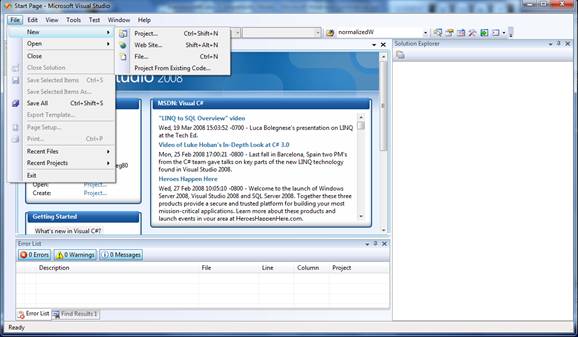
Figure 5.1 Create C# Project.
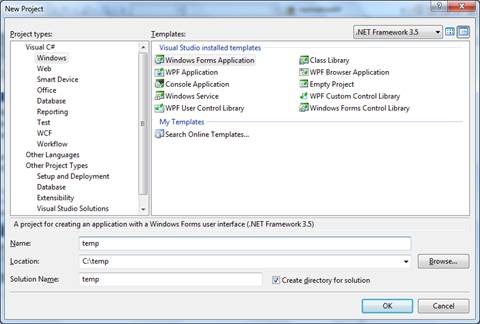
Figure 5.2 Select Project Templates.
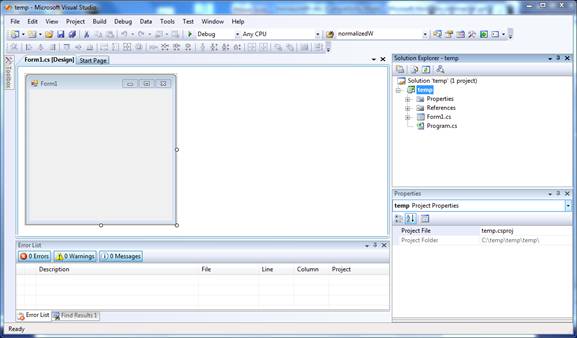
Figure 5.3 Form1.
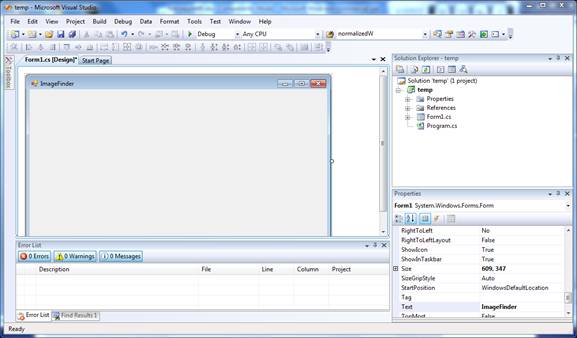
Figure 5.4 Set Form1.Size.
5.2 How to Create Menus
To add a menu bar to a form:
- Add a “MenuStrip” or “MainMenu” control to a form from the toolbox. The control will appear in the component Design Tray at the bottom of the Form Design window. The menu of a form is determined by the Menu property.
- To add items to the menu, click the “MenuStrip” or “MainMenu” control and click wherever it says “Type Here” in the menu designer. Then, type the text of the menu item and press the Enter key. Additional entry areas appear below and to the right of the entry.
- To edit the property for each menu item, right-click the menu and select the Property command.
5.3 Link to Class Library
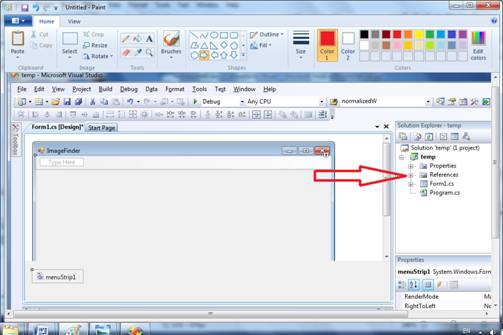
Figure 5.5 References in
the Solution Explorer.
In this section, XYZ
denotes any class located in c:\transapplet80\.
To use the class library,
“Attrasoft.TransApplet80.XYZ”:
(1)
Add a “using” statement:
using
Attrasoft.TransApplet80.XYZ;
(2)
Right click References and select Add reference in the Solution Explorer
(Figure 5.5);
(3)
Use the Browse button to find “XYZ.dll”; highlight the library under “Selected
Components” and click the “OK” button.
Now the class library,
“Attrasoft.TransApple80.XYZ”, is ready to be used. To make sure the link is successful, you should see XYZ under References in the
Solution Explorer.
5.4 Declare Objects
Each Library has one main class, which has the same name as the Library-name:
Attrasoft.TransApplet80.xyz80.xyz80.
…
The advantage of naming the class-name as the library-name is that you will know what
to use, i.e.
Attrasoft.TransApplet80.xyz80.xyz80.
There is no guessing which
class you should choose if the Library has more than one class.
The disadvantage is the compiler will not be able to distinguish between the class-name
and the Library-name unless you use the full name.
To declare all TransApplet
objects using the full class-name like this:
public Attrasoft.TransApplet80.xyz80.xyz80 myObj80
= new Attrasoft.TransApplet80. xyz80.xyz80 ();
6. Input
This chapter describes how to enter data to the ImageFinder. The input images are further divided into:
- Key
- Search Source.
An Image Path specifies the training image. A Search-Folder specifies the Search Source.
This chapter will introduce several class libraries,
Attrasoft.TransApplet80.InputModule80,
Attrasoft.TransApplet80.InputList80,
Attrasoft.TransApplet80.GUI.
The chapter project is in “.\ transapplet80.chap6”.
6.1 Class Library Name
The class library is:
Attrasoft.TransApplet80.InputModule80.
The main class in this library will be:
Attrasoft.TransApplet80.InputModule80. InputModule.
The interface is:
public interface I_ InputModule80
{
//Input:
bool
setDirList(string sInput);
bool setSubDirList(string sInput);
bool setFileList(string sInput);
bool setFileSegmentList(string sInput);
bool setFileSegmentKeyList(string
sInput);
bool setAccessList(string sInput,
string sSQL);
bool setAccessSegmentList(string
sInput, string sSQL);
//Output:
Attrasoft .TransApplet80 .InputList80 .InputList getList();
}
This class has two parts:
- Input;
- Output.
The input can be:
- Folder path
- File path containing images
- File path containing image segments
- Access file containing images
- Access file containing image segments
- …
Output is an object of the following class:
public
class InputList
{
public int status = 0;
public string[] imageAbsoultePath =
null;
public string[] imageID = null;
public string[] imageName = null;
public string[] imagePath = null;
public string[] imageX = null;
public string[] imageY = null;
public string[] imageW = null;
public string[] imageH = null;
public string[] key0 = null;
public string[] key1 = null;
…
}
6.2 Class Library Overview
The functions in classes are listed in the following table.
|
Function |
Description |
|
string [] setDirList ( string sInput) |
To get a string list of the absolute paths of all images in directory, set the input directory, sInput. |
|
string [] setSubDirList ( string sInput) |
To get a string list of the absolute paths of all images in all sub-directories, set the input directory, sInput. |
|
string [] setFileList ( string sInput) |
To get a string list of the absolute paths of all images in file, set the input file, sInput. |
|
string [] getFileSegmentList ( string sInput) |
To get a string list of the absolute paths of all image segments in file, set the input file, sInput. |
|
string [] getAccessList ( string sInput, string sSQL) |
To get a string list of the absolute paths of all images in access file, sInput, specified by a SQL statement, sSQL, set the two input variables. |
|
string [] getAccessSegmentList ( string sInput, string sSQL) |
To get a string list of the absolute paths of all image segments in the access file, sInput, specified by a SQL statement, sSQL, set the two variables. |
|
Attrasoft .TransApplet80 .InputList80 .InputList getList() |
After the input is specified, get the output. |
6.3 Set Up the Chapter Project
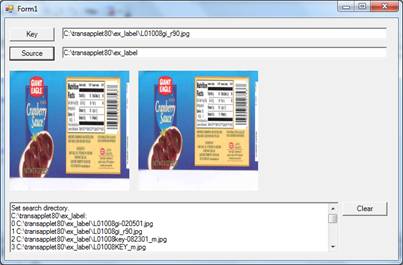
Figure 6.1 Chapter 6 Project.
We will add the following controls to our form:
Key Button, Key Text Box
Use the “Key” button to display the selected key image and print the image path in the key text box. For example, click the button, go to the directory, "C:\transapplet80\ex_label", and then select an image. The selected image will be shown in the ImageFinder to indicate the specification is successful and the key-image is ready for training or retraining.
Source Button, Source Text Box
Use the “Source” button to select a search source and display the source in the text box.
Clear Button
Use the “Clear” button to clear the rich text box.
Rich Text Box
Use the Rich Text Box to display messages.
Key Picture Box
Use the Key Picture Box to display key images.
Source Picture Box
Use the Source Picture Box to display images in the search source.
OpenFileDialog
Use the OpenFileDialog to select a key image.
FolderBrowserDialog
Use the FolderBrowserDialog to select a source path.
After adding these controls, the form will look like Figure 6.1.
6.4 Link to Class Library
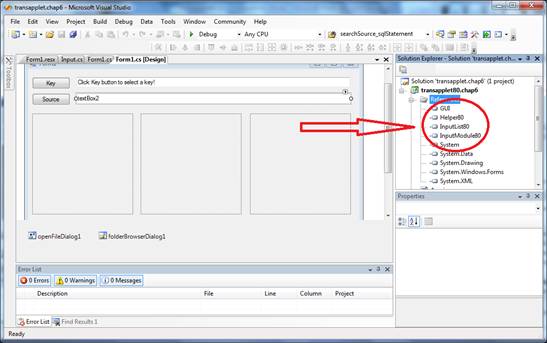
Figure 6.2 Link to Class library.
To include the class library to the project,
- Right click References and select Add Reference in the Solution Explorer;
- Browse to find “InputModule80.dll” in “c:\transapplet80”;
- Highlight it and click the “OK” button (Figure 6.2).
To declare an object, please use the full path for class:
internal
Attrasoft.TransApplet80.InputModule80.InputModule
inputModuleSource;
inputModuleSource
= new Attrasoft.TransApplet80.InputModule80.InputModule(this.richTextBox1);
Now the object is ready to use. In addition, we will add several class libraries:
Helper80;
GUI;
InputList80.
6.5 Key Segment
We will add a class, “Input”, in the project. We will implement the input buttons in this class. In this way, the main class is simpler. We will declare an object, input, as follows:
Input input;
private void
Form1_Load(object sender, System.EventArgs e)
{
h80 = new
Attrasoft.TransApplet80.Helper80.Helper80(this.richTextBox1);
inputModuleSource
=
new Attrasoft.TransApplet80.InputModule80.InputModule(this.richTextBox1);
guiSource = new
Attrasoft.TransApplet80.GUI.GUI_Key(this.pictureBox2, h80);
guiResults = new
Attrasoft.TransApplet80.GUI.GUI_Results(this.pictureBox3, h80);
input = new Input(this);
}
The helper80 object is used to print a message:
void
appendText (string s)
{
f.h80 .appendText ( s);
}
void appendLine (string s)
{
appendText ( s +"\n");
}
We can double click the Key Segment buttons to complete the programming:
private void button1_Click(object sender, System.EventArgs e)
{
input.keySegment();
}
which in turn, calls a function:
public bool keySegment()
{
if ( f.openFileDialog1.ShowDialog () != DialogResult.OK )
return false;
string fileName = f.openFileDialog1.FileName;
try
{
bTrain =new Bitmap (fileName);
f.pictureBox1.Image = bTrain;
f.textBox1.Text = fileName ;
f.richTextBox1.AppendText
( "Display Key Segment:\n " + fileName +"\n");
}
catch
{
appendText ("Invalid key image !\n");
return false;
}
return true;
}//keySegment()
The first section of code opens a file dialog so the user can select a file:
if ( f.openFileDialog1.ShowDialog () != DialogResult.OK )
return false;
The next section of code gets the selected key:
string fileName = f.openFileDialog1.FileName;
The last section of code creates an image and displays the image:
bTrain =new Bitmap (fileName);
f.pictureBox1.Image = bTrain;
f.textBox1.Text = fileName ;
f.richTextBox1.AppendText ( "Display Key Segment:\n " + fileName +"\n");
6.6 Search Source Button
Now, we implement the “Source” button:
private void button2_Click(object sender, System.EventArgs e)
{
input.source( );
}
which in turn, calls the following function in the Input class:
internal bool source()
{
try
{
if
(f.folderBrowserDialog1.ShowDialog() != DialogResult.OK)
return false;
string cDir = f.folderBrowserDialog1.SelectedPath;
f.textBox2.Text = cDir;
f.inputModuleSource.setSubDirList(cDir);
f.guiSource.setInput(f.inputModuleSource.getList());
if (!f.guiSource.getStatus())
{
f.appendText("Data
Source fails!\n");
return false;
}
f.guiSource.setLists();
}
catch (Exception e)
{
f.appendText(e.ToString() +
"\n");
return false;
}
return
this.f.guiSource.Button_First(false);
}
The first section of code gets the current search directory via the folder browser dialog:
if (f.folderBrowserDialog1.ShowDialog()
!= DialogResult.OK)
return false;
string cDir =
f.folderBrowserDialog1.SelectedPath;
f.textBox2.Text = cDir;
The next section enters the selected folder to the InputModule object:
f.inputModuleSource.setSubDirList(cDir);
The third section gets the string list of the image paths:
f.inputModuleSource.getList().
And passes this list to the display section:
f.guiSource.setInput(f.inputModuleSource.getList());
The last section displays the first images:
f.guiSource.setLists();
f.guiSource.Button_First(false);
To test, run the software and click the first image in folder, “c:\transapplet80\ex_label”.
7. Image Display
This chapter describes how to display images in a search source. To display these search images, three buttons will do:
First Button
Use the “First” button to display the first image in the search source.
> (Next) Button
Use the “Next” button to display the Next image in the search source.
< (Previous) Button
Use the “Previous” button to display the Previous image in the search source.
After adding the three buttons, the form looks like Figure 7.1.
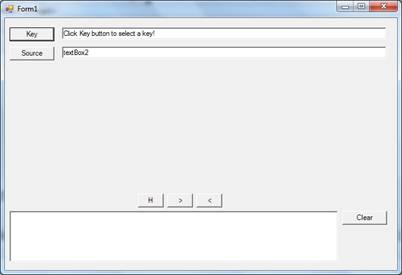
Figure 7.1 First, Next (>), and Previous (<) Buttons.
7.1 Class Library Name
The class library is:
Attrasoft.TransApplet80.GUI.
It has three libraries:
new Attrasoft.TransApplet80.GUI.GUI_Key
new Attrasoft.TransApplet80.GUI.GUI_Source
Attrasoft.TransApplet80.GUI.GUI_Results
They are designed for:
Key;
Source;
Results.
GUI_Key is the base class of GUI_Source.
GUI_Source is the base class of GUI_Results.
At this point, GUI_Key and GUI_Source are the same.
All three class libraries function in a similar way.
The GUI objects are:
guiSource = new
Attrasoft.TransApplet80.GUI.GUI_Key(this.pictureBox2, h80);
guiResults = new
Attrasoft.TransApplet80.GUI.GUI_Results(this.pictureBox3, h80);
The functions in this class are:
|
Function |
Description |
|
Bool setInput ( ImageList80) |
Sets an input list of image paths, image ID, …. |
|
void setList ( ) |
Sets the class ready for the first button, next button, and previous button. |
|
bool getStatus () |
Gets the status. |
|
Bool Button_First(bool); |
Displays the first image. |
|
Bool Button_Next(bool); |
Displays the next image. |
|
Bool Button_Previous(bool); |
Displays the previous image. |
The sample codes are:
Input
f.guiSource.setInput(f.inputModuleSource.getList());
Computation
f.guiSource.setLists();
Display
f.guiSource.Button_First(false);
f.guiSource.Button_Next(false);
f.guiSource.Button_Previous(false);
7.2 Implementing H, >, and < Buttons
In this section, we will implement the First, Next, and Previous buttons. To see images in a search source, start with the “First” button and then, keep clicking the “Next” button to display the next image; eventually, all of the images in the search source will be shown.
The code for the three buttons consists of three parts:
- Populating GUI Object;
- Computation to get the object ready;
- First, Next, Previous buttons.
First of all, the object has to be populated. This is accomplished by the source button in the last chapter:
f.guiSource.setInput(f.inputModuleSource.getList());
if (!f.guiSource.getStatus())
{
f.appendText("Data
Source fails!\n");
return false;
}
Then we will set up the object:
f.guiSource.setLists();
Finally, the code for the First, Next, and Previous buttons are:
private void button3_Click(object
sender, EventArgs e)
{
bool b =
this.guiSource.Button_First(true);
if (!b)
setText(guiSource.getMessage());
}
private void
button5_Click(object sender, EventArgs e)
{
bool b =
guiSource.Button_Next();
if (!b)
setText(guiSource.getMessage());
}
private void
button6_Click(object sender, EventArgs e)
{
bool b =
guiSource.Button_Previous();
if (!b)
setText(guiSource.getMessage());
}
7.3 Test
This section tests the project:
(1) Run the project;
(2) Click the “Key” button, go to “c:\transapplet80\ex_wheel\”, and select a key image;
(3) Click the “Source” button, go to “c:\transapplet80\ex_wheel\”, and select an image.
(4) Click the “First” button;
(5) Click the “Next” button several times;
(6) Click the “Previous” button several times.
7.4 Output Images
In the last a few sections, we demonstrated how to display Input Source images. After a matching, the output images will be displayed in a similar fashion.
At the end of a 1:1 or 1:N matching, a Result object will be produced. This object will be entered into GUI_Result object:
guiResults.outputResults(results_1N,
softwareDir);
To display result images:
guiResults.Button_First(false);
guiResults.Button_Next(false);
guiResults.Button_Previous(false);
8. ImageFinderLite
In this chapter, we will briefly describe how to build a quick and dirty image recognition application. In particular, we will discuss how to identify a full image.
8.1 ImageFinderLite
Attrasoft.TransApplet80.ImageFinderLite
is a component Attrasoft TransApplet.
To use the ImageFinderLite object, you will need 5 steps:
Step 1. Set the Folder that contains the images you
want to search through.
Step 2. Create a Image Signature Library from the
folder.
Step 3. Load the Signature Library into the
ImageFinderLite object.
Step 4. Get a key image file name, which will be
matched against the library.
Step
5. Make a 1:N search.
8.2 Interface
The ImageFinderLite interface is given below:
public interface
I_ImageFinderLite
{
//variables:
//1.
Foldername (string)
//2.
Library Name (string)
//3.
KeyImage (string)
//4.
Signature (Attrasoft object)
//5.
Result (Attrasoft object)
//step 1
Set Library Folder
bool
setFolder(string folderName);
string
getFolder();
//step 2 Create Image Signature Library
bool
computeSignatureLibrary();
bool
setLibraryName(string a1File);
string
getLibraryName();
//setp 3
Load Signature Library
bool
loadLibrary();
//step 4
Get key file name
bool
setKeyImage (string key);
string
getKeyImage();
//step 5
search
bool search ( );
bool
setOutputFileName (string b1File);
string
getOutputFileName ( );
}
Step 1. Set the Folder that contains the images you want to search
through.
|
bool setFolder(string folderName) string getFolder() |
Use setFolder (string folderName) to set the folder that contains the
images you want to search through; use getFolder() to see the current
setting. |
Step 2. Create Image Signature Library from the folder.
|
bool computeSignatureLibrary() |
Use computeSignatureLibrary() to get a file that contains the image
signatures from the specified folder. |
|
bool setLibraryName(string a1File) string getLibraryName() |
Use setFolder setLibraryName(string a1File) to set the image signature file
name that contains the images you want to search through. The default file is
“.\data\a1.txt”, where “.” is the application folder. Use getLibraryName() to
see the current setting. |
Step 3. Load the Signature Library into the ImageFinderLite object.
|
bool loadLibrary(); |
Use loadLibrary() to load the Signature Library into the ImageFinderLite
object. |
Step 4. Get a key image file name, which will be matched against the
library.
|
bool setKeyImage (string key) string getKeyImage() |
Use setKeyImage (string key) to set the unknown image that you want to
search; use getKeyImage() to see the current setting. |
Step 5. Make a 1:N search.
|
bool search ( ) |
Use search ( ) to make an 1:N search. |
|
bool setOutputFileName (string b1File) string getOutputFileName ( ) |
Use setOutputFileName (string b1File) to set the output file name; the
default name is “.\data\b1.txt”, where “.” is the application folder. Use getOutputFileName ( ) to see the
current setting. |
8.3 Programming Example
Now we will show a programming example.
1. Create a User Interface in Figure 8.1.
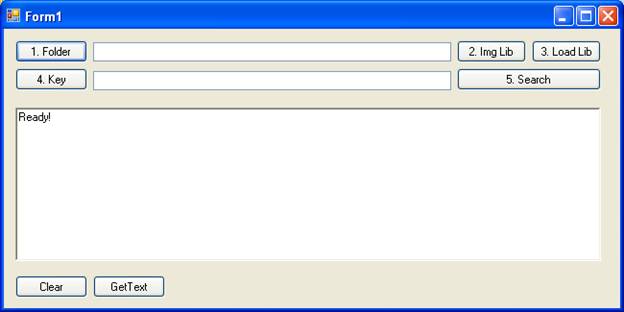
Figure
8.1 A User Interface, which contains
the five steps.
2. Link to the Library
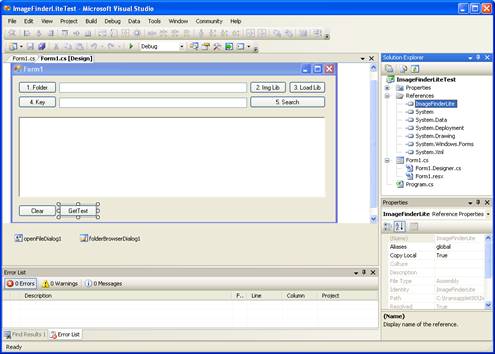
Figure
8.2 Add the class library; see the
highlighted areas in the Solution Explorer.
3. Initial Files
Apart from
linking the class libraries, there are several data files required by the class
libraries. You must provide these data files in order for the class libraries
to function properly. You will need to copy “.\data\*.*” from the CD into your
project folder. These files must be placed in the “.\data\” sub-folder of your
project
4. ImageFinderLite Object
Add an ImageFinderLite object:
Attrasoft.TransApplet80.ImageFinderLite.ImageFinderLite
ifl;
Create the object in the form constructor:
public Form1()
{
InitializeComponent();
ifl = new
Attrasoft.TransApplet80.ImageFinderLite.ImageFinderLite
( this.richTextBox1 );
}
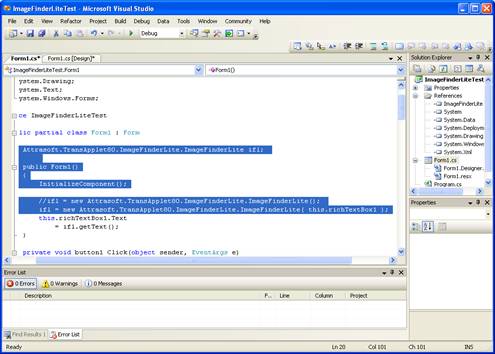
Figure
8.3 Add the ImageFinderLite object; see
the highlighted areas in the Solution Explorer.
5. Following the 5 steps:
Step 1. Set the Folder that contains the images you
want to search through.
Step 2. Create the Image Signature Library from the
folder.
Step 3. Load the Signature Library into the
ImageFinderLite object.
Step 4. Get a key image file name, which will be
matched against the library.
Step
5. Make a 1:N search.
The details are given in the
next section.
8.4 Codes for Each of the Steps
Step 1. Set the Folder that contains the images you want to search
through.
private void button1_Click(object sender,
EventArgs e)
{
if
(folderBrowserDialog1.ShowDialog() != DialogResult.OK)
return ;
string cDir = folderBrowserDialog1.SelectedPath;
textBox1.Text = cDir;
ifl
.setFolder ( cDir );
}
Step 2. Create the Image Signature Library from the folder.
private void button2_Click(object sender,
EventArgs e)
{
bool
b = ifl.computeSignatureLibrary();
}
Step 3. Load the Signature Library into the ImageFinderLite object.
private void button3_Click(object sender,
EventArgs e)
{
if (openFileDialog1.ShowDialog() != DialogResult.OK)
return;
string fileName =
openFileDialog1.FileName;
textBox2.Text = fileName;
ifl.setKeyImage(fileName);
}
Step 4. Get a key image file name, which will be matched against the
library.
private void
button4_Click(object sender, EventArgs e)
{
bool
b = ifl.loadLibrary ();
}
Step 5. Make a 1:N search.
private void
button5_Click(object sender, EventArgs e)
{
ifl.search () ;
}
8.5 Test Run
Run the software to get Figure 8.1; then
·
Click Button 1 to set the Folder that contains the images you
want to search through.
·
Click Button 2 to create the Image Signature Library from the
folder.
·
Click Button 3 to load the Signature Library into the
ImageFinderLite object.
·
Click Button 4 to get a key image file name, which will be
matched against the library.
·
Click Button 5 to Make
a 1:N search.
The results are given in the text window in Figure 8.1 and in a text file, “.\data\b1.txt”.
9. Image Signatures
Image Matching is implemented through something called Image Signature. An image has a set of computed values called features. A collection of features is grouped into a signature.
In this project, we will use Signature Menu Items to compute. The input is an image and the output is a signature. We will show how to use the Image Signatures in image matching in the next chapter. This chapter introduces how to compute signatures only, which will take an input image and produce a signature.
The chapter project is located at:
C:\transapplet80\imagefinder\.
The executable file is located at:
c:\transapplet80\imagefinder\ imagefinder
Lite\bin\Release\.
We
also call this folder “.\”. Most of the
functions will be implemented in two classes:
·
MainMenuToAPI
· GUIRelated
Class, MainMenuToAPI, will implement all TransApplet related functions. This class will declare an object of “Attrasoft.TransApplet80.EntryPoint80.EntryPoint80”, which contains all of the required objects.
Class, GUIRelated, will implement all functions related to GUI (Graphical User Interface), such as input/output, display images, messaging, …
The basic object is:
Attrasoft.TransApplet80.SignaturFilter80.SigantureFilter80.
Starting from this chapter, we will use a new object
from this class:
Attrasoft.TransApplet80.EntryPoint80.EntryPoint80
This class has a list of objects; one of the objects is
the SignatureFilter80.
9.1 Signature Menu
First of all, we will create the menu shown in Figure 9.1 and create the menu items under the Signature Menu.
Since the project is already implemented, you can simply open the project in:
.\imagefinder\,
and see the implementation of the menu items. We will explain the main functions in each menu item.
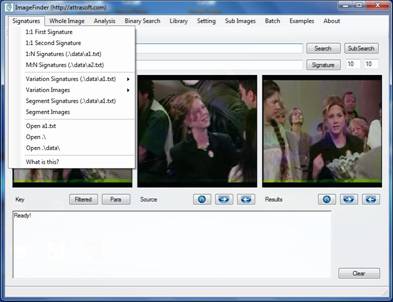
Figure 9.1 Signature Menu.
9.2 API
The basic idea is:
Image Signature = SignatureFilter. getSiganture (image);
As we can see, there are two objects here, Signature and Signature Filter. The
Signature functions are:
|
Function |
Descriptions |
Comments |
|
int getStatus () |
Returns the status associated with the signature. Output: 1: signature ready. 0: signature not ready. -1: no image -2: image segmentation specification error -3: other error. |
|
|
string getID() |
Returns the ID associated with the signature. Output: image ID. |
|
|
string getImageName () |
Returns the image name associated with the signature. Output: image name. |
|
|
string getImagePath() |
Returns the image path associated with the signature. Output: image path. |
|
|
string getAbsolutePath () |
Returns the absolute path associated with the signature. Output: image absolute path. |
|
|
int getNumberOfAttributes () |
Returns the number of attributes associated with the signature. Output: number of attributes. |
|
|
int [] getSignatureAttributes() |
Returns the attribute array associated with the signature. Output: attribute array. |
|
|
int int [] getSignatureAttributes() (int index) |
Returns the attribute associated with the input index. Input: index. Output: attribute associated with the input index. |
|
|
string toString () |
Returns the entire image signature as a string with fields separated by Tab. |
|
The Signature Filter functions are:
|
Function |
Descriptions |
Comments |
|
bool setSignatureFilter (int x) int getSignatureFilter () |
Selects a Signature filter. |
|
|
string [] getSignatureFilterNames(); |
Gets a list of Signature filter names. |
|
|
ImageSignature getSignature (string imagePath, string ID);
ImageSignature getSignature (string imagePath); ImageSignature getSignature (Bitmap b, string ID); ImageSignature getSignature (Bitmap b); |
Gets the Signature of the input image. |
|
|
ImageSignature getSignature ( string imagePath, string ID,int x, int y, int w, int h); ImageSignature getSignature ( Bitmap bImg, string path, string name, string ID, int x, int y, int w, int h); |
Gets the Signature of the input image segment.
string imagePath, or Bitmap bImg string ID int x, int y, int w, int h. Output: Signature. |
|
|
bool getLibrary ( string [] imageAbsolutePath, string fileName ); bool getLibrary ( string [] imageAbsolutePath, string [] IDs, string fileName );
bool getSegmentLibrary ( string [] imageAbsolutePath, string [] IDs, string [] xs, string [] ys, string [] ws, string [] hs, string fileName );
bool getSegmentLibrary ( string [] imageAbsolutePath, string [] IDs, int [] xs, int [] ys, int [] ws, int [] hs, string fileName ); bool getKeywordLibrary( string [] imageAbsolutePath, string [] IDs, int [] xs, int [] ys, int [] ws, int [] hs, string filename, string [] key0, string [] key1, … ); |
Generates a Signature library from all images in string [] imageAbsolutePath and produces a file that contains all signatures. Input: string [] imageAbsolutePath Output: A text file that contains the library of signatures. |
|
9.3 TransApplet Objects
The
first thing we will do is to create all of the objects required for the ImageFinder. As we discussed earlier in this chapter, all of
the objects required for the ImageFinder project is grouped into a
single class. All we have to do is to create an object of this class and we
will call it script.
We
will create a new class, MainMenuToAPI. We will do all of the menu item implementation
in this class.
internal
Attrasoft.TransApplet80.EntryPoint80.EntryPoint80 script;
MainMenu f;
public
MainMenuToAPI(MainMenu f1)
{
try
{
f = f1;
script =
new
Attrasoft.TransApplet80.EntryPoint80.EntryPoint80 (f.richTextBox1);
}
catch (Exception e )
{
f.richTextBox1.Text = e.ToString ()
+"\n";
}
}
9.4 Key Signature
To compute the signature of a key image:
- Click the “Key” button to select a key image or sample image;
- Click the “Signature/1:1 First Signature” to compute the signature.
Example. Key Signature.
- Click the “Key” button to select “.\ex_wheel\2067(1).jpg”;
- Click the “Signature/1:1 First Signature” to compute the signature.
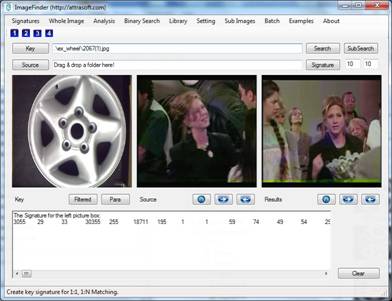
Figure 9.2 Click “Signature/Left Signature (Key)”.
The Signature looks like:
3055 29 33 30355 255 18711 195 1 1 …
In 1:1 Matching or 1:N Matching, the signatures are computed behind the screen; you do not need to use the signature directly. The menu item, “Signature/1:1 First Signature”, shows you the mechanism behind the screen so you can see what a signature looks like.
Now, we will implement these two menu items. Double click these menu items and you will see:
private void menuItem2_Click(object sender, System.EventArgs e)
{
mainMenuToAPI.signature_Key_Signature ( textBox1.Text );
}
Here, mainMenuToAPI is an object, which will implement all functions. The main form simply links menu items to functions in the mainMenuToAPI object. The implementation is:
public
bool signature_Key_Signature ( string key)
{
if ( ! System.IO .File .Exists
(key) )
{
appendText (
"Please enter a valid Key!\n");
return false;
}
int x =0, y = 0, w =0, h = 0;
script.imageSignature
=
script.signatureFilter.getSignature (key, "1of1N",x, y, w, h );
if ( script.imageSignature !=
null )
{
setLine ("The
Signature for the left picture box:");
appendLine
(script.imageSignature.toString () );
return true;
}
else
return false;
}
The following section of code simply makes sure the key image exists:
if ( ! System.IO .File
.Exists (key) )
{
appendText ( "Please enter a valid Key!\n");
return false;
}
The following section of code computes the signature of the key segment:
script.ImageSignature
= script.signatureFilter.getSignature (key, "1 of 1:N", x, y, w, h );
In this statement, the script object contains all of the objects required for the ImageFinder project. In particular, “script.ImageSignature” is the image signature object; and script.signatureFilter is the signature filter object. The parameter, "1 of 1:N", is the ID, which we arbitrarily assigned to the key image. The following section of code prints the signature of the key segment in the text window:
if
( script.imageSignature != null )
{
setLine ("The Signature for the left
picture box:");
appendLine (script.imageSignature.toString ()
);
return true;
}
else
return false;
9.5 Signature File Concepts
In 1:N Matching, the Key image will be matched against all images in a directory. The key signature is computed first, as we demonstrated in the last section. Then this signature will be matched against all signatures in the N-signature file. The N-signature file has a fixed name, “.\data\a1.txt”.
In N:M Matching, the N-signature file is a1.txt, and the M-signature file is a2.txt. The two files, a1.txt and a2.txt, are computed first. Then all of the signatures in a1.txt will be matched against all of the signatures in a2.txt. The M-signature file has a fixed name, “.\data\a2.txt”.
There are 2 menu items:
- Signature/1:N Signature (.\data\a1.txt)
- Signature/N:M Signature (.\data\a2.txt)
These commands compute the signatures for all images in a folder, including all of its subfolders. The only difference between the two commands is where to save the signatures.
Signature/1:N Signature (.\data\a1.txt)
Menu item, “Signature/1:N Signature (.\data\a1.txt)”, computes the signatures for all images in a directory and saves the signatures to a1.txt, the N-Signature file.
Signature/N:M Signature (.\data\a2.txt)
Menu item, Signature/N:M Signature (.\data\a2.txt), computes the signatures for all images in a directory and saves the signatures to a2.txt, the M-Signature file.
9.6 Signature File Implementation
Now, we will implement menu item, Signature/1:N Signature (.\data\a1.txt). Double click this menu item and enter:
private
void button1_Click(object sender, EventArgs e)
{
this.mainMenuToAPI.signature_Search_source
(dataDir + "a1.txt",
SIGNATURE_LIMIT);
}
Again, mainMenuToAPI is an object, which will implement all functions. The main form simply links menu items to functions in the mainMenuToAPI object. The implementation of function, signature_Search_source, is:
f.mainMenuToAPI.script.signatureFilter.getKeywordLibrary
( f.guiSource.libraryList.imageAbsoultePath,
f.guiSource.libraryList.imageID,
f.guiSource.libraryList.imageX, f.guiSource.libraryList.imageY,
f.guiSource.libraryList.imageW, f.guiSource.libraryList.imageH,
outputFile,
f.guiSource.libraryList.key0, f.guiSource.libraryList.key1,
f.guiSource.libraryList.key2, f.guiSource.libraryList.key3,
f.guiSource.libraryList.key4,
f.guiSource.libraryList.key5,
f.guiSource.libraryList.key6, f.guiSource.libraryList.key7,
f.guiSource.libraryList.key8, f.guiSource.libraryList.key9
);
In this statement, the script object contains all of the objects required for the ImageFinder project. In particular, “script.signatureFilter” is the image signature filter object. The parameter, “f.gui.imageAbsoultePath”, is a string list that has the absolute paths of all source images to be matched. After the completion of signature computation, the results will be stored in a file specified by the parameter.
9.7 Examples
Example. Compute N-Signatures:
- Click the “Source” button;
- Select folder, ./ex_wheel/, here “./” means the folder where the ImageFinder is located;
- Click “Signature/N Signature (.\data\a1.txt)” to compute image signatures;
- Click “Signature/Open a1.txt” to see the results.
10. Whole Image Matching
The NeuralFilter matches whole images. The chapter project is located at:
C:\transapplet80\imagefinder\.
The executable file is located at:
c:\transapplet80\imagefinder\ imagefinder Lite\bin\Release\.
We also call this folder “.\”.
10.1 Whole Image Matching Menu
The NeuralFilter is responsible for whole image matching. The “Whole Image” menu items are given in Figure 10.1.
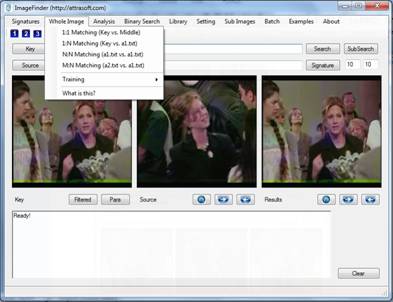
Figure 10.1 NeuralFilter
Menu.
10.2 NeuralFilter API
The following table lists the NeuralFilter functions.
|
Functions |
Descriptions |
|
bool training ( string a1_txt, string match_txt) |
Trains the NeuralFilter. |
|
Attrasoft.TransApplet80.Results_1N .Results_1N findMatch11 ( Attrasoft.TransApplet80.ImageSignature80.ImageSignature sig1, Attrasoft.TransApplet80.ImageSignature80.ImageSignature sig2); Attrasoft.TransApplet80.Results_1N .Results_1N findMatch11 (string path1, string path2); Attrasoft.TransApplet80.Results_1N .Results_1N findMatch11 (Bitmap left, Bitmap right); |
Makes a 1:1 matching. |
|
Attrasoft.TransApplet80.Results_1N.Results_1N findMatch1N (Attrasoft.TransApplet80.ImageSignature80.ImageSignature sig, string a1File, string b1File); Attrasoft.TransApplet80.Results_1N.Results_1N findMatch1N (string keyuPath, string a1File, string b1File) Attrasoft.TransApplet80.Results_1N.Results_1N findMatch1N (Bitmap keyImage, string a1File, string b1File) |
Makes a 1:N matching. |
|
bool findMatchNN (string a1File, string b1File); bool findMatchNM (string a1File, string a2File, string b1File); |
Matches all image signatures in file a1File against all image signatures in a1File or a2File and saves the results to b1File. |
10.3 N:N Matching Implementation
Double click menu item “Whole Imager/N:N Matching (a1.txt vs. a1.txt)” and you will see:
private void toolStripMenuItem21_Click (object sender, System.EventArgs e)
{
mainMenuToAPI.neuralFilter_Matching_NToM
( dataDir + "a1.txt", dataDir + "a1.txt", dataDir + "b1.txt" );
}
Here, mainMenuToAPI is an object, which will implement all functions. As we discussed earlier, the main form simply links menu items to functions in the mainMenuToAPI object. The implementation is:
Public bool neuralFilter_Matching_NToM
( string a1File, string a2File, string b1File)
{
try{
script.neuralFilter.findMatchNM ( a1File, a2File, b1File);
}
catch (Exception e)
{
appendText ( e.ToString () + "\n");
return false;
}
return true;
}
In this statement, the script object contains all of the objects required for the ImageFinder project. In particular, script.neuralFilter is the NeuralFilter object. The parameters, (a1File, a2File, b1File), indicate all signatures in file, a1File, will be matched against all signatures in file, a2File. After completion of the matching, the results will be stored in a file specified by the last parameter, b1File.
10.4 1:N Matching Implementation
Double click menu item “Whole Image/1:N Matching (Key vs. a1.tx)” and you will see:
mainMenuToAPI .neuralFilter_Matching_1ToN
( textBox1.Text , dataDir + "a1.txt", dataDir + "b1.txt" );
Here, mainMenuToAPI is an object, which will implement all functions. As we discussed earlier, the main form simply links menu items to functions in the mainMenuToAPI object. The implementation is:
public bool neuralFilter_Matching_1ToN
( string key, string a1File, string b1File)
{
bool b = false;
if ( ! System.IO .File .Exists (key) )
{
appendText ( "Please enter a valid Key!\n");
return false;
}
b = this.signature_Key_Signature (key);
if ( ! b )
{
appendText ( "Key Signature computation fails!\n");
return false;
}
try
{
script.results_1N = script.neuralFilter.findMatch1N
( script.imageSignature, a1File, b1File);
}
catch (Exception e)
{
appendText ( "NeuralFilter 1:N Matching fails:\n"
+ e.ToString () + "\n");
return false;
}
if ( script.results_1N == null )
{
appendText ( "NeuralFilter 1:N Matching fails!\n" );
return false;
}
if ( script.results_1N.getStatus () )
{
setText ( script.results_1N.toString () + "\n");
appendText ("" + script.results_1N.getNumberOfMatches ()
+" matches!\n");
}
else
{
appendText ( "No Match!\n");
return false;
}
return createFile (key, b1File);
}
The following code simply makes sure the key image exists:
if ( ! System.IO .File .Exists (key) )
{
appendText ( "Please enter a valid Key!\n");
return false;
}
The next section of code computes the key signature:
b = this.signature_Key_Signature (key);
The next section code makes a 1:N Match, the results are in script.results_1N:
try
{
script.results_1N = script.neuralFilter.findMatch1N
( script.imageSignature, a1File, b1File);
}
catch (Exception e)
{
appendText ( "NeuralFilter 1:N Matching fails:\n"
+ e.ToString () + "\n");
return false;
}
The final section of code prints the 1:N Matching results:
if ( script.results_1N.getStatus () )
{
setText ( script.results_1N.toString () + "\n");
appendText ("" + script.results_1N.getNumberOfMatches ()
+" matches!\n");
}
else
{
appendText ( "No Match!\n");
return false;
}
In section 7.4, we have already discussed how to display the matching results from the result object, script.results_1N. At the end of a 1:1 or 1:N matching, a Result object will be produced. This object will be entered into GUI_Result object
guiResults.outputResults(script.results_1N, softwareDir);
To disply the first, next,
and previous result images, call:
guiResults.Button_First(false);
guiResults.Button_Next(false);
guiResults.Button_Previous(false);
11. Binary Search
For a large amount of images, say above 1 million images, binary search is much faster. However, binary search requires additional steps, signature sorting and signature management. The “Binary Search” menu is given in Figure 11.1.
The chapter project is located at:
C:\transapplet80\imagefinder\.
The executable file is located at:
c:\transapplet80\imagefinder\ imagefinder
Lite\bin\Release\.
We also call this folder “.\”. Run the project to get the figure below.
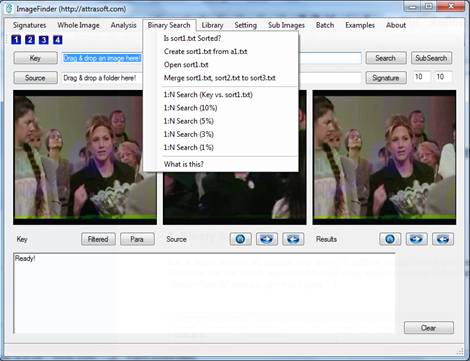
Figure 11.1 Binary Search Menu Items.
The search steps are:
1. Select a folder (Click the “1” Button in
the Toolbar, see Figure 11.1)
2. Get Library Signatures (Click the “2” button
in the Toolbar, see Figure 11.1)
3. Sort Signature (see Figure 11.1).
4. Select a Key image (Click the “3” Button
in the Toolbar, see Figure 11.1).
5. Search (There are several options in
Figure 11.1).
11.1 Signatures
For binary search, the signature file is sort1.txt. Unlike sequential search, which allows many signature files to be loaded via a library, the sorted signatures will use one single file, so you have to manage this file.
To get a signature file sort1.txt:
1. Select a folder (Click the “1” Button in
the Toolbar, see Figure 11.1).
2. Get Library Signatures (Click the “2”
button in the Toolbar, see Figure 11.1).
3. Click menu item, “Binary Search/Create
sort1.txt from a1.txt”.
If you have several signature files, you have to merge them:
- Create sort1.txt;
- Copy sort1.txt to sort2.txt;
- Create sort1.txt with new data;
- Merge sort1.txt and sort2.txt to
sort3.txt.
The merger will be done by clicking “Binary Search/Merge sort1.txt, sort2.txt to sort3.txt”.
Sorting a signature file takes two steps:
- Create an index file from a signature file;
- Sort signatures from the signature file and index file.
Click the menu item, “Binary
Search/Create sort1.txt from a1.txt”, you will see:
private void createSort1txtFromA1txtToolStripMenuItem_Click
(object sender, EventArgs e)
{
mainMenuToAPI.Sort_CreateSort1Froma1
(dataDir + "a1.txt",
dataDir +
"index1.txt",
dataDir +
"sort1.txt");
}
Which
will call the following function.
internal bool Sort_CreateSort1Froma1
(string a1_txt, string index1_txt, string sort1_txt)
{
bool bTmp = Sort_indexing(
a1_txt, index1_txt);
if ( ! bTmp )
{
appendText("Indexing
Fails!\n");
return false;
}
else
{
appendText("Indexing
Completed!\n");
}
bTmp = Sort_sortitngFile(a1_txt,
index1_txt, sort1_txt);
if (!bTmp)
{
appendText("sort1.txt failed!\n");
return false;
}
else
{
appendText("sort1.txt
created!\n");
}
return true;
}
The first step is to create an index file:
private bool Sort_indexing(string
a1_txt, string index1_txt)
{
bool b;
try
{
b =
script.se.setInputFile(a1_txt );
if (!b)
{
appendText("Input File
fails: " + a1_txt +"\n");
return false;
}
b =
script.se.setOutputIndexFile(index1_txt);
if (!b)
{
appendText("Cannot
create Index File" + index1_txt + "\n");
return false ;
}
b = script.se.indexing();
if (!b)
{
appendText("Indexing
fails\n");
return false;
}
}
catch (Exception ex)
{
appendText(ex.ToString());
return false;
}
return true;
}
This
function use an SortEngine object, script.se. It first assign the input image
signature file, and assign output index file, then it creates an sorted index
file by:
b = script.se.indexing();
The
next step is to sort the signature file,
private bool
Sort_sortitngFile(string a1_txt, string index1_txt, string
sort1_txt)
{
bool
b;
try
{
b =
script.se.setInputFile(a1_txt);
if
(!b)
{
appendText("Input File fails: " + a1_txt + "\n");
return false;
}
b =
script.se.setOutputIndexFile(index1_txt);
if
(!b)
{
appendText("Cannot create Index File" + index1_txt
+ "\n");
return
false;
}
b =
script.se.setOutputLibraryFile(sort1_txt);
if
(!b)
{
appendText("Cannot create library File" + sort1_txt
+ "\n");
return
false;
}
b = script.se.sorting();
if
(!b)
{
appendText("Sorting fails\n");
return
false;
}
appendText("Output file : " + sort1_txt + "\n");
}
catch
(Exception ex)
{
appendText(ex.ToString());
return
false;
}
return
true;
}
This
function will first specify:
input signature
file – file containing image signautres;
index file –
file containing sorted index; and
output signature file – file to be produced with all
signatures sorted.
The
main statement in this function is:
b = script.se.sorting();
At
this point, a sorted signature file is created and saved in the output
signature file.
11.2 Search
To make a search:
- Select a Key image (Click the “3” Button
in the Toolbar, see Figure 11.1).
- Search.
There are several search options:
- Binary Search/1:N Search (key vs. sort1.txt)
- Binary Search/1:N Search (10%)
- Binary Search/1:N Search (5%)
- Binary Search/1:N Search (3%)
- Binary Search/1:N Search (1%)
Assume you have 1 million images, the first command above will search 1 million images; the second command will search 100 thousand images; the third command will search 50 thousand images; the fourth command will search 30 thousand images; and the last command will search 10 thousand images. By definition, the Binary Search will only ignore the parts that are not likely to yield a match.
Assume you use Sequential Search (Chapter 4) for 1 million images; you will search through 1 million images. Then you use the “Binary Search/1:N Search (1%)” for the same 1 million images, provided the image signatures are sorted, you will search through only 10 thousand images. The difference is a factor of 100.
Binary Search is more restrictive than 1:N whole image matching; so the two image search results do not always match. In general, Binary Search generates less results than 1:N while image matching.
All of these menu items use the same functions, they only differ in one parameter. Click menu item, “Binary Search/1:N Search (10%)”,
private void nSearch10ToolStripMenuItem_Click(object sender, EventArgs
e)
{
int
percent = 10;
bool
bTmp = this.mainMenuToAPI.Sort_Match_1N_KeyVsSort1
(textBox1.Text,
dataDir + "sort1.txt",
dataDir + "b1.txt", percent);
if
(!bTmp)
return;
guiResults.outputResults(mainMenuToAPI.script.results_1N,
softwareDir);
guiResults.Button_First(false);
}
This function first callS a
function for 1:N matching, giving the results in mainMenuToAPI.script.results_1N.
Then it passes this result to an image display object, guiResults. The last line simply
displays the first image in the results:
guiResults.Button_First (false);
The function below does the 1:N matching:
internal bool Sort_Match_1N_KeyVsSort1
(string key, string sort1File,
string b1File, int percent)
{
bool b = false;
if (!System.IO.File.Exists(key))
{
appendText("Please enter
a valid Key!\n");
return false;
}
b = this.signature_Key_Signature(key);
if (!b)
{
appendText("Key Signature
computation fails!\n");
return false;
}
try
{
script.results_1N =
script.neuralFilterSorted .findMatch1N
(script.imageSignature, sort1File, b1File, percent);
}
catch (Exception e)
{
appendText("Quick 1:N
Matching fails:\n" + e.ToString() + "\n");
return false;
}
if (script.results_1N == null)
{
appendText("NeuralFilter
1:N Matching fails!\n");
return false;
}
if (script.results_1N.getStatus())
{
appendText(script.results_1N.toString() + "\n");
appendText("" +
script.results_1N.getNumberOfMatches() + " matches!\n");
}
else
{
appendText("No
Match!\n");
return false;
}
return createFile(key, b1File);
}
The code here is similar to the sequential 1:N matching in the last chapter. The matching is done by:
script.results_1N = script.neuralFilterSorted
.findMatch1N
(script.imageSignature, sort1File, b1File, percent);
The parameters are:
script.imageSignature –
signature of a new image;
sort1File – signature file;
b1File – output file;
percent – percent used in the search.
12. Dynamic Library
In the last a few chapters, we introduced 1:N Match and N:N Match, where N is fixed. This chapter will introduce the Dynamic Library where N can be updated via:
- insertion,
- deletion, and
- replacement.
The chapter project is located at:
c:\transapplet\80\imagefinder\.
12.1 Dynamic Library Menu
Figure 12.1 and Figure 12.2 shows the dynamic library menu.
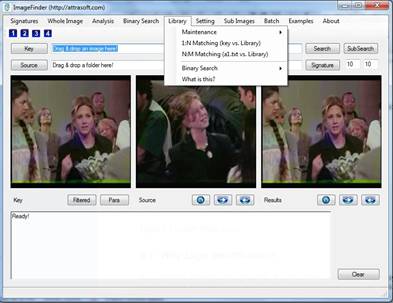
Figure 12.1 Dynamic Library Menu.
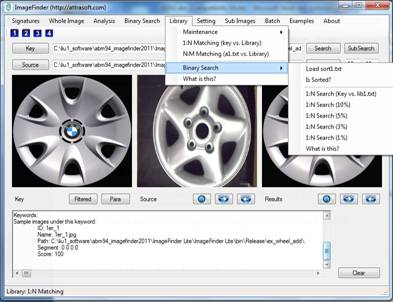
Figure 12.2 Dynamic Library/Binary Search Menu.
12.2 Dynamic Library API
The following table lists the dynamic library functions.
|
Functions |
Descriptions |
Comments |
|
int getLibraryID () |
Gets the Library ID (optional). |
|
|
void setLibraryID (string x) |
Sets the Library ID (optional). |
|
|
bool load () |
Loads the default master library, lib1.txt. |
|
|
bool load ( string fileName) |
Loads master library specified by fileName. |
|
|
bool load ( string fileName1, string fileName2) |
Loads two libraries specified by fileName1 and fileName2. |
|
|
bool clear() |
Clears the current library from RAM only. |
|
|
bool backup () |
Saves current library to the default file, lib1_bk.txt. |
|
|
bool backup (string fileName) |
Saves current library to a back file. |
|
|
bool addSignature (ImageSignature sig) |
Adds a signature to a loaded image library in RAM. |
|
|
bool deleteSignature (ImageSignature sig) |
Deletes a signature from a loaded image library in RAM. |
|
|
bool deleteSignature (string ID) |
Deletes a signature from a loaded image library in RAM. |
|
|
bool replaceSignature (ImageSignature sig) |
Replaces a signature from a loaded image library in RAM. |
|
|
bool mergeLibrary (string libFile1, string libFile2, string outputLib) |
Merges two signature libraries into a single library. Input: string libFile1 string libFile2 string outputLib Output: A text file that contains the library of signatures from both input libraries. |
|
12.3 Creating A Master Library
Up to this point when we have done 1:N or N:N Matching, the N-images have been fixed. The Dynamic Library allows you to update the N-images, including inserting, deleting, and replacing signatures. We now create the master library. The master library file is lib1.txt.
Assuming we have created the signature file, a1.txt. To use the Dynamic Library, you have to create a library file lib1.txt. To create a library file, open a1.txt and save it to lib1.txt, or click:
“Library/Maintenance/Create lib1.txt from a1.txt”.
12.4 Load Dynamic Library
The dynamic library uses file, lib1.txt, as a master library file. Before we can use the dynamic library, this file must be loaded into the dynamic library. To load the library file, click “Library/Maintenance/Load lib1.txt”.
Double click menu item “Library/Maintenance/Load lib1.txt” and you will see:
mainMenuToAPI.library_loadLib (dataDir +"lib1.txt" );
Here, mainMenuToAPI is an object, which will implement all functions. As we discussed earlier, the main form simply links menu items to functions in the mainMenuToAPI object. The implementation is:
public bool library_loadLib ( string lib1_txt)
{
if (script.imageLibrary == null )
{
appendText ( "Unable to find a library !\n");
return false;
}
try
{
bool b = script.imageLibrary.load ( lib1_txt);
if ( b )
{
appendText ("Library 1 loaded!\n");
}
}
catch (Exception ee )
{
appendText ( ee.ToString () + "\n" );
return false;
}
return true;
}
The following statement loads the library:
bool b = script.imageLibrary.load ( lib1_txt);
12.5 Library M:N Matching
In an N:M
Matching, a1.txt will be matched against the loaded library. Click menu item
“Library/ N:M Matching (a1.txt vs. lib1.txt)” menu
item to complete a N:M Match.
Double click menu item, Library/ N:M Matching (a1.txt vs. lib1.txt), and enter:
bool b = mainMenuToAPI.library_Matching_N_M
( dataDir + "a1.txt", dataDir + "b1.txt" );
Here, mainMenuToAPI is an object, which will implement all functions. As we discussed earlier, the main form simply links menu items to functions in the mainMenuToAPI object. The implementation is:
public bool library_Matching_N_M ( string a1_txt, string b1_txt)
{
if ( script.imageLibrary == null )
{
appendText ("Dynamic Library not available!\n");
return false;
}
bool b = script.neuralFilter .setLibrary ( script.imageLibrary );
if (!b)
{
appendText ("Dynamic Library Assignment Fails!\n");
return false;
}
try
{
script.neuralFilter.findMatchNN ( a1_txt, b1_txt);
}
catch (Exception e)
{
appendText ( e.ToString () + "\n");
return false;
}
return true;
}
In this statement, the script object contains all of the objects required for the ImageFinder project. In particular, “script.imageLibrary” is the dynamic library object.
The following statement assigns the dynamic library to the NeuralFilter object, “script.NeuralFilter”:
bool b = script.neuralFilter .setLibrary ( script.imageLibrary );
if (!b)
{
appendText ("Dynamic Library Assignment Fails!\n");
return false;
}
Once the NeuralFilter object obtains this library, it will match images against this master library by the following statement:
script.neuralFilter.findMatchNN ( a1_txt, b1_txt);
12.6 Library 1:N Matching
Double click menu item “Library/ 1:N Matching (Key vs. lib1.txt)” and enter:
bool b = this.mainMenuToAPI.library_Matching_1_N
(textBox1.Text , dataDir + "b1.txt" );
Here, mainMenuToAPI is an object, which will implement all functions. As we discussed earlier, the main form simply links menu items to functions in the mainMenuToAPI object. The implementation is:
public bool library_Matching_1_N( string key, string b1File)
{
if ( script.imageLibrary == null )
{
appendText ("Dynamic Library not available!\n");
return false;
}
bool b = script.neuralFilter .setLibrary ( script.imageLibrary );
if (!b)
{
appendText ("Dynamic Library Assignment Fails!\n");
return false;
}
b = false;
if ( ! System.IO .File .Exists (key) )
{
appendText ( "Please enter a valid Key!\n");
return false;
}
b = this.signature_Key_Signature (key);
if ( ! b )
{
appendText ( "Key Signature computation fails!\n");
return false;
}
try
{
script.results_1N = script.neuralFilter.findMatch1N
( script.imageSignature);
}
catch (Exception e)
{
appendText ( "NeuralFilter 1:N Matching fails:\n"
+ e.ToString () + "\n");
return false;
}
if ( script.results_1N == null )
{
appendText ( "NeuralFilter 1:N Matching fails!\n" );
return false;
}
if ( script.results_1N.getStatus () )
{
setText ( script.results_1N.toString () + "\n");
appendText ("" + script.results_1N.getNumberOfMatches ()
+" matches!\n");
}
else
{
appendText ( "No Match!\n");
return false;
}
}
The only difference between this 1:N Matching and the NeuralFilter 1:N Matching introduced earlier is the following statement:
bool b = script.neuralFilter .setLibrary ( script.imageLibrary );
In a normal 1:N Matching, the neural filter gets the library from a1.txt. This statement assigns the dynamic library, “script.imageLibrary”, to the NeuralFilter object, “script.NeuralFilter”.
12.7 Update Implementation
Double click menu item “Library/Maintenance/Add (Key)” and enter:
if ( ! System.IO .File .Exists (textBox1.Text ) )
{
this.mainMenuToAPI.appendText
("File does not exist: \n" + textBox1.Text + "\n");
return;
}
this.mainMenuToAPI.library_add (textBox1.Text );
Here, mainMenuToAPI is an object, which will implement all functions. As we discussed earlier, the main form simply links menu items to functions in the mainMenuToAPI object. The implementation is:
public bool library_add ( string sImage)
{
script.imageSignature
= script.signatureFilter.getSignature (sImage);
if (script.imageSignature == null )
{
this.setLine ("Image Signature computation fails!");
return false;
}
if (script.imageSignature.getStatus () <= 0 )
{
this.setLine ("Image Signature computation fails!");
return false;
}
bool b = script.imageLibrary.addSignature (script.imageSignature);
return b;
}
The script object contains all of the objects required for the ImageFinder project. In particular, “script.imageLibrary” is the dynamic library object. The first section of the code computes the image signature. The next section of code checks the validity of the signature. The following statement inserts the signature to the dynamic library:
bool b = script.imageLibrary.addSignature (script.imageSignature);
The menu item Delete and the menu item Replace can be implemented in a similar fashion and the codes are provided in the project.
13. Image Variations
The chapter project is located at:
c:\transapplet\80\imagefinder\.
13.1 Variation Signatures


Figure 13.1 A change beyond the tolerance of a single image signature.
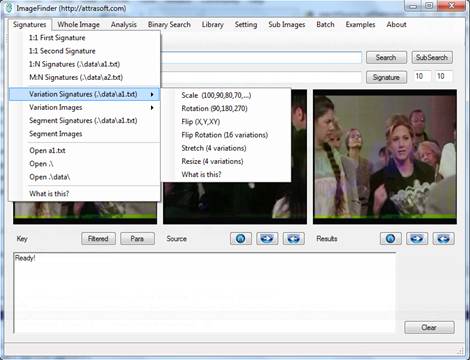
Figure 13.2 Signature/Variation Signatures Menu.
Image Matching is done through something called Image Signature. An
image has a set of computed values called features. A collection of features is
grouped into a signature. A single image signature will take care of a certain
amount of variation. To increase the variations, additional signatures will be
added, which is the purpose of the Variation Signatures menu.
An image can be changed, for example, a rotation of 90 degrees to the left. As the image is changed, the signature will change accordingly. In general, this change will not be maintained inside a signature, i.e. a small variation allowed inside a single signature will not take care of large variations like 90 degree rotations.
The “Signature/Variation Signatures” menu item (Figure 13.2) provides a list of menu items to compute signatures. The net result is that an image will have multiple image signatures.
The “Signature/Variation Image” menu item (Figure 13.3) will compute various variations of images from the key image and will deposit these images into “.\tmp\” folder. To use this menu item, you must first select a key image. This allows a user to see what the variations are.
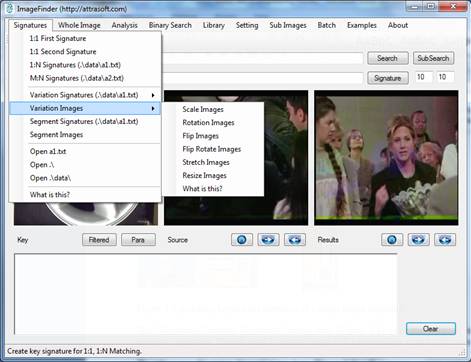
Figure 13.3 Signature/Variation Images Menu.
This menu supports the following variations:
Signatures/Variation Signatures/Scale (100, 90, 80, …)
This menu
item generates 7 image signatures:
100%, 90%, 80%, 70%, 60%, 50%, 40%.
Here 90% is
an image that has 5% border region removed.
Signatures/ Variation Signatures/Rotation (90, 180, 270)
This menu
item generates 4 image signatures:
0, 90, 180, 270.
Here 90 is
an image that has a 90 degree rotation.
Signatures/ Variation Signatures/Flip (X, Y, XY)
This menu
item generates 4 image signatures:
0, X, Y,
XY.
Here X is
an image that has flipped around x axis.
Signatures/ Variation Signatures/Flip Rotation (16
variations)
This menu
item generates 16 image signatures:
{0, 90, 180,
270} ^ {0, X, Y, XY}.
Here (90,
X) is an image that has 90 degree rotation and flipped around x axis.
Signatures/ Variation Signatures/Stretch (4 variations)
This menu
item generates 5 image signatures:
(0, 0), (120%, 100%), (80%, 100%), (100%, 120%), (100%, 80%).
Here (120%,
100%) are stretch percentages along the x and y directions.
Signatures/ Variation Signatures/Resize
This menu
item generates 5 image signatures:
100, 150, 200, 300, 400.
Here 150
increases the image size by 50% in terms of pixel counts in each direction.
The implementation for menu item, Signatures/Variation Signatures/Scale (100, 90, 80, …), is:
script.signatureFilterSym
.getKeywordLibrary_Scale
(f.guiSource.libraryList.imageAbsolutePath,
f.guiSource.libraryList.imageID,
f.guiSource.libraryList.imageX, f.guiSource.libraryList.imageY,
f.guiSource.libraryList.imageW, f.guiSource.libraryList.imageH,
outputFile,
f.guiSource.libraryList.key0, f.guiSource.libraryList.key1,
f.guiSource.libraryList.key2, f.guiSource.libraryList.key3,
f.guiSource.libraryList.key4, f.guiSource.libraryList.key5,
f.guiSource.libraryList.key6, f.guiSource.libraryList.key7,
f.guiSource.libraryList.key8, f.guiSource.libraryList.key9,
f.mainMenuToAPI.script.tranAppletPara .signatureFilter_LibraryScaleType
);
13.2 Segments
A collection of
features is grouped into a signature. One image has one signature. The signature matches whole images against whole images,
i.e. it does not look inside the image.
An image can be many logical segments. As the focus changes from a whole image to an image segment inside the image (Figure 13.3), the signature will change accordingly. In general, this change will not be maintained inside a basic signature.
The “Signature/Segment
Signatures” menu item attempts to partially address this
image segmentation problem. The menu item will look at some segments inside an
image. On average, it will look at six segments.
The “Signature/Segment Images” menu item (Figure 13.2) computes signatures for image segments. The net result is that an image will have multiple image signatures, one for each segment.
The “Signature/Segment Images” menu item (Figure 13.3) will compute segments from the key image and will deposit them into “.\tmp\” folder. To use this menu item, you must first select a key image. This allows a user to see what the segments are.

Figure 13.4 Image Segmentations.
The object, imgSigFilterSeg, used for computing segment
signatures, is an instance of the following class:
Attrasoft.TransApplet80.ImageSignatureFilterSegment80.ImageSignatureFilterSegment80 imgSigFilterSeg;
The implementation of the menu item, Signature/Segment Signatures, is:
imgSigFilterSeg.getSegmentLibrary_Modelbased(sourceFolder,
outputFile);
This function will convert images in parameter, sourceFolder, into image signatures and save them to a file, outputFile.
14. Sub-Image Search
The chapter project is located at:
c:\transapplet80\imagefinder\.
The sub-image matching requires a different set of parameters. There are two different settings:
Setting/Search Sub-Images
Setting/Search Whole Images
To match sub-images, click menu item, “Setting/Search Sub-Images”. To switch back to the original setting for whole images, click: “Setting/Search Whole Images”.
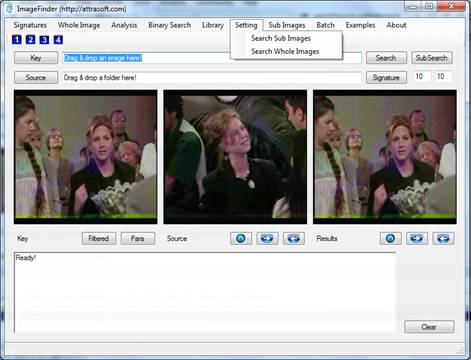
Figure 14.1 Setting Change.
14.1 Sub-Images and Variations
Starting from this chapter, we will search inside an image. We will deal with the problems of:
- Sub-image
- Variations.
The number of sub-images is very large, measured by exponential functions of the number of pixels. The number of variations is also very large:
- Translated segments;
- Rotated segments;
- Scaled segments;
- Rotated and Scaled segments;
- Brighter or Darker segments;
· ...
- All of the above simultaneously.
We will not use image signatures because of the large amount of variations. This will significantly slow down the search speed.
Because the variations for searching inside an image are huge, we might impose some limits on where to search. There are several approaches:
- Automatic Segmentation;
- Enumerative.
Automatic segmentation deploys certain algorithms to look at a small number of segment locations inside the image. There are two menu items to address this approach (Chapter 13):
The “Signature/Segment Signatures” menu item (Figure 13.2) computes signatures for a selected number of image segments. The net result is that an image will have multiple image signatures, one for each segment.
The “Signature/Segment Image” menu item (Figure 13.3) will compute segment images from the key image and will deposit them into “.\tmp\” folder. To use this menu item, you must first select a key image. This allows a user to see what the segments are.
The advantages of automatic segmentation are that it will dramatically reduce the number of search locations. The disadvantages of segmentation algorithms are that it will not be able to address some human cropped images which cut right through the middle of a segment.
The enumerative approaches are not restricted by the automatic segmentation algorithm; however, the variations for enumerative sub-image searching are huge; some sort of limits on where to search will have to be imposed.
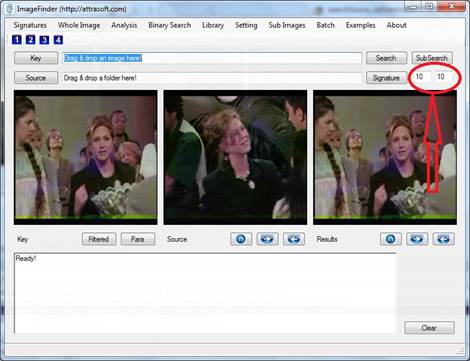
Figure 14.2 Two parameters.
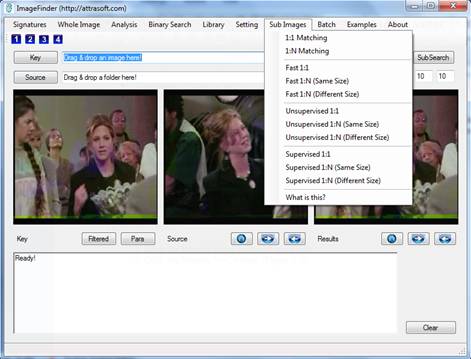
Figure 14.3 Sub-Image Menu.
14.2 Search Process
In this chapter, we will use Enumerative search by imposing these two conditions:
- Translation invariance only;
- No scale, rotation, …, invariance.
In each search, there are two parameters N x M (Figure 14.2), which
specify an array of sub-images to search. The software will search via an “N by
M” grid for each unknown image for the specified key image. The key will not be
rotated or scaled.
Initially, you will need three steps for an image search:
1. Select a Key;
2. Select a folder;
3. Search.
To see the results:
1. Click the Results Home button (Figure 14.3);
2. Click the Results “=>” button (Figure 14.3).
Starting from the second search, you do not have to select the folder
again because it is already selected; each search has only two steps:
1. Select a Key;
3. Search;
1. Select a Key;
3. Search;
…
Note:
Step 1, selecting a Key can be completed by
dragging & dropping an image to the first text box;
Step 2, select a
folder, which can be completed by dragging & dropping a folder to the
second text box.
14.3 Learn by Example

Figure 14.4 1:1
Matching.
The first example (see Figure 14.4) is to match the key,
.\ ex_object1\key.jpg,
against the image,
.\ ex_object1\CIMG4643_mid_shelf1.JPG.
The example will take three clicks:
1.
Click the “Key” button in the Toolbar,
and select .\ ex_object1\ key.jpg. You can also drag & drop .\ ex_object1\key.jpg to the first text box.
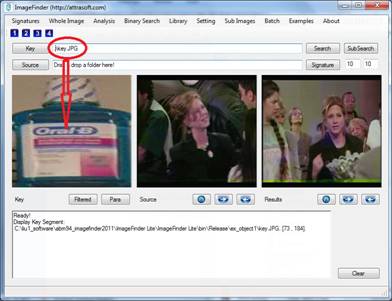
Figure 14.5 Step 1, selecting a key. After selecting a key image, the image will be displayed in the Key Panel.
2.
Click the “Source” button in the
Toolbar and select the folder, .\ ex_object1\.
You
can also drag & drop the folder, .\ ex_object1\, to the second text box; the use “=>’ button
to select image, .\
ex_object1\CIMG4643_mid_shelf1.JP, see
Figure 14.6.
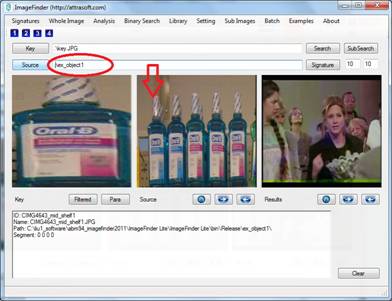
Figure 14.6 Step 2, selecting a folder. After selecting a folder, the first
image will be displayed in the Source Panel (middle picture box). The list of
image files will be displayed in the text window. The Home button goes to the
first image; the “=>” button goes to the next image; and the “<=” button goes to the previous image. All sub-folders
will be included.
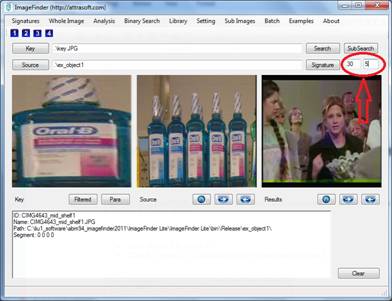
Figure 14.7 Search the N x M grid of sub-images. For example, setting them to
30 x 5 will result in searching 150 sub-images.
3.
Before we make a search, you will
specify how to search via an “N by M” grid, i.e. how many sub-images we will
look at for the specified key image. The default value is a 10 by 10 grid.
To
make a 1:1 search,
·
Enter 30 and 5 in Figure 14.7.
·
Click the “Sub-Image/1:1 Matching”
menu item in Figure 14.3.
You
will get:
ID Name Path Score X Y W H
CIMG4643_mid_shelf1.JPG_146 CIMG4643_mid_shelf1.JPG .\ex_object1\ 84 366 34 73 184
CIMG4643_mid_shelf1.JPG_134 CIMG4643_mid_shelf1.JPG .\ex_object1\ 84 197 34 73 184
CIMG4643_mid_shelf1.JPG_123 CIMG4643_mid_shelf1.JPG .\ex_object1\ 83 42 34 73 184
CIMG4643_mid_shelf1.JPG_110 CIMG4643_mid_shelf1.JPG .\ex_object1\ 83 282 25 73 184
CIMG4643_mid_shelf1.JPG_117 CIMG4643_mid_shelf1.JPG .\ex_object1\ 81 380 25 73 184
CIMG4643_mid_shelf1.JPG_100 CIMG4643_mid_shelf1.JPG .\ex_object1\ 80 141 25 73 184
Note, if you do not get this, click menu
item, “Setting/Search Sub-Images” and then try again.
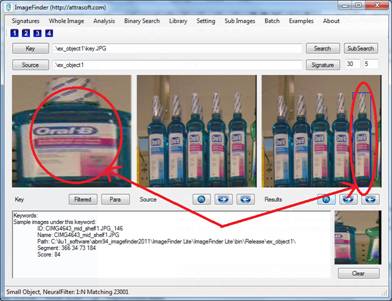
Figure 14.8
Search the selected folder. Images
that matched the “key” will be displayed in the Results Panel. Use the Home,
=>, and <=buttons to see matched images. The Home button goes to the
first image; the “=>” button goes to the next image; and the “<=” button goes to the previous image.
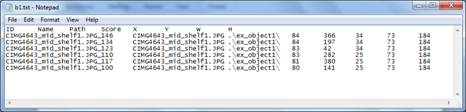
Figure 14.9
The matched score and coordinates,
(x, y, w, h), are given in a text file: “.\data\c.txt”.
To see the first matched image, click the Home button in the Results Panel (see Figure 14.8). To see the next matched image, click the “=>” button in the Results Panel. The key and the matched images are displayed side-by-side.
14.4 Implementation
The basic idea is to cut a segment of a source image, which has the
same size as the key image. These two images are matched via image signatures.
This process is repeated for various locations.
The basic function is:
r80
= script.smallSegment.findmatch11_NeuralFilter_LargeImage
(b1,
b2, theID, thePath, theName, f.pictureBox4);
Where:
- findmatch11_NeuralFilter_LargeImage (…) is the function;
- B1 is the key bitmap;
- B2 is the source bitmap;
- theID is the image ID used in the output file;
- thePath is the image Path used in the output file;
- f.pictureBox4 displays each sub-image of B2 that is matched against Bitmap, B1.
15. Fast Sub-Image Matching
The sub-image matching requires a different set of parameters. There are two different settings:
Setting/Search Sub-Images
Setting/Search Whole Images
To match sub-images, click menu item, “Setting/Search Sub Images”. To switch back to the original setting for whole images, click: “Setting/Search Whole Images”.
The objective for the last chapter menu is to find a cropped segment at
all cost, provided there are no scaling factors. This can take a long time if
the N x M search grid is set to be very large.
The first objective of this chapter is to find a cropped segment much
faster.
The second objective is to add scale invariance and rotation
invariance.
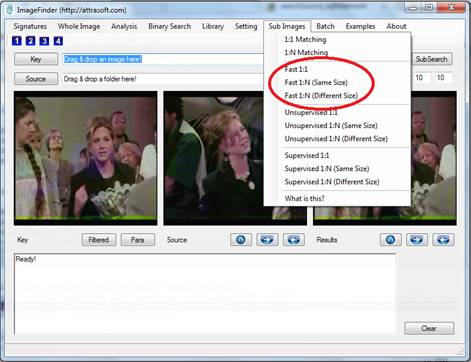
Figure 15.1 “Fast” menu items.
15.1 Fast Menu
The objective of the “Fast” menu items is to find a cropped segment
from an image within 1 second.
The “Fast” menu items provide a much faster search than the menu items
of the last chapter, but these menu items are less accurate than those in the
last chapter. It is a trade-off between accuracy and computation time. Figure
15.1 shows the menu items under this menu.
Example. We will match (see Figure 15.4 from last
chapter) the key,
.\ ex_object1\key.jpg,
against the image,
.\ ex_object1\CIMG4643_mid_shelf1.JPG.
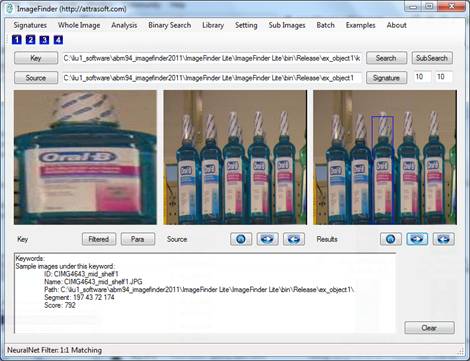
Figure 15.2 Fast match results.
Before starting this example, click menu item, “Setting/Search Sub Images”.
The example will take three clicks:
1.
Click the “Key” button, and select .\ ex_object1\key.jpg. You can also drag & drop
.\ex_object1\key.jpg to the first text box.
2.
Click the “Source” button and select
the folder, .\ ex_object1\. You can also drag & drop the folder, .\ ex_object1\, to the second text box.
3.
Fast Search.
Click Fast/1:1 Matching and see the result in Figure 15.2.
The menu items are given below:
Sub Image/Fast 1:1
Use “Sub
Image/Fast 1:1” to make a 1:1 Matching.
Sub Image/Fast 1:N (Same size)
Use “Sub Image/Fast 1:N (Same size)” to
make a 1:N Matching; it will search through all images in a folder for the
specified cropped image. This command is faster than “Sub Image/1:N (Different
size)”, but it requires all images in the search folder to have the same pixel
size.
Sub Image/Fast 1:N (Different size)
Use “Sub Image/Fast 1:N (Different size)” to make a 1:N Matching; it will search through all
images in a folder for the specified cropped image. This command is slower than
“Sub Image/1:N (Same size)”, but it does not requires all images in the search folder
to have the same pixel size.
To implement these menu items, the object is:
f.mainMenuToAPI.script.neuralNetFilter
This object will need to learn the sample bitmap, b:
try
{
f.mainMenuToAPI.script.neuralNetFilter.setSymmetry(3);
f.mainMenuToAPI.script.neuralNetFilter.train(b, right.Width,
right.Height);
return
true;
}
catch
(Exception ex)
{
f.mainMenuToAPI.appendText(ex.ToString () + "\n");
return
false;
}
After that, it will make a fast 1:N matching:
f.mainMenuToAPI.script.results_1N
=
f.mainMenuToAPI.script.neuralnet2.findMatch1N
(f.guiSource .libraryList .imageAbsolutePath, matchingCode);
15.2 NeuralNet Filter API
The following table lists the NeuralNet Filter functions.
|
Functions |
Descriptions |
|
bool train (Bitmap img) bool train (string sPath) bool train (Bitmap img, int x, int y, int w, int h) bool train (string sPath, int x, int y, int w, int h) |
Trains the neural net, either use whole image or image segement (x, y, w, h). |
|
bool train (Bitmap b, int w, int h) |
Place an image b into a white image w pixels by h pixels, the train the neural net. |
|
bool retrain (Bitmap img) bool retrain (string sPath) bool retrain (Bitmap img, int x, int y, int w, int h) bool retrain (string sPath, int x, int y, int w, int h) |
Retrains the neural net. |
|
Attrasoft.TransApplet80.Results_1N.Results_1N findMatch11 ( Bitmap img1); Attrasoft.TransApplet80.Results_1N.Results_1N findMatch11 ( string path1); Attrasoft.TransApplet80.Results_1N.Results_1N findMatch1N ( string [] fileList); |
Makes a 1:1 and 1:N Matching. |
|
bool findMatchNN (string [] fileList, string c1File) bool findMatchNM (string [] keyList, string [] libraryList, string c1File); |
Makes a N:N Matching and N:M Matching. |
16. Video Input
Video recognition largely mirrors the image recognition. Identify a whole video is similar to identify a whole image. This chapter describes how to enter video data to the VideoFinderLite. The input videos are further divided into:
- Key
- Search Source
A Key-folder specifies the sample videos. A Search-Folder specifies the Search Source. The chapter project is in “.\videofinderlite”. The video input programming mirrors the image input.
16.1 Class Library Name
The class library is:
Attrasoft.TransApplet80.InputModuleVideo.
The main class in this library will be:
Attrasoft.TransApplet80.InputModuleVideo .InputModuleVideo.
The objects for key and source are:
internal
Attrasoft.TransApplet80.InputModuleVideo .InputModuleVideo inputModuleKey;
internal Attrasoft.TransApplet80.InputModuleVideo.InputModuleVideo inputModuleSource;
The interface is:
public interface I_ InputModule80
{
Attrasoft .TransApplet80 .InputList80 .InputList getList( string);
}
The input is a folder path. Output is an object of the following class:
public
class VideoInputList
{
public int status = 0;
public string[] imageAbsoultePath =
null;
public string[] VideoID = null;
public string[] VideoName = null;
public string[] VideoPath = null;
public string[] key0 = null;
public string[] key1 = null;
public string[] key2 = null;
public string[] key3 = null;
public string[] key4 = null;
}
16.2 Class Library Overview
The functions in classes are listed in the following table.
|
Function |
Description |
|
Attrasoft .TransApplet80 . VideoInputList. VideoInputList getList( string folder) |
After input folder is specified, get the output object. |
16.3 Set Up the Chapter Project
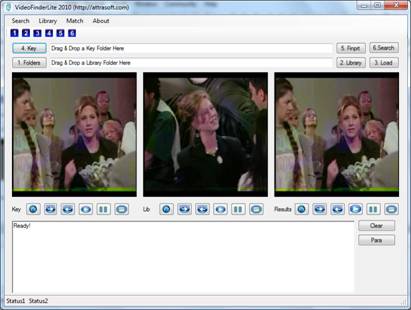
Figure 16.1 Chapter Project.
The project has the following controls:
Key Button, Key Text Box
Use the “Key” button to display the selected key video folder.
Source Button, Source Text Box
Use the “Source” button to select a search video folder.
Clear Button
Use the “Clear” button to clear the rich text box.
Rich Text Box
Use Rich Text Box to display messages.
Key Picture Box
Use the Key Picture Box to display key images.
Source Picture Box
Use the Source Picture Box to display images in the search source.
OpenFileDialog
Use the OpenFileDialog to select a key image.
FolderBrowserDialog
Use the FolderBrowserDialog to select a source path.
After adding these controls, the form will look like Figure 16.1.
16.5 Key Segment
We can double click the Key Segment buttons to complete the programming:
public bool Button_Keys()
{
try
{
if
(f.folderBrowserDialog1.ShowDialog() != DialogResult.OK)
return false;
string cDir =
f.folderBrowserDialog1.SelectedPath;
f.textBox1.Text = cDir;
f.guiKey.setInput(f.inputModuleKey.getList(cDir));
if (!f.guiKey.getStatus())
{
f.appendText("Data
Source fails!\n");
return false;
}
f.guiKey.setLists();
}
catch (Exception e)
{
f.appendText(e.ToString() +
"\n");
return false;
}
return
this.f.guiKey.Button_First(false);
}
The first section of code opens a file dialog so the user can select a file:
if
(f.folderBrowserDialog1.ShowDialog() != DialogResult.OK)
return false;
string cDir =
f.folderBrowserDialog1.SelectedPath;
The next section enters the selected folder to the InputModuleKey object and gets the string list of the image paths:
f.inputModuleKey.getList(cDir);
Then it passes this list to display object:
f.guiKey.setInput(f.inputModuleKey.getList(cDir));
The last section displays the first images:
f.guiKey.setLists();
f.guiKey.Button_First(false);
The video input process is basically the same as image input process.
16.6 Search Source Button
The search source button is very similar to the Key button. The code is in the project. The explanation is identical to image source input.
17. Whole Video Recognition
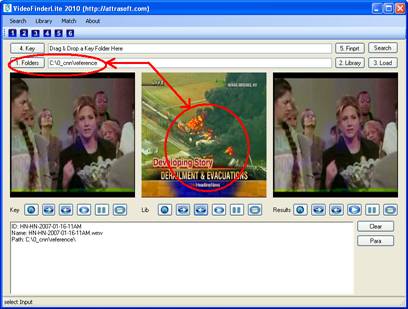
Figure 17.1 Step 1, Select
Library (Source button).
We will continue the .\VideoFinderLite project from the last chapter.
17.1 Project Introduction
Initially, the operation will consist of the following six steps for video matching:
1. Select Library ("1..." button)
2. Get Library fingerprints ("2..." button)
3. Load Library ("3..." button)
4. Select Key ("4..." button)
5. Create Key fingerprint ("5..." button)
6. 1:N Matching ("6..." button)
Later, you do not have to create a library each time:
3. Load Library ("3..." button)
4. Select Key ("4..." button)
5. Create Key fingerprint ("5..." button)
6. 1:N Matching ("6..." button)
…
The procedure is:
1. Select Library ("1..." button)
A video clip is converted into a video clip fingerprint. A set of video clip fingerprints forms a library. A set of video clips will be placed in a directory, and the directory path will be entered into the VideoFinderLite, for example, “c:\abc\def\”.
This step selects a video clip directory. Dragging & dropping a folder into the second text box will complete this step. This step can also be implemented by clicking:
·
“Search/1.
Select A Folder” menu item, OR
·
"1.
Folder" button.
The video clips in the selected directory will be displayed in the second picture box (labeled ‘Lib(rary)’). Use the “Play” buttons to play the video clip. Make sure to use “Stop” to stop the video clip.
Use the “Home” button to select the First video in the directory; use the “=>” button to select the next video clip; and use the “<-” button to select the previous video clip.
2. Create Fingerprint Library ("2..." button)
This step converts all video clips in the selected directory into fingerprints and saves them to the file, “a1.txt”. This step is implemented by clicking:
o
“Search/2.
Create Fingerprint Library (.\a1.txt)” menu item, OR
o
“2.
Library” button.
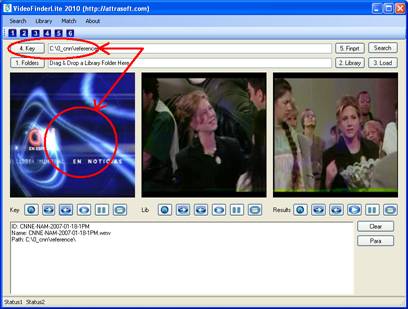
Figure 17.2 Step 3, Select Key
(Key button).
3. Load Library ("3..." button)
Before matching, you will need to select a library and load it to the VideoFinderLite. This step is implemented by clicking:
o
“Search/3.
Load Fingerprint Library” menu item, OR
o
“3.
Load” menu item.
4. Select Key ("4..." button)
A key is a newly obtained video clip. The video clip is converted into a fingerprint. To select a key, drag & drop a folder into the first text box and select a file in this key folder. Again, a key is a video in a folder, a folder path is the parameter to be entered, not a video file path. Once the folder is entered, you will use è and ç buttons to select a file. This step can also be implemented by clicking:
·
“Search/4.
Select Key” menu item, OR
·
“4.
Key” button.
The video clips in the selected directory will be displayed in the first picture box (labeled ‘Key’). Use the “Play” buttons to play the video clip. Make sure to use “Stop” to stop the video clip.
Use the “Home” button to select the First video in the directory; use the è button to select the next video clip; and use the ç button to select the previous video clip.
5. Create Key fingerprint ("5..." button)
This step converts a key video clip into a fingerprint. This step is implemented by clicking:
·
“Search/5.
Key Fingerprinting” menu item, OR
·
“5.
Finprt” button.
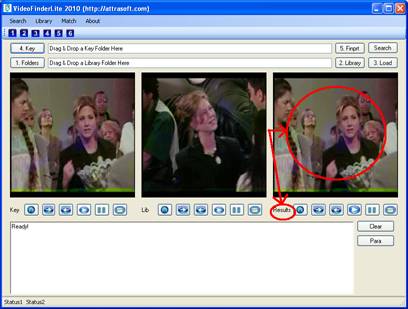
Figure 17.3 Step 6, 1:N Matching.
6. 1:N Matching ("6..." button)
“1:N Matching” (read as 1 to N matching) compares “1” (i.e., the new video clip) with “N” (i.e., the previously stored video clips). This step is implemented by clicking:
·
“Search/6.
Search” menu item, OR
·
“Search”
button.
The 1:N matching results are also displayed in the third picture box (labeled ‘Results’). Use the “Play” buttons to play the video clip. Make sure to use “Stop” to stop the video clip.
Use the “Home” button to select the First video in the directory; use the “=>” button to select the next video clip; and use the “<=” button to select the previous video clip.
17.2 Example
In this section, we will use the “Friends” Video Clips. The stored data used in this section is in folder,
.\ test0 \
where
“.\” is the folder where the software is installed. There are five video clips
in this folder. The 1:N match compares a newly
captured fingerprint with all video fingerprints in a1.txt.
1. Select Library ("1..." button)
Drag & drop “.\test0\” folder into the second text box.
2. Get Library fingerprints ("2..." button)
Click the “2 …” button; the results will be saved to “.\data\ a1.txt” automatically.
3. Load Library ("3..." button)
Click the “3 …” button to load the library.
4. Select Key ("4..." button)
Drag & drop “.\test0\” folder into the first text box. By default, the first file in this folder is chosen; you can select any file in this folder as a search key.
5. Create Key fingerprint ("5..." button)
Click the “5 …” button; the key fingerprint will be saved internally. You can also save the results by clicking Match/Key Fingerprinting (key.txt); followed by clicking “Match/1:N Matching (Key.txt : Library)” in step 6.
6. 1:N Matching ("6..." button)
Click the “6 …” button to make a 1:N match, see Figure 17.4.
17.3 Implementation
Out of the six steps:
1. Select Library ("1..." button)
2. Get Library fingerprints ("2..." button)
3. Load Library ("3..." button)
4. Select Key ("4..." button)
5. Create Key fingerprint ("5..." button)
6. 1:N Matching ("6..." button)
We have covered step 1 and step 4.
The Input objects are:
internal
Attrasoft.TransApplet80.InputModuleVideo .InputModuleVideo inputModuleKey;
internal
Attrasoft.TransApplet80.InputModuleVideo.InputModuleVideo
inputModuleSource;
The display objects are:
internal
Attrasoft.TransApplet80.VideoGUI.GUI_Key
guiKey;
internal
Attrasoft.TransApplet80.VideoGUI.GUI_Key
guiSource;
internal
Attrasoft.TransApplet80.VideoGUI.GUI_Results
guiResults;
All computations are done
by the following objects:
internal Attrasoft.TransApplet80.VideoEntryPoint80.VideoEntryPoint80 script;
Get Library fingerprints ("2..." button)
f.script.createFingerprintLibrary
(f.gui.imageAbsoultePath, f.dataDir + "a1.txt");
Load Library ("3..." button)
f.script.loadLibrary(sTmp);
Create Key fingerprint ("5..." button)
f.script.getKeyFingerprint(sTmp);
1:N Matching ("6..." button)
f.script.videoResult = f.script.findMatch1N(f.script.videoFingerPrint);
18. Video Frame Recognition
A video frame is an image, so matching video frames is similar to whole image matching. A key video will produce an image-frame signature file, key.txt. Videos in a source will produce a signature file, lib1.txt.
A 1:N video frame matching, i.e. matching a video frame against all video frames of a set of videos, is converted into a N:M image matching.
The chapter project is in .\videofinder folder.
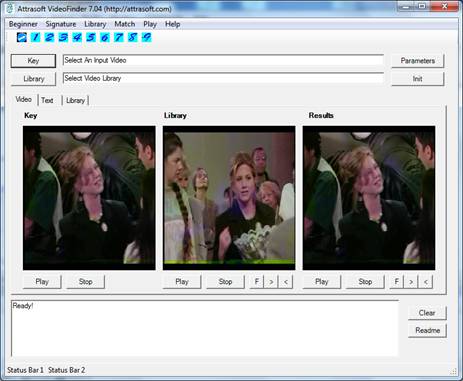
Figure 18.1 VideoFinder.
18.1 How to Use VideoFinder
Initially, you will need the following steps for video matching:
0. Initialization (Only Once after starting the software)
1. Select Library (Source Button)
2. Get Library Signatures (source.txt)
3. Select Key (Key Button)
4. Get Key Signatures (key.txt)
5. Create Library File (lib1.txt)
6. Load Library (lib1.txt)
7. 1:N Matching (Match/1:N Match menu item)
8. First Results (2nd F Button)
9. Next Results (2nd > Button)
Later, you do not have to create a library each time:
0. Initialization (Only Once After Starting the Software)
6. Load Library (lib1.txt)
3. Select Key (Key Button)
4. Get Key Signatures (key.txt)
7. 1:N Matching (Match/1:N Match menu item)
3. Select Key (Key Button)
4. Get Key Signatures (key.txt)
7. 1:N Matching (Match/1:N Match menu item)
…
0. Initialization (Only Once After Starting the
Software)
This step initializes the software. This step is implemented by clicking:
· “Beginner/0. Initialization (Only Once)” menu item, OR
· “Init” button.
1.
Select Library (Source Button)
A video clip is converted into a video clip signature. A set of video clip signatures forms a library. A set of video clips will be placed in a directory and the directory path (for example, c:\abc\def\) will be entered into the VideoFinder.
This step selects a video clip directory. This step is implemented by clicking:
· “Beginner/1. Select Library (Source Button)” menu item, OR
· “Source” button.
The video clips in the selected directory will be displayed in the second picture box.
Use the “Play” and “Stop” buttons to play the video clip.
Use the “F” button to select the First video in the directory; use the “>” button to select the next video clip; and use the “<” button to select the previous video clip.
2. Get Library Signatures (source.txt)
This step converts all video clips in the selected directory into signatures and saves them to the file, “source.txt”. This step is implemented by clicking:
· “Beginner/2. Get Library Signatures (source.txt)” menu item, OR
· “Signature/Library Signatures” menu item.
3. Select Key (Key Button)
A key is a newly obtained video clip. The video clip is converted into a signature. The key (for example, c:\abc\def\ghi.avi) will be entered into the VideoFinder.
This step selects a key. This step is implemented by clicking:
· “Beginner/3. Select Key (Key Button)” menu item, OR
· “Key” button.
The selected key will be displayed in the first picture box. Use the “Play” and “Stop” buttons to play the video clip.
4. Get Key Signatures
(key.txt)
This step converts a key video clip into a signature and saves them to the file, “key.txt”. This step is implemented by clicking:
· “Beginner/4. Get Key Signatures (key.txt)” menu item, OR
· “Signature/Key Signature” menu item.
5. Create Library File
(lib1.txt)
Before matching, you will need to select a library and load it to the VideoFinder. The library to be loaded is fixed to the file, lib1.txt. We have created a library file, “source.txt”; now we will simply copy it to the loading-library file, “lib1.txt”.
This step is implemented by clicking:
· “Beginner/5. Create Library File (lib1.txt)” menu item, OR
· “Library/Copy source.txt to lib1.txt” menu item.
6. Load Library (lib1.txt)
Before matching, you will need to select a library and load it to the VideoFinder. This step is implemented by clicking:
· “Beginner/6. Load Library (lib1.txt)” menu item, OR
· “Library/Load (lib1.txt)” menu item.
7. 1:N
Matching (Match/1:N Match menu item)
“1:N Matching” (read as 1 to N matching) compares “1” (i.e., the new video clip) with “N” (i.e., the previously stored video clips). This step is implemented by clicking:
· “Beginner/7. 1:N Matching” menu item, OR
· “Match/1:N Matching” menu item.
8. First Results (2nd
F Button)
The 1:N matching results are also displayed in the second picture box. To select the first retrieved video clip, use:
· “Beginner/8. First Results (2nd F Button)” menu item, OR
· second “F” button.
Use the “Play” and “Stop” buttons to play the video clip.
9. Next Results (2nd
> Button)
The 1:N matching results are also displayed in the third picture box. To select the next retrieved video clip, use:
· “Beginner/9. Next Results (2nd > Button)” menu item, OR
· Second “>” button.
Use the “Play” and “Stop” buttons to play the video clip.
18.2 Implementation
1. Select Library (Source Button)
The implementation is similar to the last chapter.
2. Get Library Signatures (source.txt)
The basic implementation algorithm is:
loop through all videos
{
For each
video, loop through all frame
{
For each frame, get an image signatures
Add
image signature to a source library.
}
}
Backup the
in-memory library to a1.txt.
3. Select Key (Key Button)
The implementation is similar to the last chapter.
4. Get Key Signatures (key.txt)
The basic implementation is:
Loop through all frames
{
For each frame, get an image signatures
Add
image signature to a key library
}
Backup the
in-memory library to key.txt.
5. Create Library File (lib1.txt)
Copy a1.txt to lib1.txt.
6. Load Library (lib1.txt)
Load library file, lib1.txt.
7. 1:N Matching (Match/1:N Match menu item)
Make an N:M matching with key.txt and lib1.txt.
The details of the implementation are given in the project.
19. Video Object Recognition
A video frame is an image, so matching an object within video frames is similar to sub-image matching. The chapter project is in .\framefinder folder.
19.1 FrameFinder Functions
Attrasoft FrameFinder searches video clips for an object specified by a key image. Attrasoft FrameFinder also searches live video for an object specified by a key image.
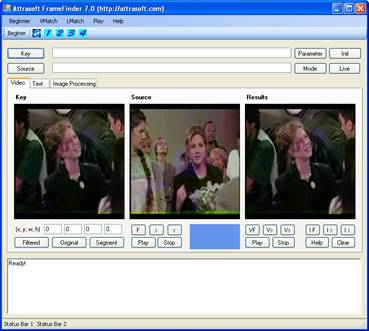
Figure 19.1 Attrasoft FrameFinder searches video clips for an object specified by a key image.
19.2 Beginner Menu
You can operate the software from the “Beginner” menu alone.
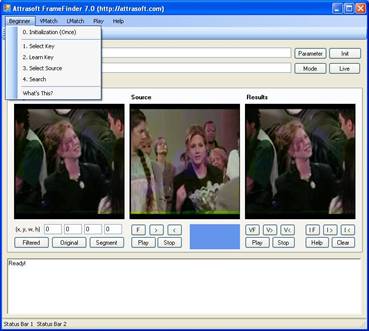
Figure 19.2 The
“Beginner” Menu and its menu items.
The matching between a sample image, called a key, and previously stored video clips is implemented directly without signatures.
You can have as many keys as you want. Before matching, you will need to select a key using the “Key” button and select a folder containing video clips using the “Source” button; then, you are ready to search.
19.3 User Interface
The FrameFinder has three video panels: ‘Key’, ‘Source’, and ‘Results’.
Key:
A key is an image, which specifies an object. A key is selected via the “Key” button.
Source:
A Source is a directory of video clips. Source videos are selected via the “Source” button. Use the “Play” and the “Stop” button below the label ‘Source’ to play a video clip. Use the “F”, “>”, and “<” button to select a video clip in the library: here “F” stands for First; “>” stands for Next; and “<” stands for previous.
Results:
Results consist of two sections: matched videos and
matched frames. Use the “Play” and the “Stop” button below the label ‘Results’
to play the matched video clip. Use the “VF”, “V>”, and “V<” button
(Video First, Video Next, Video Previous) to select a video clip in the matched
collections. Use the “IF”, “I>”, and “I<” button (Image First, Image
Next, Image Previous) to display matched image frames.
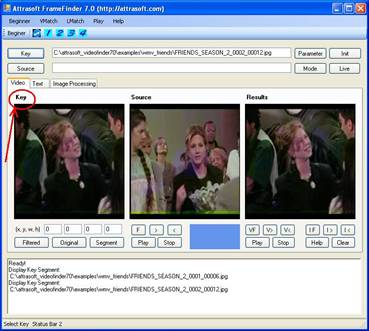
Figure 19.3 Three Video
Panels: ‘Key’, ‘Source’, and ‘Results’. The Key image is labeled by the ‘Key’
label.
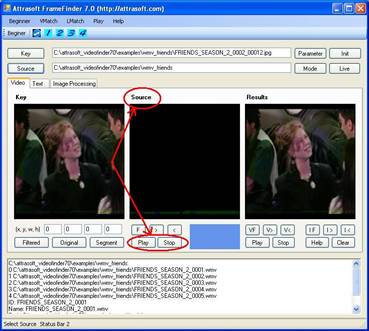
Figure 19.4 Three Video
Panels: ‘Key’, ‘Source’, and ‘Results’. The Source video panel is labeled by the
‘Source’ label.
19.4 Implementation
The basic implementation is:
loop through all videos in a search folder
{
For each
video, loop through all frame
{
For each frame, get an image
1:1
matching between the key image and the current images.
}
}
The details of the implementation are given in the project.
20. Image Processing Concept
20.1 Filters
For the ImageFinder, the Image Matching is divided into:
- Image Preprocessing
- Image Processing
- Normalization
- Signatures
- Signature Recognition
- Image Segment Recognition
One or more filters further implement each step:
Image Preprocessing
Preprocessing Filter
Image Processing
Edge Filter
Threshold Filter
Clean Up Filter
Normalization
Reduction Filter
Signature
Signature Filter
Feature Recognition
Unsupervised Filter
BioFilter
NeuralFilter
Image Segment Recognition
Neural Net Filter
Neural Net II Filter
The image matching software design is implemented to push an image through all these filters and at the end of pushing, the matching results will be obtained.
20.2 Image Preprocessing & Processing
Attrasoft ImageFinder learns an image in a way similar to human eyes:
- Ignore the background;
- Focus on an object in the image.
The Image Preprocessing is
implemented by one filter, the Image Preprocessing Filter. Three filters
implement image processing:
·
Edge Filters;
·
Threshold
Filters; and
·
Clean-Up Filters.
The Image Preprocessing and
the Image Processing processes are not unique; there are many options
available. Some are better than others.
The principle of choosing the Image Preprocessing and the Image Processing filters is to make the sample objects stand out, otherwise, change the options.
Image Preprocessing has the following functions:
Cut off the border areas;
Impose a mask;
Speed up the computation;
Skip the empty border area;
Image Processing has the following filters:
The Edge Filters attempt to exaggerate the main features a user is looking for.
The Threshold Filters attempt to suppress the background.
The Clean-Up Filters will smooth the resulting image to reduce recognition error.
20.3 Normalization
The Normalization Filter will prepare the images for the underlying image matching engine, which is a 100x100 array of neurons.
While any size of neural net can be used, when coming to a particular application, a decision has to be made. The ImageFinder uses 6 different sizes:
- 10,000 neurons,
- 8,100 neurons,
- 6,400 neurons,
- 4,900 neurons, or
- 2,500 neurons.
Later in the multi-layered design, the number of neurons can be much larger. The Normalization Filter, also called Reduction Filter, will connect the images to various neural networks.
20.4 Neural Filter and Neural Net Filter
The ability to learn is a fundamental trait of intelligence. Neural Nets are deployed in both Signature Matching and Segment Matching. Neural Nets can learn from examples. There are two basic phases in image recognition:
· Training; and
· Recognition.
In the training phase, data is imposed upon a neural network to force the network to remember the pattern of training data. A neural network can remember the training data pattern by adjusting its internal synaptic connections.
In the recognition phase, the neural network, based on its internal synaptic connections, will determine whether the newly captured image matches the sample image.
Neural Filter is used for whole image matching. It is trained with 10,000 pairs of random images.
Neural Net Filter is used for the sub-image matching.
20.5 Parameter Object
Implementing image matching software via the TransApplet means pushing an image through these many filters:
1. Preprocessing Filter
2. Edge Filter
3. Threshold Filter
4. Clean-Up Filter
5. Reduction Filter
6. Signature Filter
7. Unsupervised Filter
8. BioFilter
9. NeuralFilter
10. Neural Net Filter
11. Neural Net Filter II
Each filter is an object (See their API in earlier chapters). Each filter will have many parameters and these filters together can have many parameters. It will be easier, from the programming point of view, to group all of the objects together and to group all of the parameters together into an object.
21. Image Preprocessing
To get a good image matching, two things are important:
- To control the number of variations.
- To make the area of interest stands out and to make the rest as little as possible.
The chapter project is in “.\ transapplet80.chap21”.
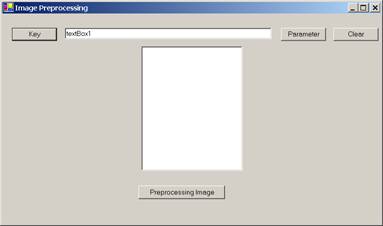
Figure 21.1 Chapter project.
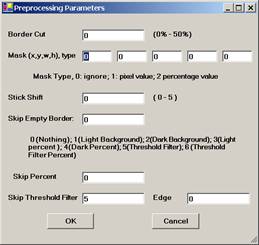
Figure 21.2 Image Preprocessing Parameters.
21.1 Image Preprocessing Filter
Start the chapter project,
you will see Figure 21.1.
To set the Image
Preprocessing Filter parameters, click the Parameter button in Figure 21.1;
then click the Parameter button again, and you will see Figure 21.2. You will
set the Image Preprocessing parameters on Figure 21.2. The “OK” button in
Figure 21.2 enters the parameters to the Preprocessing filter.
To see the effect of the Image Preprocessing and Image Processing filters, you have to select a key image via the Key button. The image will be displayed on the left. Then click the “Preprocessing Image” button to apply the preprocessing filter and see the processed image on the right.
21.2 PreProcessing API
The Image Preprocessing interface is:
public interface I_ImagePreProcessing80
{
int getMaskX();
void setMaskX(int x);
int getMaskY();
void setMaskY(int x);
int getMaskW();
void setMaskW(int x);
int getMaskH();
void setMaskH(int x);
int getMaskType();
void setMaskType(int x);
int getBorderCut();
void setBorderCut(int x);
int getStickShift();
void setStickShift(int x);
void setSkipEmptySpaceType(int x);
int getSkipEmptySpaceType();
void setSkipEmptySpacePercentage(int x);
int getSkipEmptySpacePercentage();
void setSkipEmptySpaceThresholdFilter(int x);
int getSkipEmptySpaceThresholdFilter();
void setSkipEmptySpaceEdgeFilter(int x);
int getSkipEmptySpaceEdgeFilter();
Bitmap getPreProcessingImageBW (Bitmap bImg);
Bitmap getPreProcessingImageColor (Bitmap bImg);
}
The following table lists the functions.
|
Functions |
Description |
|
int getMaskX(); void setMaskX(int x); int getMaskY(); void setMaskY(int x); int getMaskW(); void setMaskW(int x); int getMaskH(); void setMaskH(int x); int getMaskType(); void setMaskType(int x); |
Sets and gets mask (x, y, w, h) and mask type. |
|
int getBorderCut(); void setBorderCut(int x); |
Sets and gets Border Cut. |
|
int getStickShift(); void setStickShift(int x); |
Sets and gets Stick Shift. |
|
void setSkipEmptySpaceType(int x); int getSkipEmptySpaceType(); void setSkipEmptySpacePercentage(int x); int getSkipEmptySpacePercentage();
void setSkipEmptySpaceThresholdFilter(int x); int getSkipEmptySpaceThresholdFilter(); void setSkipEmptySpaceEdgeFilter(int x); int getSkipEmptySpaceEdgeFilter(); |
Sets and gets parameters for Skip Empty Space. |
|
Bitmap getPreProcessingImageBW (Bitmap bImg); Bitmap getPreProcessingImageColor (Bitmap bImg); |
Get preprocessed image from an input image, bImg. |
To add an image preprocessing object, add:
Attrasoft.TransApplet80.ImagePreProcessing80.ImagePreProcessing80 ipre80;
private void Form1_Load(object sender, System.EventArgs e)
{
ipre80 = new Attrasoft.TransApplet80.ImagePreProcessing80
.ImagePreProcessing80 (richTextBox1);
richTextBox1.Clear ();
}
21.3 Enter Parameters
Clicking the “OK” button on Figure 21.2 will enter the parameters to the Image Pre-processing filter. The “OK” button is implemented as follows:
private void button1_Click(object sender, System.EventArgs e)
{
try
{
ipre80.setMaskX (int.Parse (textBox1.Text)) ;
ipre80.setMaskY (int.Parse (textBox2.Text )) ;
ipre80.setMaskW (int.Parse (textBox3.Text )) ;
ipre80.setMaskH (int.Parse (textBox4.Text )) ;
ipre80.setMaskType (int.Parse (textBox11.Text )) ;
ipre80.setBorderCut (int.Parse (textBox5.Text )) ;
ipre80.setStickShift (int.Parse (textBox6.Text )) ;
ipre80.setSkipEmptySpaceType (int.Parse (textBox7.Text )) ;
ipre80.setSkipEmptySpacePercentage (int.Parse (textBox8.Text )) ;
ipre80.setSkipEmptySpaceThresholdFilter (int.Parse (textBox9.Text )) ;
ipre80.setSkipEmptySpaceEdgeFilter (int.Parse (textBox10.Text )) ;
this.Close();
}
catch
{
MessageBox.Show ("Please enter valid integers", "Entry Error");
}
}
21.4 Cut Off the Border Areas
Let us assume we want to cut off 10% of the border, click the “Parameter” button. You will see Figure 21.2. Enter 10 to the first textbox in Figure 21.2. Click the “Key” button and select an image from “c:\transapplet80\ex_wheel\”. Click the “Preprocessing Image” button and you will have Figure 21.3. You will see that the second image is the first image with 10% of the border cut off.
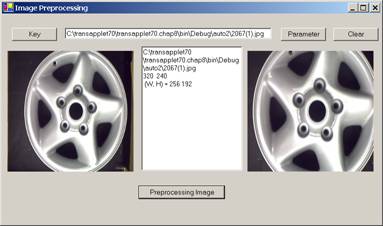
Figure 21.3 Five Percent Border Cut.
The implementation of the “Preprocessing Image” button is:
private void button11_Click(object sender, System.EventArgs e)
{
if (b1 == null)
{
richTextBox1.AppendText ("Please select an image");
return;
}
b2 = ipre80.getPreProcessingImageColor (b1);
pictureBox2.Image = b2;
richTextBox1.AppendText
(" (W, H) = " + b2.Width + " " + b2.Height + "\n");
}
21.5 Impose a Mask
Let us assume we want to cut off 20% of the border on top, 20% on the left, 10% on the right, and 10% on the bottom, then enter (20, 20, 70, 70, 2) to the second row textboxes in Figure 21.2. Click the “Preprocessing Image” button and we will have Figure 21.4.
In Figure 21.4, you will see the second image is the first image with a mask (20%, 20%, 70%, 70%). Here 2 in (20, 20, 70, 70, 2) means in percentage rather than pixels. You will see that the second image is the first image with the following cut: cut off 20 % of the border on top, 20% on the left, 10% on the right, and 10% on the bottom.
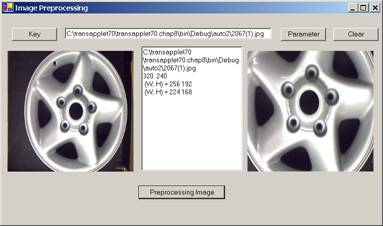
Figure 21.4 Mask
(20, 20, 70, 70, 2).
Now, if we use pixels rather than percentage, enter (20, 20, 70, 70, 1) to the second row textboxes in Figure 21.2 and we will have Figure 21.5.
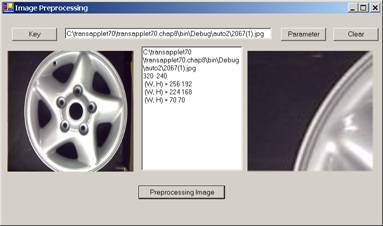
Figure 21.5 Mask (20, 20, 70, 70, 1).
21.6 Speed Up the Computation
To speed up the computation, set the parameter “Stick Shift” in Figure 21.2 between 0 and 5, with 0 being the slowest and 5 being the fastest.
21.7 Skip the Empty Border by Content Percent
To get a good image matching, two things are important:
- To control the number of variations.
- To make the area of interest stands out and to make the rest as little as possible.
Skipping empty border can reduce the number of variations. The last function for the Preprocessing filter is to skip border by content percent, not pixel percent.
The “Skip Empty Border” field in Figure 21.2 specifies the type:
0 No skip;
1 Skip the white empty border space;
2 Skip the black empty border space;
3 Skip x percent of the contents on the white background space;
4 Skip x percent of the contents on the black background space;
5 Skip empty border space on the user defined Threshold Filter;
6 Skip x percent of the contents on the user defined Threshold/Edge Filters.
We will discuss Threshold/Edge Filters in the next chapter, Image Processing.
Example 1. Set “Skip Empty Border” = 2, means skipping the black empty space on the edge. The result is shown in 21.6; you will see that the second image is the first image without a black border.
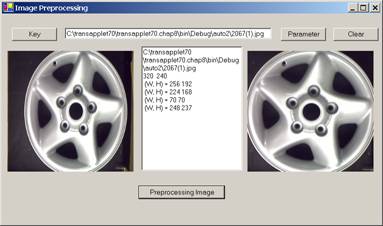
Figure 21.6 Skipping
the black empty space.
Example 2. Set “Skip Empty Border” = 4, means skipping the black empty space on the edge. Set “Skip percent” = 10. The result is shown in Figure 21.7; you will see that the second image is the first image with 10% of the contents cut on each side.
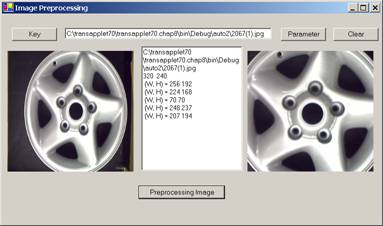
Figure 21.7 Skipping 10% of the contents on the black background.
22. Image Processing
Attrasoft ImageFinder learns an image in a way similar to human eyes:
- Ignore the background;
- Focus on an object in the image.
The Image Preprocessing in the last chapter and the Image Processing in this chapter prepare the image for the ImageFinder.
The Image Processing process is not unique; there are many options available. Some are better than others. Image Processing can make it or break it. For many problems like fingerprints, palm prints, …, special image processing filters will be required.
22.1 Good & Bad
The principle of choosing the Image Preprocessing and Image Processing filters is to make the sample objects stand out, otherwise change the options.
Do not make too many things stand out, i.e. as long as the area of interest stands out, the rest should show as little as possible.
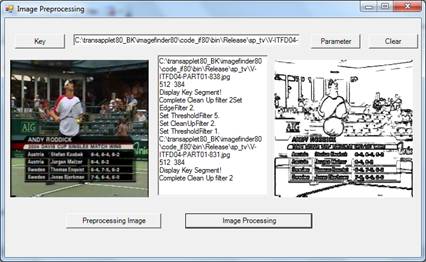
Figure 22.1 Bad
Image Processing Example.
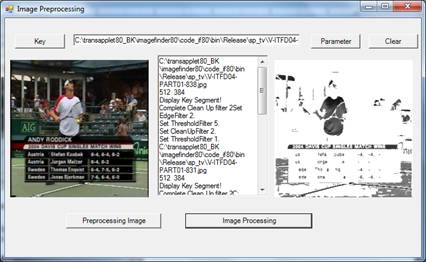
Figure 22.2 Good
Image Processing Example.
In Figure 22.1, the first image is the selected key image. The objective is to identify the logo, “2004 Davis Cup …”.
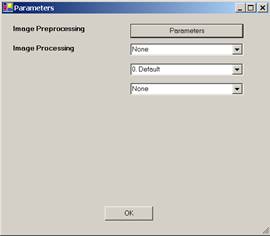
Figure 22.3 Image
Processing Setting.
First of all, let us use the setting:
Edge Filter = 2
Threshold Filter = 1
Clean-Up Filter = 2
The second image in Figure 22.1 is
a preprocessed image; and the third image in Figure 22.1 is the processed
image. This is a bad example of image processing, because the sample object, “2004 Davis Cup …”, does not stand out.
Now, we will try a different setting:
Edge Filter = 0
Threshold Filter = 1
Clean-Up Filter = 16
The third image in Figure 22.2 is
the processed image. This is a good example of image processing, because the sample object, “2004 Davis Cup …”, does stand out.
22.2 Processing API
The Image Processing interface is:
public interface I_ImageProcessing80
{
string [] getEdgeFilterNames();
int getEdgeFilterDefaultIndex();
string [] getThresholdFilterNames();
int getThresholdFilterDefaultIndex();
string [] getCleanUpFilterNames();
int getCleanUpFilterDefaultIndex();
int getDoubleImageProcessing ();
void setDoubleImageProcessing (int x);
bool setImage (Bitmap sImageName );
bool imageProcess();
void setEdgeFilter(int x);
int getEdgeFilter();
bool getEdgeFiltersStatus();
void setThresholdFilter (int x);
int getThresholdFilter ();
bool getThresholdFiltersStatus();
void setCleanUpFilter (int x);
int getCleanUpFilter ();
bool getCleanUpFilterStatus();
void setR1(int x);
int getR1();
void setR2(int x);
int getR2();
void setR3(int x);
int getR3();
void setG1(int x);
int getG1();
void setG2(int x);
int getG2();
void setG3(int x);
int getG3();
void setB1(int x);
int getB1();
void setB2(int x);
int getB2();
void setB3(int x);
int getB3();
}//image processing
The following table lists the functions.
|
Functions |
Description |
|
string [] getEdgeFilterNames(); int getEdgeFilterDefaultIndex(); string [] getThresholdFilterNames(); int getThresholdFilterDefaultIndex(); string [] getCleanUpFilterNames(); int getCleanUpFilterDefaultIndex(); |
Gets the basic info about Edge filter, Threshold filter, and Clean-Up filter. |
|
int getDoubleImageProcessing (); void setDoubleImageProcessing (int x); |
Sets and gets the “Double Processing” parameter. |
|
bool setImage (Bitmap sImageName ); |
Sets the input image for the Image Processing filters, which is also the output image; i.e. the image processing is applied to the image directly. |
|
void setEdgeFilter(int x); int getEdgeFilter(); bool getEdgeFiltersStatus(); void setThresholdFilter (int x); int getThresholdFilter (); bool getThresholdFiltersStatus(); void setCleanUpFilter (int x); int getCleanUpFilter (); bool getCleanUpFilterStatus(); |
Sets and gets Image Processing filters. |
|
bool imageProcess(); |
Apply the image-processing filter to the input image. The input image is also the output image, because the filter is applied to the image directly. |
|
void setR1(int x); int getR1(); void setR2(int x); int getR2(); void setR3(int x); int getR3(); void setG1(int x); int getG1(); void setG2(int x); int getG2(); void setG3(int x); int getG3(); void setB1(int x); int getB1(); void setB2(int x); int getB2(); void setB3(int x); int getB3(); |
Sets and gets Threshold Filter parameters. |
To add an image-processing object, add:
Attrasoft.TransApplet80.ImageProcessing80.ImageProcessing80 ip80;
private void Form1_Load(object sender, System.EventArgs e)
{
ipre80 = new Attrasoft.TransApplet80.ImagePreProcessing80 .
ImagePreProcessing80 (richTextBox1);
ip80 = new Attrasoft.TransApplet80.ImageProcessing80.ImageProcessing80 ();
richTextBox1.Clear ();
}
22.3 Set Image Processing Filters
The image processing will be applied to all images before recognition. As far as the operation is concerned, this means setting three filters:
Edge Filters;
Threshold Filters; and
Clean-Up Filters.
In Figure 22.3,
- to select an Edge Filter, click the Edge Filter Drop Down List, which is the first List in the red box;
- to select a Threshold Filter, click the Threshold Filter Drop Down List, which is the second List;
- to select a Clean-Up Filter, click the Clean-Up Filter Drop Down List, which is the third List.
The
Edge Filters attempt to exaggerate the main features a user is looking
for.
The
Threshold Filters attempt to suppress the background.
The
Clean-Up Filters will smooth the resulting image to reduce recognition
error.
The default setting in the ImageFinder is:
Edge Filter = 2
Threshold Filter = 1
Clean-Up Filter = 2
The code for the three Drop Down Lists is:
private void comboBox1_SelectedIndexChanged(object sender, System.EventArgs e)
{
f.ip80.setEdgeFilter (comboBox1.SelectedIndex);
f.richTextBox1.AppendText ( "Set EdgeFilter " +f.ip80.getEdgeFilter () + ".\n" ) ;
}
private void comboBox2_SelectedIndexChanged(object sender, System.EventArgs e)
{
f.ip80.setThresholdFilter (comboBox2.SelectedIndex );
f.richTextBox1.AppendText ( "Set ThresholdFilter "
+comboBox2.SelectedIndex + ".\n" );
}
private void comboBox3_SelectedIndexChanged(object sender, System.EventArgs e)
{
f.ip80.setCleanUpFilter ( comboBox3.SelectedIndex );
f.richTextBox1.AppendText ( "Set CleanUpFilter "
+comboBox3.SelectedIndex + ".\n" );
}
22.4 First Two Settings
The default setting should
be:
Edge Filter = 2 or “Sobel 2”.
Threshold Filter =1 or “Dark Background 128”.
Clean-Up Filter = 2
Your second choice should
be:
Edge Filter = 0
Threshold Filter =5
Clean-Up Filter = 2
22.5 Chapter Projects
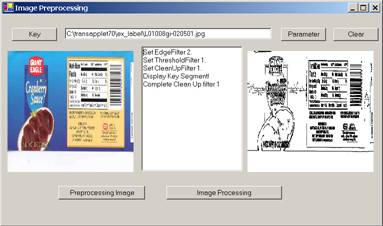
Figure 22.4 Chapter Project.
To see how image processing works, click the “Parameter” button in Figure 22.4 to get Figure 22.3. In Figure 22.3, set the:
Edge Filter = 2 or “Sobel 2”.
Threshold Filter =1 or “Dark Background 128”.
Clean-Up Filter = 2
You should see the following message in the text window:
Set EdgeFilter 2.
Set ThresholdFilter 1.
Set CleanUpFilter 1.
Display Key Segment!
Click the “Key” button and select image, “C:\transapplet80\ex_label\L01008gi-020501.jpg”. Click the “Image Processing” button and Figure 22.4 will show the results of image processing.
23. Normalization
This chapter introduces a filter, the Normalization filter or Reduction Filter. From the user’s and programmer’s point of view, it means the setting of several parameters. This filter, together with the Image PreProcessing Filter and Image Processing Filters, will be passed to later layers as parameters.
If you are not interested in the details, you can skip this chapter.
The Normalization filter will
prepare the images for the underlying NeuralNet filters. The neural net
deployed in the ImageFinder, by default, is a 100x100 array of neurons. While any size of ABM neural net can be used,
when coming to a particular application, a decision has to be made. The ImageFinder uses 6 different sizes:
·
10,000 neurons,
·
8,100 neurons,
·
6,400 neurons,
·
4,900 neurons, or
·
2,500 neurons.
23.1 Class Library Name
The class library is:
Attrasoft.TransApplet80.ReductionFilter80.
The class in this library will be:
ReductionFilter80.
The interface, which will be used by ReductionFilter80, is:
public interface I_ReductionFilter80
{
string [] getReductionFilterNames();
int getReductionFilterDefaultIndex();
void setReductionFilter(int x);
int getReductionFilter();
bool getReductionFilterStatus();
int getNeuralNetWAndH ( );
void setNeuralNetWAndH (int i );
void setSegmentCut(int x);
int getSegmentCut();
void setSizeCut(int x);
int getSizeCut();
void setBorderCut(int x);
int getBorderCut();
void setLookAtX(int x);
int getLookAtX();
void setLookAtY(int x);
int getLookAtY();
void setLookAtXLength(int x);
int getLookAtXLength();
void setLookAtYLength(int x);
int getLookAtYLength();
string getMessage();
string getInfomation();
string toString();
void setImage (Bitmap b );
int [] getPixels ();
int[] getArray ();
int getArrayWidth();
int getArrayHeight();
}
23.2 Class Library Overview
This class library will
address a single filter in the Normalization layer, the Reduction Filter.
The Reduction Filter selections are:
string
[] getReductionFilterNames();
int
getReductionFilterDefaultIndex();
To set the Reduction Filter, use:
void
setReductionFilter(int x);
int
getReductionFilter();
bool getReductionFilterStatus();
To set the Reduction Filter parameters, use:
void
setSegmentCut(int x);
int
getSegmentCut();
void
setSizeCut(int x);
int
getSizeCut();
void
setBorderCut(int x);
int
getBorderCut();
void
setLookAtX(int x);
int
getLookAtX();
void
setLookAtY(int x);
int
getLookAtY();
void
setLookAtXLength(int x);
int
getLookAtXLength();
void
setLookAtYLength(int x);
int
getLookAtYLength();
string
getMessage();
String getInfomation();
String toString();
To process an image via the Reduction Filter, specify the image via:
void setImage
(Bitmap b );
To use the filter, call:
int[] getArray ();
int getArrayWidth();
int getArrayHeight();
23.3 Link to Class Library
To include the class library in the project,
- Right click References and select Add Reference in the Solution Explorer;
- Browse to find “ReductionFilter80.dll” in “c:\transapplet80\”;
- Highlight it and click the “OK” button.
To use the class library, add:
using Attrasoft.TransApplet80.ReductionFilter80;
To declare an object, add:
public
Attrasoft.TransApplet80.ReductionFilter80.ReductionFilter80 rd80
= new Attrasoft.TransApplet80.ReductionFilter80.ReductionFilter80 ();
Now ReductionFilter80, rd80, is ready to use.
23.4 Parameters
The Reduction Filter parameters are:
Segment-Cut Button
Use the “Segment-Cut” button to shape the segment
considered by the ImageFinder. The Segment-Cut parameter ranges from 0
to 12. This parameter deals with the edges of segments in the images. The
larger this parameter is, the smaller the segment the ImageFinder will
use. The possible settings of this parameter in the user interface are: 0, 1, 2, .., and 12.
Size-Cut Button
Use the "Size-Cut" button to limit the dimensions of images to be searched. In some applications, the users only want to search images of certain dimensions and ignore other images. The dimension setting ranges from 0 to 9.
· If the setting is 0, this parameter will be ignored.
· If the parameter is 1, then the longest edge of the image to be considered must be at least 100, but less than 199.
· If the parameter is 2, then the longest edge of the image to be considered must be at least 200, but less than 299, …
Border Cut
Use the “Border-Cut” button to ignore the sections of the image near the borders. The Border-Cut parameter ranges from 0 (no cut) to 9 (18% border cut). The possible settings in the user interface are: 0, 1, 2, .., and 9. Assume an image is (0,0; 1,1); setting Border-Cut to 1 means the ImageFinder will look at the section (0.02, 0.02; 0.98, 0.98); setting Border-Cut to 2 means the ImageFinder will look at the section (0.04, 0.04; 0.96, 0.96); … .
Look-At Area
The “Look-At Area” is the area the ImageFinder will use. A 100x100 window specifies a whole image. In the Integer-Reduction, the actual area can be less than 100x100. The Look-At Area is specified by 4 numbers:
(x, y, w, h)
(x, y) are the coordinates
of the upper-left corner and (w, h) are the width and height of the Look-At
Window.
24. Parameter Class
ImageFinder has many parameters. For the ImageFinder, the Image Matching is divided into:
- Image Preprocessing
- Image Processing
- Normalization
- Signatures
- Signature Recognition
- Image Segment Recognition
One or more filters further implements each step:
Image Preprocessing
Preprocessing Filter
Image Processing
Edge Filter
Threshold Filter
Clean-Up Filter
Normalization
Reduction Filter
Signature
Signature Filter
Signature Recognition
Unsupervised Filter
BioFilter
NeuralFilter
Image Segment Recognition
Neural Net Filter
The image-matching software design, based on the TransApplet, is implemented to push an image through all of these filters. At the end of this pushing, the matching results will be obtained.
24.1 Pushing Images Through Filters
How to push an image through the following filters:
1. Preprocessing Filter
2. Edge Filter
3. Threshold Filter
4. Clean-Up Filter
5. Reduction Filter
6. Signature Filter
7. Unsupervised Filter
8. BioFilter
9. NeuralFilter
10. Neural Net Filter
11. …
The implementation is as
follows: the second filter will use the first filter as a parameter; the third
filter will use the first and second filters as parameters; …
Each filter is an object (See
their API in earlier chapters). Each filter will have many parameters and all filters
can have many parameters.
It will be easier, from the
programming point of view, to group all of the objects together and to group
all of the parameters together.
·
Section 24.2 will
group all of the objects together; and
· Section 24.3 will group all of the parameters together.
24.2 Predefined Objects
You can either declare objects yourself or use the predefined objects in your project. There is one class in the TransApplet:
Attrasoft.TransApplet80.EntryPoint80,
that has all of the objects required for the ImageFinder. In particular, the objects are:
public Attrasoft.TransApplet80.ImageSignature80.ImageSignature
imageSignature;
public Attrasoft.TransApplet80.ImageSignature80.ImageSignature
imageSignature1;
public Attrasoft.TransApplet80.Results_1N.Results_1N
results_1N;
public
Attrasoft.TransApplet80.ImagePacket80.ImagePacket80 imagePacket ;
public
Attrasoft.TransApplet80.TransAppletParameters.TransAppletParameters transAppletPara;
…
public Attrasoft.TransApplet80.ImagePreProcessing80.ImagePreProcessing80
imagePreProcessingFilter ;
public Attrasoft.TransApplet80.ImageProcessing80.ImageProcessing80
imageProcessingFilter ;
public Attrasoft.TransApplet80.ReductionFilter80.ReductionFilter80
reductionFilter ;
public
Attrasoft.TransApplet80.ImageSignatureFilter80.ImageSignatureFilter
signatureFilter;
public Attrasoft.TransApplet80.UnsupervisedFilter80
.UnsupervisedFilter unsupervisedFilter;
public Attrasoft.TransApplet80.BioFilter80.BioFilter
bioFilter;
public Attrasoft.TransApplet80.NeuralFilter80.NeuralFilter
neuralFilter;
public Attrasoft.TransApplet80.ImageLibrary80.ImageLibrary
imageLibrary;
public Attrasoft.TransApplet80.NeuralNet80.NeuralNet80
neuralNetFilter;
public Attrasoft.TransApplet80.Counting80
.Counting80 counting;
…
To use these objects, simply declare an object of the following class:
Attrasoft.TransApplet80.EntryPoint80.EntryPoint80 script;
In the constructor, add:
script = new Attrasoft.TransApplet80.EntryPoint80.EntryPoint80 (richTextBox1);
Now, you can use all of the objects:
|
Objects |
Descriptions |
|
Script. ImageSignature |
Image Signature |
|
Script. signatureFilter |
Signature Filter |
|
Script. bioFilter |
BioFilter |
|
Script. unsupervisedFilter |
Unsupervised Filter |
|
… |
… |
24.3 Grouping Parameters Together
The class that groups all parameters together is called TransAppletParameters. The class interface is:
public interface TransAppletParameters
{
public bool setPreProcessingFilterData
( Attrasoft.TransApplet80.ImagePreProcessing80.ImagePreProcessing80 ipre80);
public bool getPreProcessingFilterData
( Attrasoft.TransApplet80.ImagePreProcessing80.ImagePreProcessing80 ipre80);
public bool setImageProcessingFilterData
( Attrasoft.TransApplet80.ImageProcessing80.ImageProcessing80 ip80);
public bool getImageProcessingFilterData
( Attrasoft.TransApplet80.ImageProcessing80.ImageProcessing80 ip80);
public bool setReductionFilterData
( Attrasoft.TransApplet80.ReductionFilter80 .ReductionFilter80 rd80);
public bool getReductionFilterData
( Attrasoft.TransApplet80.ReductionFilter80 .ReductionFilter80 rd80);
public bool setSignatureFilterData
( Attrasoft.TransApplet80.ImageSignatureFilter80.ImageSignatureFilter sig80);
public bool getSignatureFilterData
( Attrasoft.TransApplet80.ImageSignatureFilter80.ImageSignatureFilter sig80);
public bool setUnsupervisedFilterData
( Attrasoft.TransApplet80.UnsupervisedFilter80 .UnsupervisedFilter usf80);
public bool getUnsupervisedFilterData
( Attrasoft.TransApplet80.UnsupervisedFilter80 .UnsupervisedFilter usf80);
public bool setBioFilterData
( Attrasoft.TransApplet80.BioFilter80.BioFilter bf80);
public bool getBioFilterData
( Attrasoft.TransApplet80.BioFilter80 .BioFilter bf80);
public bool setNeuralFilterData
( Attrasoft.TransApplet80.NeuralFilter80.NeuralFilter nf80);
public bool getNeuralFilterData
( Attrasoft.TransApplet80.NeuralFilter80 .NeuralFilter nf80);
public bool setNeuralNetData
( Attrasoft.TransApplet80.NeuralNet80 .NeuralNet80 nn80);
public bool getNeuralNetData
( Attrasoft.TransApplet80.NeuralNet80 .NeuralNet80 nn80);
}
Before we explain the functions, let us first see the base class, which contains all of the parameters:
public class TransAppletParametersData
{
//[ImageFinder 7.0]
public int executionCode =0;
//[Input]
public string keyImage_absolutePath="None";
public string keyImage_segmentX="0";
public string keyImage_segmentY="0";
public string keyImage_segmentXlength="0";
public string keyImage_segmentYLength="0";
public string searchSource_Name="None";
public string searchSource_Type = "0";
public string searchSource_sqlStatement ="NA";
//[Image PreProcessing Filters]
public int imagePreProcessing_BorderCut =0;
public int imagePreProcessing_MaskX =0;
public int imagePreProcessing_MaskY =0;
public int imagePreProcessing_MaskW =0;
public int imagePreProcessing_MaskH = 0;
public int imagePreProcessing_MaskType = 0;
public int imagePreProcessing_StickShift = 0;
public int imagePreProcessing_SkipEmptyBorderType =0;
public int imagePreProcessing_SkipPercent =0;
public int imagePreProcessing_SkipEdgeFilter = 0;
public int imagePreProcessing_SkipThresholdFilter = 0;
//[Image Processing Filters]
public int imageProcessing_edgeFilter=2;
public int imageProcessing_thresholdFilter=1;
public int imageProcessing_cleanUpFilter=2;
public int imageProcessing_doubleProcessing=0;
public int imageProcessing_R1=0;
public int imageProcessing_R2=128;
public int imageProcessing_R3=2;
public int imageProcessing_G1=0;
public int imageProcessing_G2=128;
public int imageProcessing_G3=2;
public int imageProcessing_B1=0;
public int imageProcessing_B2=128;
public int imageProcessing_B3=2;
//[Reduction Filter]
public int reduction_Filter=0;
public int reduction_SegmentCut=0;
public int reduction_SizeCut=0;
public int reduction_BorderCut=0;
public int reduction_LookAtX=0;
public int reduction_LookAtY=0;
public int reduction_LookAtXLength=0;
public int reduction_LookAtYLength=0;
//[SignatureFilter]
public int signatureFilter=0;
//[UnsupervisedFilter]
public int UnsupervisedFilterFilter=0;
public int UnsupervisedFilter_Percent=20;
public int UnsupervisedFilter_Mode=0;
public int UnsupervisedFilter_CutOff=0;
public int UnsupervisedFilter_OutputFileType=0;
public int UnsupervisedFilter_ShowFile=1;
public int UnsupervisedFilter_Blurring=2;
public int UnsupervisedFilter_Sensitivity=4;
public int UnsupervisedFilter_UseRelativeScore=0;
public int UnsupervisedFilter_ShowScore = 1 ;
public int UnsupervisedFilter_AutoSegment=0;
//[BioFilter]
public int bioFilter=0;
public int bioFilter_Percent=20;
public int bioFilter_Mode=0;
public int bioFilter_CutOff=0;
public int bioFilter_OutputFileType=0;
public int bioFilter_ShowFile=1;
public int bioFilter_Blurring=2;
public int bioFilter_Sensitivity=4;
public int bioFilter_UseRelativeScore=0;
public int bioFilter_ShowScore = 1 ;
public int bioFilter_AutoSegment=0;
//[NeuralFilter]
public int neuralFilter=2;
public int neuralFilter_Percent=20;
public int neuralFilter_Mode=0;
public int neuralFilter_Size=2;
public int neuralFilter_CutOff=0;
public int neuralFilter_OutputFileType=0;
public int neuralFilter_ShowFile=1;
public int neuralFilter_Blurring=2;
public int neuralFilter_Sensitivity=4;
public int neuralFilter_UseRelativeScore=0;
public int neuralFilter_ShowScore = 1 ;
public int neuralFilter_AutoSegment=0;
//[Neural Net]
public int neuralNetFilter=0;
public int neuralNetFilter_symmetry=3;
public int neuralNetFilter_rotationType=0;
public int neuralNetFilter_translationType=0;
public int neuralNetFilter_scalingType=0;
public int neuralNetFilter_sensitivity=50;
public int neuralNetFilter_blurring=10;
public int neuralNetFilter_internalWeightCut=100;
public int neuralNetFilter_externalWeightCut=0;
public int neuralNetFilter_segmentSize=0;
public int neuralNetFilter_imageType=1;
public int neuralNetFilter_fileDisplayType=0;
public int neuralNetFilter_autoSegment=0;
public int neuralNetFilter_neuralNetMode=0;
}
The base class, TransAppletParametersData, holds all parameters for the TransApplet. The main class, TransAppletParameters, has many pairs of functions like this:
public bool setPreProcessingFilterData
(Attrasoft.TransApplet80.ImagePreProcessing80.ImagePreProcessing80 ipre80);
public bool getPreProcessingFilterData
(Attrasoft.TransApplet80.ImagePreProcessing80.ImagePreProcessing80 ipre80);
The first function, setPreProcessingFilterData, passes the parameters in the TransAppletParameters object to a filter.
The second function, getPreProcessingFilterData, gets all of the parameters in a filter and stores them into the current TransAppletParameters object.
In this way, we get and set all of the parameters of a filter together. We also treat all of the filters exactly the same way.
24.4 Chapter Project
The chapter project is located at c:\transapplet80\imagefinder\. Starting the project and you will see Figure 24.1
In Figure 24.1, click the “Para” in Figure 24.1, which will open a form, see Figure 24.2. This form will handle all of the parameters used in the TransApplet. It also links to many other forms used to specify the parameters. Each of these forms specifies parameters for one filter.
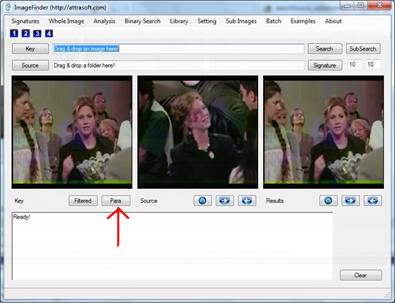
Figure 24.1 The main form.
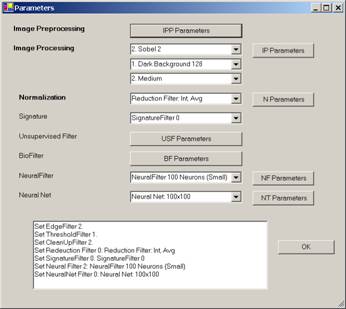
Figure 24.2 The Parameters form.
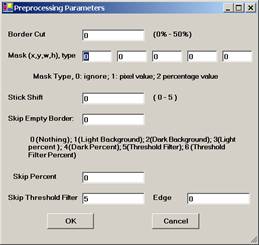
Figure 24.3 Image Preprocessing Parameter Form.
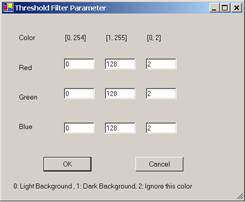
Figure 24.4 Image Processing Parameter Form.
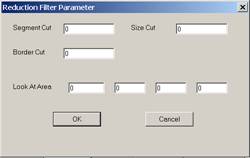
Figure 24.5 Normalization Parameter Form.
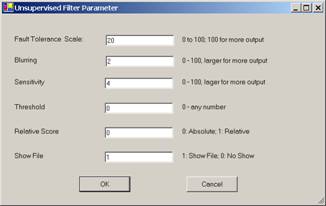
Figure 24.6 Unsupervised Filter Parameter Form.
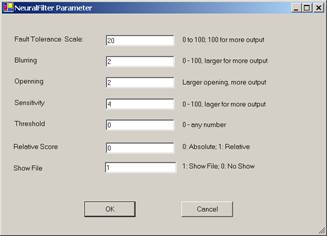
Figure 24.7 Neural Filter Parameter Form.
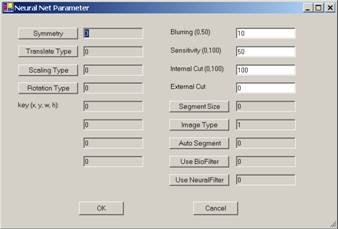
Figure 24.8 NeuralNet Filter Parameter Form.
Parameter Form
Implements all of the TransApplet parameters. This form will link to many other forms used to specify parameters. Each of these forms specifies parameters for one filter. Figure 24.2 shows the form.
Image Preprocessing Parameter Form
Implements all of the Image Preprocessing parameters. Figure 24.3 shows the form.
Image Processing Parameter Form
Implements all of the Image Processing parameters. Figure 24.4 shows the form.
Normalization Parameter Form
Implements all of the Normalization parameters. Figure 24.5 shows the form.
Unsupervised Filter Parameter Form
Implements all of the Unsupervised Filter parameters. Figure 24.6 shows the form.
BioFilter Parameter Form
Implements all of the BioFilter parameters. The BioFilter Parameter Form looks like the Unsupervised Filter parameters form in Figure 24.6.
NeuralFilter Parameter Form
Implements all of the NeuralFilter parameters. Figure 24.7 shows the form.
NeuralNet Filter Parameter Form
Implements all of the NeuralNet Filter parameters. Figure 24.8 shows the form.
24.5 TransApplet Objects
The first thing we will do is to create all of the objects required for the ImageFinder. As we discussed earlier in this chapter, all of the objects required for the ImageFinder project is grouped into a single class. All we have to do is to create an object of this class and we will call it script. We will create this object in class, MainMenuToAPI. The object is called script.
internal
Attrasoft.TransApplet80.EntryPoint80.EntryPoint80 script;
MainMenu f;
public MainMenuToAPI(MainMenu f1)
{
try
{
f = f1;
script = new Attrasoft.TransApplet80.EntryPoint80.EntryPoint80
(f.richTextBox1);
}
catch (Exception e )
{
f.richTextBox1.Text = e.ToString () +"\n";
}
}
24.6 Selecting Filters
The “Parameter” button in Figure 24.1 opens the Parameter Form in Figure 24.2, as follows:
private void button10_Click(object sender, System.EventArgs e)
{
Parameters paForm = new Parameters (this.mainMenuToAPI .script );
paForm.ShowDialog ();
}
Once in the Parameter Form in Figure 24.2, you can set the filters directly. To set the filter parameters, you have to open the following additional forms:
Image Preprocessing Parameters Form
Image Processing Parameters Form
Normalization Parameters Form
Unsupervised Filter Parameters Form
BioFilter Parameters Form
NeuralFilter Parameters Form
NeuralNet Filter Parameters Form
There are two parts related to the parameters:
- Selecting Filters
- Setting Filter Parameters
Selecting filters are done in the Parameter Form in Figure 24.2.
Setting filter parameters requires opening another form in Figures 24.3 through 24.8; it is in these forms that the filter parameters are set.
We now discuss how to set each filter:
Image Preprocessing Filter
There is only one Image Preprocessing Filter, so you do not have to set this filter.
Image Processing Filters
There are three image processing filters: Edge Filters, Threshold Filters, and Clean-Up Filters. You can select these filters from the Drop Down Lists in Figure 24.2.
The Edge Filter is implemented as follows:
void comboBox1_SelectedIndexChanged(object sender, System.EventArgs e)
{
script.transAppletPara.imageProcessing_edgeFilter =
comboBox1.SelectedIndex;
script.transAppletPara.setImageProcessingFilterData
(script.imageProcessingFilter );
richTextBox1.AppendText ( "Set EdgeFilter "
+script.transAppletPara.imageProcessing_edgeFilter + ".\n" ) ;
}
The first line gets the new setting from the Combo Box (Drop Down List).
The second line assigns the new data to the Image Processing filter object.
The third line prints a message.
The Threshold Filter and the Clean-Up Filter are handled in a similar fashion.
Normalization Filter
You can select the Normalization filters from the Drop Down List in Figure 24.2. The Normalization Filter is implemented as follows:
void comboBox4_SelectedIndexChanged(object sender, System.EventArgs e)
{
script.transAppletPara.reduction_Filter
= comboBox4.SelectedIndex ;
script.transAppletPara.setReductionFilterData
(script.reductionFilter );
richTextBox1.AppendText ( "Set Redeuction Filter "
+comboBox4.SelectedIndex + ": " + comboBox4.SelectedItem + "\n" );
}
The Unsupervised Filter selection, BioFilter selection, NeuralFilter selection, and NeuralNet Filter selection will be implemented in a similar fashion.
24.7 Set Filter Parameters
In the last section, we have shown that you can select a filter in the Parameter Form shown in Figure 24.2. After selecting a filter, to set the filter parameters, you have to open the following additional forms and specify the parameter:
Image Preprocessing Parameter Form
Image Processing Parameter Form
Normalization Parameter Form
Unsupervised Filter Parameter Form
BioFilter Parameter Form
NeuralFilter Parameter Form
NeuralNet Filter Parameter Form
We will use the Image Preprocessing Parameter Form in Figure 24.3 to show the implementation. The “OK” button in Figure 24.3 is implemented as follows:
private void button1_Click(object sender, System.EventArgs e)
{
try
{
script.transAppletPara.imagePreProcessing_MaskX = int.Parse (textBox1.Text) ;
script.transAppletPara.imagePreProcessing_MaskY = int.Parse (textBox2.Text ) ;
script.transAppletPara.imagePreProcessing_MaskW = int.Parse (textBox3.Text ) ;
script.transAppletPara.imagePreProcessing_MaskH = int.Parse (textBox4.Text ) ;
script.transAppletPara.imagePreProcessing_MaskType
= int.Parse (textBox11.Text );
script.transAppletPara.imagePreProcessing_BorderCut
= int.Parse (textBox5.Text ) ;
script.transAppletPara.imagePreProcessing_StickShift
= int.Parse (textBox6.Text ));
script.transAppletPara.imagePreProcessing_SkipEmptyBorderType
= int.Parse (textBox7.Text ) ;
script.transAppletPara.imagePreProcessing_SkipPercent
= int.Parse (textBox8.Text ) ;
script.transAppletPara.imagePreProcessing_SkipThresholdFilter
= int.Parse (textBox9.Text ) ;
script.transAppletPara.imagePreProcessing_SkipEdgeFilter
= int.Parse (textBox10.Text ) ;
script.transAppletPara.setPreProcessingFilterData
(script.imagePreProcessingFilter );
this.Close();
}
catch
{
MessageBox.Show ("Please enter valid integers", "Entry Error");
}
}
The first section takes the input data from the text boxes and stores them in object, script.transAppletPara.
The second section,
script.transAppletPara.setPreProcessingFilterData (script.imagePreProcessingFilter );
passes the data in object, “script.transAppletPara”, to the Image Preprocessing filter,
script.imagePreProcessingFilter.
In a similar fashion, we can implement the following parameter forms:
Image Processing Parameter Form
Normalization Parameter Form
Unsupervised Filter Parameter Form
BioFilter Parameter Form
NeuralFilter Parameter Form
NeuralNet Filter Parameter Form
25. Parameters
This chapter will describe the parameters in the ImageFinder. The chapter project is in .\framefinder folder.
25.1 Overview
The ImageFinder for Windows has many open parameters for the user to adjust for their particular image type. Click the “Parameter” button; you will see Figure 25.1, where you can set the parameters.
25.2 Image Preprocessing
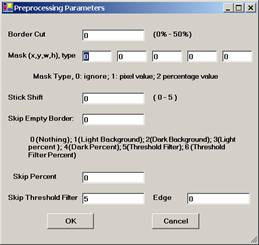
Use the “Stick Shift” parameter to speed up the computation. Set “Stick Shift” in Figure 25.2 between 0
and 5, with 0 being the slowest and 5 being the fastest.
0 No skip;
1 Skip the white empty border space;
2 Skip the black empty border space;
3 Skip x percent of the contents on the white background space;
4 Skip x percent of the contents on the black background space;
5 Skip empty border space on user defined Threshold Filter;
6 Skip x percent of the contents on user defined Threshold/Edge Filters.
25.3 Image Processing
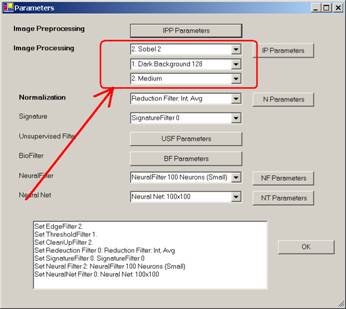
25.3.1 Edge Filters
Edge Filters extract and
enhance edges & contours in an image by expressing intensity differences
(gradients) between neighboring pixels as an intensity value. The basic
variables are the differences between the top and bottom rows, the differences
between the left and right columns, and the differences between the center
point and its neighbors.
Edge Filters have the following selections:
Code Meaning
0 No Edge Filter
1 Sobel 1 (Prewitt)
2 Sobel 2 (Sobel)
3 Sobel 3
4 Sobel 4
5 Gradient
6 Gradient, 45°
7 Sobel 1, 45°
8 Sobel 1, - 45°
9 Laplacian 4
10 CD 11
11 FD 11
12 FD 9
13 FD 7
14 FD 13
15 Laplacian 5
16 Laplacian 8
17 Laplacian 9
18 Laplacian 16
19 Laplacian 17
All other filters have to be ordered in a Customized Version.
These names really do not make any sense to common users; the best way to figure out what these filters are, is to select a training image and try each of the filters. In general, these filters require the “Dark Background 125” Threshold Filter.
If you do not want to know the details, please skip the rest of this section. The details will be given below so you will know how to order a customized filter:
Sobel 1:
-1 0 1 -1 -1 -1
-1 0 1 0 0 0
-1 0 1 1 1 1
Sobel 2:
-1 0 1 -1 -2 -1
-2 0 2 0 0 0
-1 0 1 1 2 1
Sobel 3:
-1 0 1 -1 -3 -1
-3 0 3 0 0 0
-1 0 1 1 3 1
Sobel 4:
-1 0 1 -1 -4 -1
-4 0 4 0 0 0
-1 0 1 1 4 1
Gradient:
0 0 0 0 -1 0
-1 0 1 0 0 0
0 0 0 0 1 0
Gradient, 45°
0 0 1 -1 0 0
0 0 0 0 0 0
-1 0 0 0 0 1
Sobel 1, 45°
0 1 1 1 1 0
-1 0 1 1 0 -1
-1 -1 0 0 -1 -1
Sobel 2, 45°
0 1 2 2 1 0
-1 0 1 1 0 -1
-2 -1 0 0 -1 -2
Laplacian 4
0 -1 0
-1 4 -1
0 -1 0
Laplacian 5
0 -1 0
-1 5 -1
0 -1 0
Laplacian 8
-1 -1 -1
-1 8 -1
-1 -1 -1
Laplacian 9
-1 -1 -1
-1 9 -1
-1 -1 -1
Laplacian 16
0 0 -1 0 0
0 -1 -2 -1 0
-1 -2 16 -2 -1
0 -1 -2 -1 0
0 0 -1 0 0
Laplacian 17
0 0 -1 0 0
0 -1 -2 -1 0
-1 -2 17 -2 -1
0 -1 -2 -1 0
0 0 -1 0 0
25.3.2 Threshold Filters
After Edge Filters, the Threshold Filter will be applied to the images. Choose these two filters where the sample objects stand out, otherwise change the filters.
If no filter in this version fits your problem, a Customized Filter has to be built. DO NOT make too many things stand out, i.e. as long as the area of interest stands out, the rest should show as little as possible.
Once you make a selection, the
objects in the images are black and the background is white (like a book: white
paper, black print). You should make
the black area as small as possible, as long as it covers the key-segment(s).
Otherwise, switch to a different background.
Figure 25.4 Threshold Filter Parameters.
There are 30 Threshold filters in the ImageFinder. A few filters, including the average-filter and the customized-filter, allow you to specify any color range. Color is specified by three separate colors: Color = (red, green, blue). Each of the colors ranges from 0 to 255. (0, 0, 0) is black; (255, 255, 255) is white.
You should choose a filter where the sample object(s) stand out. You may want to know the meaning of the filters; example, "Light Background 128" means:
· “RGB Average in 0 – 127 “ è objects; and
· “RGB Average in 128 - 255“ è background.
To
Summarize:
· Choose an Edge Filter and a Threshold Filter where the sample object(s) stand out;
· Choose an Edge Filter and a Threshold Filter where the black area is as small as possible, as long as it covers the key-segment(s).
25.3.3 Clean-Up Filters
Clean-Up Filters will clear noise off the image, but it will take more computation time.
25.4 Normalization Filter
The Normalization Filter connects the image to the underlying neural nets. Let the underlying neural net be 100x100: if an image is larger than 100x100, say 350x230, then this image will be reduced to 100x100 or smaller.
When reducing images, a scaling factor can be introduced easily. Although scaling symmetry can compensate for this scaling factor, scaling symmetry is computationally expensive.
It is important to know that the Reduction Filter will match the selected underlying neural net, therefore, the behavior of the Reduction Filter not only depends on the selection of this filter itself, but also depends on the NeuralNet Filter chosen.
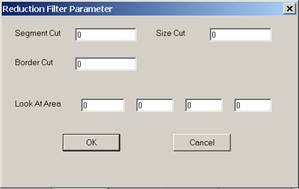
Figure 25.5 Selecting Reduction Filter.
There are several ways to reduce images:
- Integer,
- Real, or
- All images are reduced by the same amount.
Integer Reduction
Images are reduced by an integer factor to maximally fit 100x100 without distortion. For example, a 350x230 image will be reduced to 87x57.
Real Reduction
Images are reduced by a real number to maximally fit 100x100 without distortion. For example, a 350x230 image will be reduced to 100x65.
Within each type of reduction, there are 3 more settings. Assume a 3x3 pixel array is reduced to 1 pixel,
- Avg: Assign the average of the 3x3 pixel array to the new pixel;
- Max: Assign the maximum of the 3x3 pixel array to the new pixel; or
- Min: Assign the minimum of the 3x3 pixel array to the new pixel.
To select the Reduction Filter, use the fourth drop down list. The Reduction Filter has seven parameters.
Segment Cut
This parameter deals with the edges of the segments in the images. The Segment Cut parameter ranges from 0 to 12. The larger this parameter is, the smaller the segment the ImageFinder will use. The possible settings in the user interface are: 0, 1, 2, .., and 12.
Size Cut
In some applications, the users only want to search images of certain
dimensions and ignore other images. An example is given below:
In this example, the two stamps belong to two different classes based on the image dimension alone.
The Size Cut parameter ranges from 0 to 9.
· If the setting is 0, this parameter will be ignored.
· If the parameter is 1, then the longest edge of the image to be considered must be at least 100, but less than 199.
· If the parameter is 2, then the longest edge of the image to be considered must be at least 200, but less than 299; …
The Border Cut parameter ranges from 0 (no cut) to 9 (18% border cut). For some images (see the picture below), you might want to get rid of the sections of images close to the borders. To get rid of the border section, use the Border Cut.

The possible settings in the user interface are: 0, 1, 2, .., and 9.
Assume an image is (0,0; 1,1),
· setting Border Cut to 1 means the ImageFinder will look at the section (0.02, 0.02; 0.98, 0.98);
· setting Border Cut to 2 means the ImageFinder will look at the section (0.04, 0.04; 0.96, 0.96); … .
The Look-At Area is the area the ImageFinder will use in a matching operation. A 100 x 100 window specifies a whole image. If an integer Reduction Filter is used, the actual area can be less than 100x100.
Four numbers specify the Look-At Area:
(x, y, w, h)
(x, y) are the coordinates of the upper-left corner and (w, h) are the width and height of the Look-At window.
To use this Look-At window, enter (x, y, w, h) to the 4 text boxes.
25.5 Unsupervised Filter and BioFilter
The Unsupervised Filter and the BioFilter have similar parameters, so we have combined these two filters together.
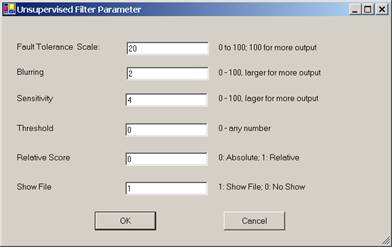
Figure 25.6 Unsupervised Filter or BioFilter Parameter.
Fault Tolerance Scale
Use this parameter to control the amount of output. This parameter
ranges from 0 to 100. The larger this number is, the more matches you will get.
To set this parameter, enter a number between 0 and 100 to the text box.
Blurring
Use this parameter to control the amount of output. This parameter
ranges from 0 to 100. The larger this number is, the more matches you will get.
To set this parameter, enter a number between 0 and 100 to the text box.
Sensitivity
Use this parameter to control the amount of output. This parameter
ranges from 0 to 100. The larger this number is, the more matches you will get.
To set this parameter, enter a number between 0 and 100 to the text box.
Threshold
The result of image comparison is a "score", indicating the
degree to which a match exists. This score is then compared to a pre-set
Threshold to determine whether or not to declare a match. This parameter sets
the threshold. To decide what threshold to use, you should make a test run
first and look at the scores. Matching images have higher scores; unmatched
images have lower scores. Select a threshold to separate these two groups.
There will be a few images in the middle, representing both groups. Under these
circumstances, the threshold selection depends on your application.
Relative Score
Use the relative score to set the range of matching score between 0 and
100.
Show File
This parameter is set to 1 by default, which will show the output file.
If this parameter is set to 0, then output file will not be shown.
25.6 Neural Filters
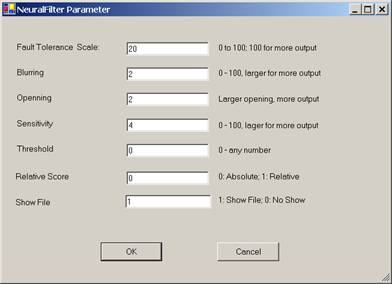
Figure 25.7 NeuralFilter Parameter.
Fault Tolerance Scale
Use this parameter to control the amount of output. This parameter
ranges from 0 to 100. The larger this number is, the more matches you will get.
To set this parameter, enter a number between 0 and 100 to the text box.
Blurring
Use this parameter to control the amount of output. This parameter
ranges from 0 to 100. The larger this number is, the more matches you will get.
To set this parameter, enter a number between 0 and 100 to the text box.
Sensitivity
Use this parameter to control the amount of output. This parameter
ranges from 0 to 100. The larger this number is, the more matches you will get.
To set this parameter, enter a number between 0 and 100 to the text box.
Threshold
The result of image comparison is a "score", indicating the
degree to which a match exists. This score is then compared to a pre-set
Threshold to determine whether or not to declare a match. This parameter sets
the threshold. To decide what threshold to use, you should make a test run
first and look at the scores. Matching images have higher scores; unmatched
images have lower scores. Select a threshold to separate these two groups.
There will be a few images in the middle, representing both groups. Under these
circumstances, the threshold selection depends on your application.
Relative Score
Use the relative score to set the range of matching scores between 0
and 100.
Neural Filter Opening
This parameter controls the amount of output. This
parameter has 5 settings:
Very Large
Large
Normal
Small
Very Small
Large openings will allow more output than small openings. To set the parameter, keep clicking the button; the setting will switch from one to the next each time you click the button.
Show File
This parameter is set to 1 by default, which will show the output file.
If this parameter is set to 0, then output file will not be shown.
25.7 NeuralNet Filter
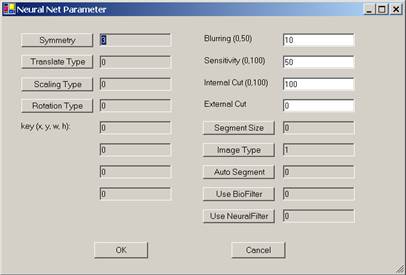
Figure 25.8 Neural Net Parameter.
The available NeuralNet filters are:
- 100x100 (Most Accurate)
- 90x90
- 80x80
- 70x70
- 60x60
- 50x50 (Least Accurate)
Let the speed of a 100x100 filter be a base, then the overall speed for:
- 90x90 filter is 1 times faster;
- 80x80 filter is 1.6 times faster;
- 70x70 filter is 2.7 times faster;
- 60x60 filter is 5 times faster; and
- 50x50 filter is 10 times faster.
The NeuralNet Filter has many parameters. The following sections will
explain these parameters.
25.7.1 Symmetry
Symmetry or Invariance means similarity under certain types of changes. For example, considering two images, one with a face in the middle and the other with the face moved to the edge; we say these two images are similar because of the face.
The symmetry defines "similar images". The Attrasoft ImageFinder supports five symmetry settings:
· No symmetry (0);
· Translation symmetry (3);
· Scaling symmetry (4);
· Rotation symmetry (5); and
· Rotation & Scaling symmetries (6).
The numbers are the codes in the batch file. Currently, Scaling symmetry and Oblique symmetry are the same.
Other symmetries, or combination of symmetries, can be built for Customized Orders.
A customized Attrasoft ImageFinder can implement any symmetry (or combination of symmetries), which can be described by mathematics.
However, symmetries are computationally expensive.
Every symmetry setting has the Translation symmetry, except "No Symmetry". In addition, each of the above settings support:
· Intensity symmetry.
Symmetries are computationally expensive, meaning it will take a longer time to do the job. You should use them only when they are required.
To set the Symmetry, keep clicking the “Symmetry” button; the setting will switch from one to the next each time you click the button. The default setting in this version is Translation symmetry.
For example, it seems that Stamp Recognition requires Translation and Rotation symmetries. But because the edges of a stamp can be detected easily, the stamp can be rotated and shifted to a fixed position where the horizontal side is longer than the vertical side. All you need to do is recognize a stamp or an upside-down stamp. Therefore, Stamp Recognition does not really require Translation and Rotation symmetries.
25.7.2 Translation Type
The Translation Type defines the accuracy of the Translation symmetry.
The Translation Type settings (and their codes) are:
· Most Accurate (0);
· Accurate (1); and
· Least Accurate (2).
To set the Translation Type, keep clicking the “T Type” button; the setting will switch from one to the next each time you click the button. The default setting is 0, the most accurate setting.
25.7.3 Scaling Type
The Scaling Type defines the accuracy of the Scaling symmetry.
The Scaling Type settings (and their codes) are:
· Least Accurate (0);
· Accurate (1);
· Accurate (2); and
· Most Accurate (3).
To set the Scaling Type, keep clicking the “S Type” button; the setting will switch from one to the next each time you click the button. The default setting is 0, the least accurate setting.
25.7.4 Rotation Type
The Rotation Type defines the accuracy of the Rotation symmetry.
The Rotation Type settings (and their codes) are:
· 360° rotation, least accurate (0);
· -5° to 5° rotation (1);
· -10° to 10° rotation (2);
· 360° rotation, accurate (3);
· 360° rotation, more accurate (4);
· 360° rotation, most accurate (5).
To set the Rotation Type, keep clicking the “R Type” button; the setting will switch from one to the next each time you click the button. The default setting is 360° rotation, the least accurate setting (0).
25.7.5 Area of Interest (AOI)
Selecting an image segment is very important for training.
- Use image segments for searching similar images.
- Only use the whole image for exact matches.
Training requires an "Area of Interest" (AOI) or "Set Focus", which selects a key-segment. If an AOI is not chosen, the whole image is the AOI. Four numbers specify AOI: the upper-left corner coordinates, and the length & width. Once the segment specification is successful, a box will cover the selected area. When you look at the training image, if the selected area is not what you want, just re-select the area again and click the “Segment” button.
The default setting is the whole image; the code is (x y w h) = (0 0 0 0). (0000) means ignore the segment. The units are pixels.
There are two situations where you should create a new sample image out of a sample segment:
· You repeatedly use an image segment;
· The image segment is not a rectangle; say a polygon.
The Windows Paint program will help you to create an image from a segment.
When you create an image segment, please do not change the original image size.
For example, if your image is 512x512 and you want create a segment of 400x200, please paste the 400x200 segment into a 512x512 empty image.
25.7.6 Blurring
Blurring is one of the most important search parameters and the first parameter you should adjust.
Blurring compensates for minor image changes, which are not visible to human eyes. For example, if you use software to compress an image, to change the intensity of an image, or to translate, scale, or rotate an image, the image will be distorted a bit at the pixel level. You have to set “Blurring” to compensate for this.
The Blurring setting ranges from 0 to 50. The default setting is 10. You should set the parameters in the following order:
Blurring, Internal Weight Cut, Sensitivity,
External Weight Cut.
To Summarize:
- When a search
yields no results, increase Blurring;
- When a search
yields too many results, decrease Blurring.
25.7.7 Sensitivity
The Sensitivity parameter ranges from 0 (least sensitive) to 100 (most sensitive).
- To search small segment(s), use high sensitivity search.
- To search large segment(s), use low sensitivity search.
- The higher this parameter is, the more results you will get.
The Sensitivity parameter ranges from 0 to 100. The default is 50.
To Summarize:
- When a search
yields no results, increase sensitivity;
- When a search yields too much result, decrease sensitivity.
25.7.8 Internal/External Weight Cut
You can set the "Internal Weight Cut" (Internal Cut) or "External Weight Cut" (External Cut) to list only those retrieved images with scores or weights greater than a certain value (called Threshold).
It is better to give no answer than a wrong answer.
Assume you are searching images and all similar images have weights ranging from 1,000 to 10,000. It is possible that some other images pop up with weights ranging from 10 to 100. To eliminate these images, you can set the “External Weight Cut” to 1,000.
The Internal Cut plays a similar role as the External Cut. There are two differences between these two cuts:
· The Internal Cut ranges from 0 to 99; the External Cut can be any number;
· The Internal Cut stops the images from coming out, whereas the External Cut can bring the eliminated images back if you set the External Cut to 0. You might need to see the eliminated images sometimes for the purpose of adjusting the parameters.
To Summarize:
·
Set the
“Internal Cut” or “External Cut” to eliminate errors.
25.7.9 Segment Size
The ImageFinder is currently tuned to search for large image segments (size of the whole image). It can look for small segments via the "Small Segment" setting; however, only Translation symmetry is supported for small segments.
A Customized Version can be ordered for other symmetries.
To search large segments, use setting 0.
To search small segments, use setting 1.
For example:
- If a sample segment is one quarter of the sample image, it is a large segment.
- If the segment is 1/20 of the sample image, it is a small segment.
Currently, "S Segment" only supports Translation symmetry. If
you need Rotation or/and Scaling symmetry, please use "L
Segment".
Other symmetries can be added in a Customized Version.
25.7.10 Image Type
There are BW and Color images. For each of them, there are “sum-search”, “maximum-search”, and “average-search”. This generates 6 image types:
- BW Sum
- BW Max
- BW Avg
- Color Sum
- Color Max
- Color Avg
"BW Sum” is like an integration of function f (x).
"BW Max” is like a maximum value of f (x); and
"BW Avg” is the average of the above two.
"Color Sum” is like an integration of function f (x).
"Color Max” is like a maximum value of f (x); and
"Color Avg” is the average of the above two.
To set the image type, keep clicking the Image Type button; the setting will switch from one to the next each time you click the Image Type button.
25.7.11 Use BioFilter & Use Neural Filter
These two parameters, “Use BioFilter” and “Use NeuralFilter”, will decide whether the BioFilter and NeuralFilter will be used before the NeuralNet Filter is used to eliminate some images.
25.7.12 Auto Segment
The training segment can be specified in two ways:
Manual Specification
Automatic Specification
The
default is Manual Specification. In this setting the segment will be
specified by the four text boxes (x, y, w, h), as we discussed earlier.
If you do not want to pick up a training segment, then let the ImageFinder pick up the segment for you by using the Automatic Specification. This parameter has several settings:
NO Auto Segment
Very Large Segment
Very Large Segment
Large Segment
Large Segment
Medium Segment
Medium Segment
25.7.13 Summary
The NeuralNet Filter is hard to use because it has so many parameters. Not all parameters are equal. We divide the parameters into two groups. The beginners should use only parameters in the first group. Note that:
- The most important parameters for Training are
Image Processing, AOI, Symmetry, and Segment Cut.
- The most important parameters for Matching are Blurring, and Sensitivity.
In a typical search, you will set
these parameters and leave other parameters with default values. These are the
7 parameters you should focus on first:
Training (3 parameters):
- Segment: selecting “Large AutoSeg 3” so the ImageFinder will select a training segment for you at the beginning.
- Segment Cut (in the Reduction Filter)
Matching (4 parameters):
- Sensitivity
- Blurring
- External Weight Cut
- Internal Weight Cut
Ignore the rest of the parameters at the beginning.
26. ImageFinder Support Service Packages
Attrasoft TransApplet Services are designed to accelerate a company's path to deploy Image Recognition Solutions. Our structured Service Offerings help you to develop your products/services with the ImageFinder as a component.
26.1 Basic Annual Maintenance & Support Package
The Basic Annual Maintenance & Support package can be purchased.
ImageFinder Support Service Packages are designed to help a person/company to understand the process of integrating Image Recognition technology into their product/service. From a large set of possible paths, a person/company must plan the most realistic execution to ensure the success of the project.
The TransApplet Annual Support
covers:
·
Pointing
to the right development path and shorten the learning curve for developers.
·
Explaining
all of the code in this User’s Guide.
·
Preventing
you from following a wrong path, thus saving you from an unnecessary waste of
resources, or even failure of the project.
The TransApplet Annual Support
does not cover:
·
Explaining
all of the code not in this User’s Guide, but in the project.
There are huge amount of codes in the project; unless the codes are explicitly listed in this User’s Guide, the explanation of those programming codes will have additional fees.
26.2 Process
Image Recognition Solution Development Procedure is:
(1) Set up the system (you can do that);
(2) Collect the data (you can do that);
(3) Preliminary Assessment via our off-the-shelf software, the ImageFinder.
· You should get Identification Rates ranging from 60% to 89%.
· The best rate, one of our customers (without any customization) was able to obtain, was an 89% Identification Rate.
·
The off-the-shelf ImageFinder has 100 open parameters for users to adjust, which is
the reason customers are only able to achieve Identification Rates ranging from
60% to 89%.
· The ImageFinder itself has 3,000+ internal parameters which users have no access to. Customization is the process of adjusting these 3,000+ internal parameters for your specific image type. This is where the high degree of accuracy (95% to 99.9%) for your specific image type is obtained.
(4) Feasibility Project via Customized Stand-alone Software.
- ATTRASOFT will develop stand-alone software, which will address the special needs / requirements of your application.
- This will allow you to show your upper management the practicality of a larger project.
(5) Programming Library in .Net.
(6) System Integration to your Production Line.
(7) Licensing, Annual Maintenance & Support.
One-time License: 2% of the project.
Annual License: 0.6% of the project.
Annual Maintenance: 20% of the project.
26.3 What is a Feasibility Study?
Attrasoft Image Recognition technology offers a suite of products,
- ImageFinder (off-the-shelf),
- VideoFinder (off-the-shelf),
- TransApplet (Library version of the ImageFinder),
- Customized-ImageFinder,
- Customized-TransApplet,
that enables the success of projects a person/company will develop with Attrasoft’s software components.
26.4 Customization Services
If the off-the-shelf product satisfies your needs, your path will be:
Set up the system (you can do that);
Collect the data (you can do that);
Purchase the ImageFinder and make a Preliminary Assessment;
Purchase TransApplet;
System Integration Support;
License and Annual Support.
The most likely path you will go through, which requires some customization, is:
Set up the system (you can do that);
Collect the data (you can do that);
Purchase the ImageFinder and make a Preliminary Assessment;
Purchase Customization of the standalone software;
Purchase Customized TransApplet;
System Integration;
License and Annual Support.
Customization deals with problems like:
Reducing the operation Complexity;
Speed Optimization;
Internal Structure Optimization;
Graphical User Interface Customization;
Database Interface;
Web Interface;
Video Formats;
New Image Preprocessing Filters;
Customized Filters;
Programming Library;
Specific Symmetries or Combination of Symmetries;
Attrasoft can implement any symmetry (or combination of symmetries) which can be described by mathematics;
Further refinement for small image segments;
Fine Tuning of the Parameters;
Digital Image Database (Combine ImageFinder with Database);
Internet Image Search Engines;
Multi-layers of image matching;
Other Specific Needs.