


























7.3 Parameters
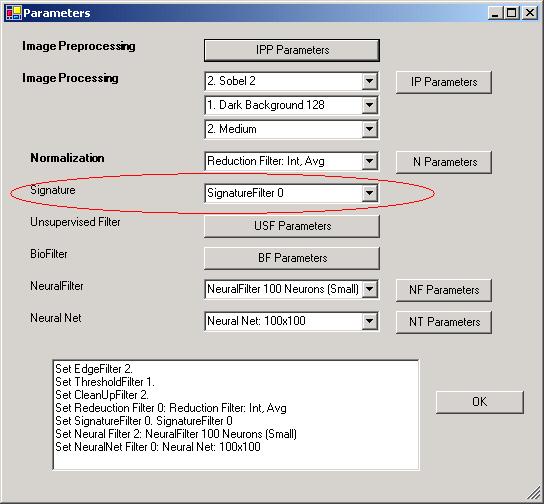
Figure 7.2 Parameter Window.
The ImageFinder has many parameters. Changing these parameters will change the output of the computations. The Parameters are set by clicking the Parameter button, which will open the Parameter Window in Figure 7.2. You will adjust the ImageFinder parameters here.
The default setting uses the Signature Filter 0, which is the least accurate Signature Filter. There are 20 Signature filters in the current version of the ImageFinder. In general, when you have less data, use less accurate Signature filters; when you have more data, use more accurate Signature filters.
There are really no hard guidelines; the following is only a rough reference for BioFilter:
Signature Filter Training Pairs
0 10
1 30
2 30
3 70
4 70
5 150
6 150
7 310
8 310
9 630
10 630
> 11 1000
We have 152 pairs, so we will choose Signature Filter 6. In Figure 7.2, select Signature Filter 6 from line 6.

Copyright (c) 1998 - 2006 Attrasoft, Inc. All rights reserved.