




























3.1 Starting the ImageFinder
Starting the ImageFinder, you will see Figure 3.1. Simply click the OK button to go to Figure 3.2. There are many input options to specify a search source. For simplicity, we will use the default setting, the “Search Directory” option. We will discuss all of the other options later.
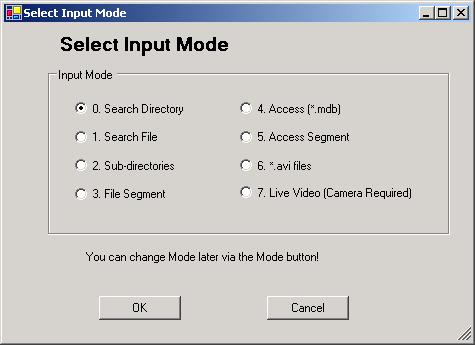
Figure 3.1 ImageFinder Input Modes.
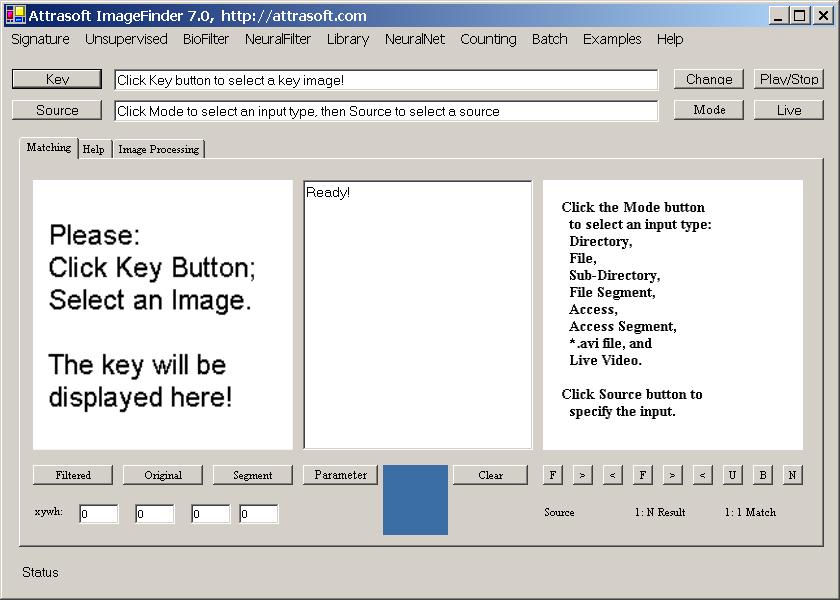
Figure 3.2 Starting ImageFinder.

[Home][About][1. Introduction][2. Overview][3. GUI][4. Image Signatures][5. Unsupervised Filters][6. Results & Analysis][7. BioFilters][8. NeuralFilters][9. Duplicated Documents][10. Face Recognition][11. Auto Part Recognition][12. Dynamic Library][13. NeuralNet Filter][14. Segment Variation][15. TV Advertisements][16. Counting & Tracking][17. Image PreProcessing][18. Image Processing][19. Batch Job][20. Parameters][21. Input Option][22. Application Developers][23. Reference Manual][24. Support Services][25. Readme.txt]
Copyright (c) 1998 - 2006 Attrasoft, Inc. All rights reserved.