

























[Home][13. NeuralNet Filter][13.5 Results]
13.5 Results
Although the output file specifies the segment location, it is not obviously where (x, y, w, h) is in a given image. For example, it is not clear where (202, 42, 162, 126) is in image, image002.jpg.
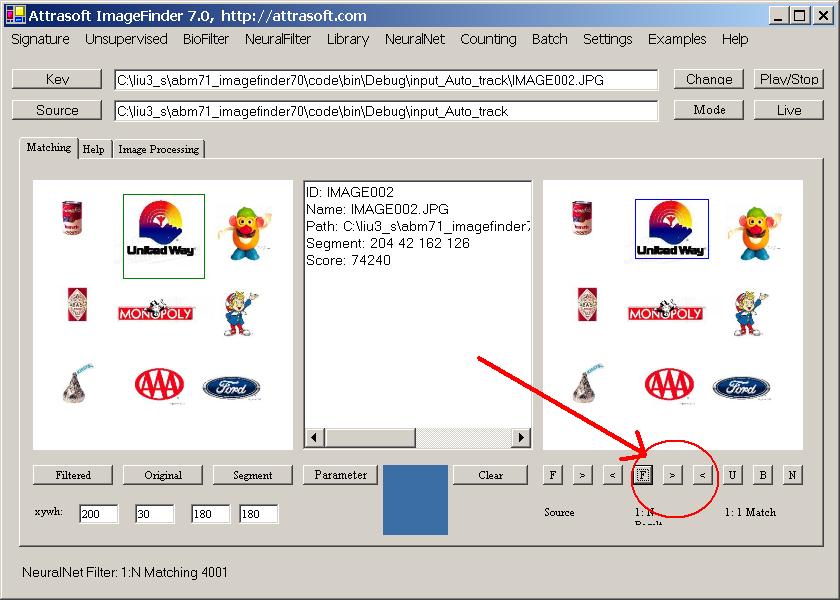
Figure 13.4. Matched Segment.
In Figure 13.4, the first picture box shows the training segment; and the second segment shows the matched segment.
To see where the matching segment is, there are three buttons in Figure 13.4:
F, > (Next), and < (Previous), that can be used to show where the matched segment is:
-
Click the “F” button to see the first matched segment;
-
Click the “>” to see the next matched segment;
-
Click the “<” button to see the previous matched button.
Figure 13.5 shows another matched segment.
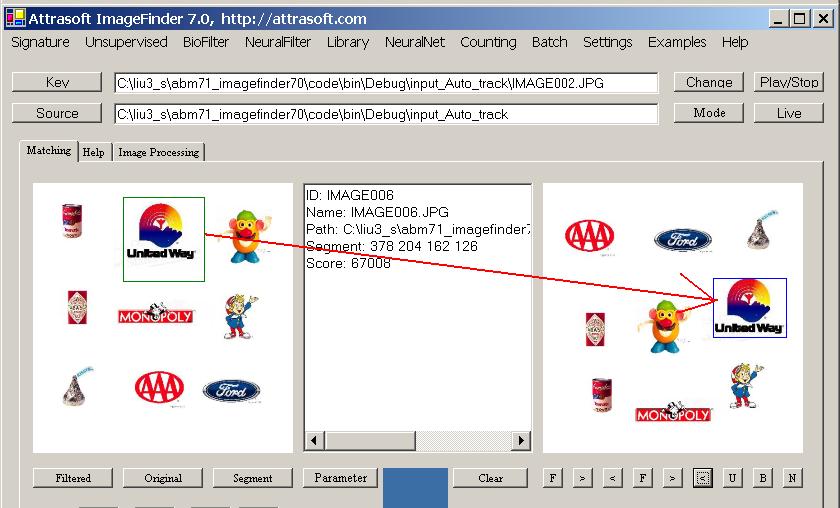
Figure 13.5 Matched Segment.

[Home][About][1. Introduction][2. Overview][3. GUI][4. Image Signatures][5. Unsupervised Filters][6. Results & Analysis][7. BioFilters][8. NeuralFilters][9. Duplicated Documents][10. Face Recognition][11. Auto Part Recognition][12. Dynamic Library][13. NeuralNet Filter][14. Segment Variation][15. TV Advertisements][16. Counting & Tracking][17. Image PreProcessing][18. Image Processing][19. Batch Job][20. Parameters][21. Input Option][22. Application Developers][23. Reference Manual][24. Support Services][25. Readme.txt]
Copyright (c) 1998 - 2006 Attrasoft, Inc. All rights reserved.