






























[Home][1. Introduction]
1. Introduction
The Attrasoft ImageFinder matches two images.
It can be used for Verification (1:1 Match), Search (1:N Match), Identification (1:N Match), and Batch processing (N:N Matching or N:M Match).
The primary focus of this version is whole image matching. It can also be used for various other applications, such as locating a segment in an image.
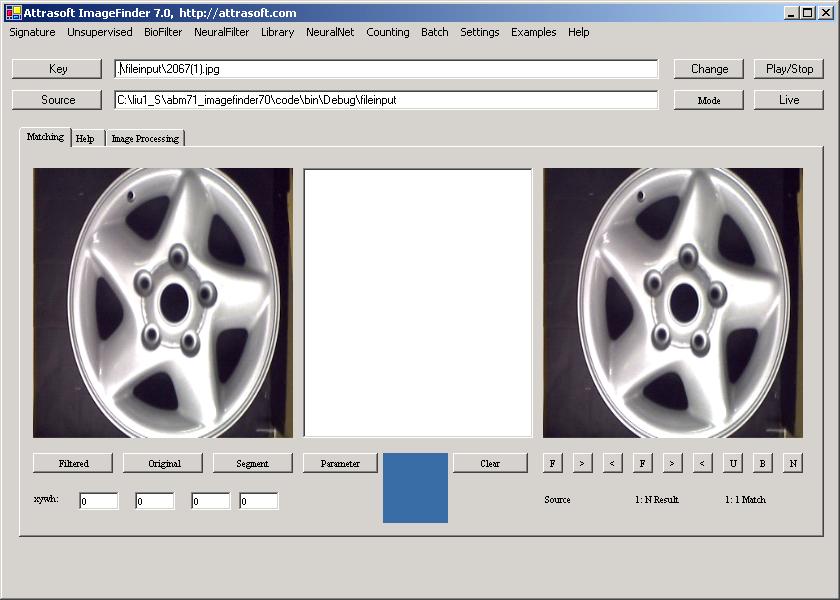
Figure 1.1 ImageFinder.
Image Recognition technology will increasingly replace human labor in the form of:
-
Creating new products; or
-
Improving existing products/processes to increase productivity,
which will translate into saving man-hours, saving money, making more money with fewer resources, doing new things, and/or shorten service turnaround time. Applications are limited only by your imagination:
-
Biometrics
-
Video - Image Recognition
-
Content-Based Advertisement
-
Statistics Collection (advertisement statistics, �)
-
Internet Audio-Visual Search Engine
-
Satellite Image Recognition (defense)
-
Cancer Detection (medical)
-
Content-base Image Retrieval (digital library)
-
Space Image Recognition (space exploration)
-
Object Detection (military)
-
Face Recognition, Fingerprints, Palm Prints (security locks & systems)
-
Stamp Recognition (post office)
-
Trademark Search
-
Real Time Event Detection
-
Forensic Identifications
Chapter contents include:
1.1 What will the ImageFinder do?
1.2 Software Requirements
1.3 Customized Software
1.4 Demo Website

[Home][About][1. Introduction][2. Overview][3. GUI][4. Image Signatures][5. Unsupervised Filters][6. Results & Analysis][7. BioFilters][8. NeuralFilters][9. Duplicated Documents][10. Face Recognition][11. Auto Part Recognition][12. Dynamic Library][13. NeuralNet Filter][14. Segment Variation][15. TV Advertisements][16. Counting & Tracking][17. Image PreProcessing][18. Image Processing][19. Batch Job][20. Parameters][21. Input Option][22. Application Developers][23. Reference Manual][24. Support Services][25. Readme.txt]
Copyright (c) 1998 - 2006 Attrasoft, Inc. All rights reserved.